How to Find Newly Registered Companies
Table of Contents
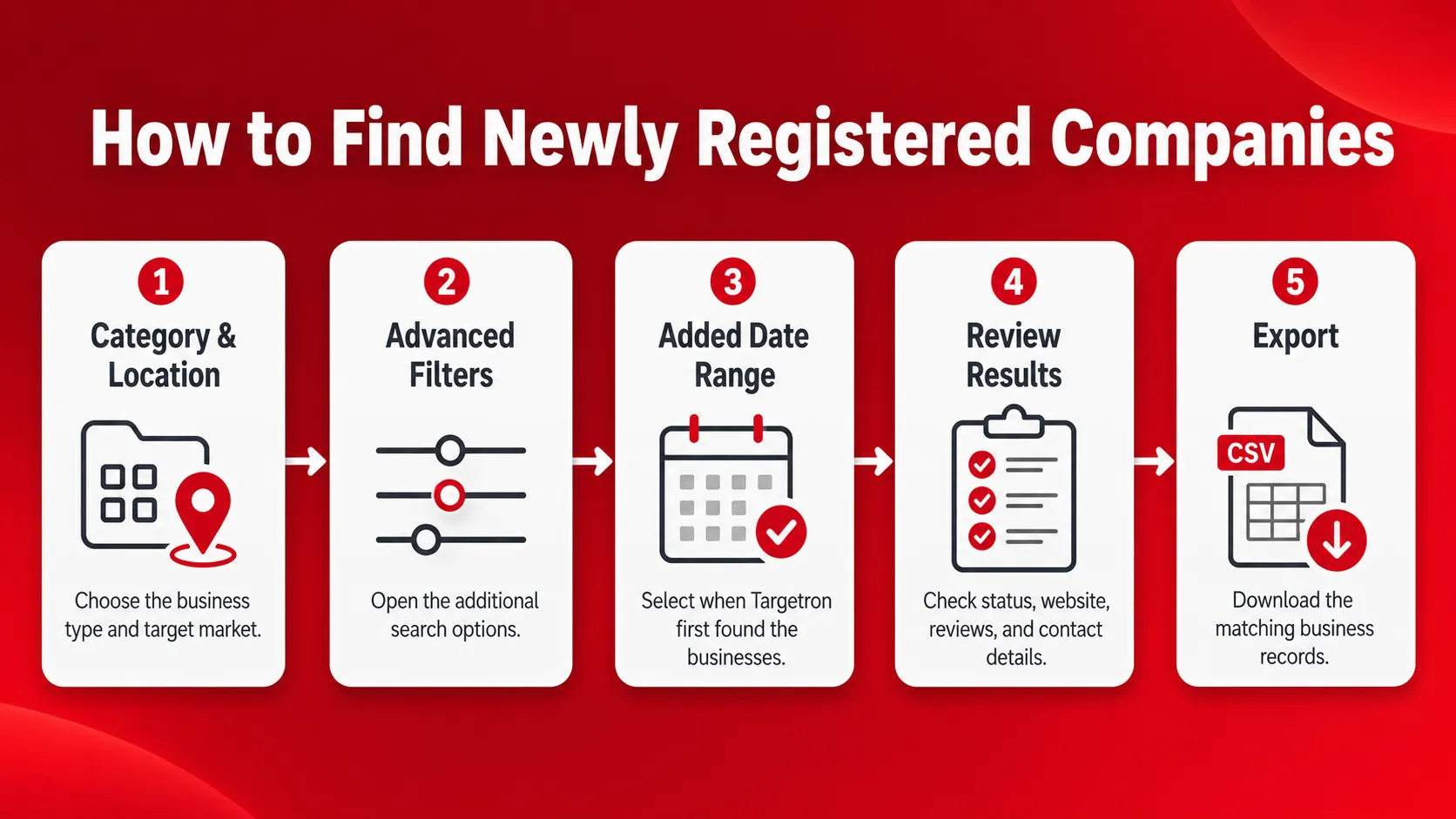
Finding newly registered companies is difficult when agencies and B2B service providers have to check maps, directories, websites, and local sources one business at a time.
Targetron helps you narrow the search by category, location, and the date a business record was added to its directory. You can check business status, reviews, website presence, and available contact details before deciding which records fit your target market.
In this guide, “newly registered companies” refers to businesses that Targetron recently discovered. The Added Date Range is based on when Targetron first found the business, not its official government registration or exact opening date. This guide explains how to use the filter, check the results, and export a more focused prospect list.
Quick Answer: How to Find Newly Registered Companies
- Choose a business category.
- Select the target country, state, city, or local area.
- Open Advanced Filters.
- Expand Dates & Attributes.
- Set the Added Date Range.
- Check the matching records before exporting your list.
Is It Possible to Find New Local Companies?
Yes. Targetron can help identify businesses that may have recently started operating. Choose a business category and location, then use the Added Date Range to narrow the results.
In this article, “newly registered companies” means businesses recently discovered by Targetron. The date is based on when the system first found the business, not its official registration, incorporation, or exact opening date.
Targetron estimates this method at about 95%–99% accuracy. Each result should still be checked before it is added to a prospect list.
The Targetron B2B Local Leads Directory lets you start with a business category and location, then narrow the results with date and business filters.
See how Targetron’s B2B Business Directory helps you search local businesses by category, location, and date-based filters.
Why Recently Added Businesses Matter for Agencies
New businesses may need websites, local SEO, reputation support, signage, payment services, software, and other services as they start operating. For marketing agencies, web design companies, sales teams, and other B2B service providers, this can create a timely reason to identify suitable prospects.
The purpose is not to contact every recently added business. First check whether the company matches your target category, location, and service offer. Targetron’s Added Date Range helps narrow the search, while other business filters can help remove records that do not fit your campaign.
For outreach timing, message ideas, and follow-up tips, read our guide to using newly registered businesses for lead generation.
How to Find Newly Registered Companies With Targetron
After signing in to Targetron, combine a business category, location, and Added Date Range to narrow the directory to businesses recently found by its system.
Follow these steps to set up the search.
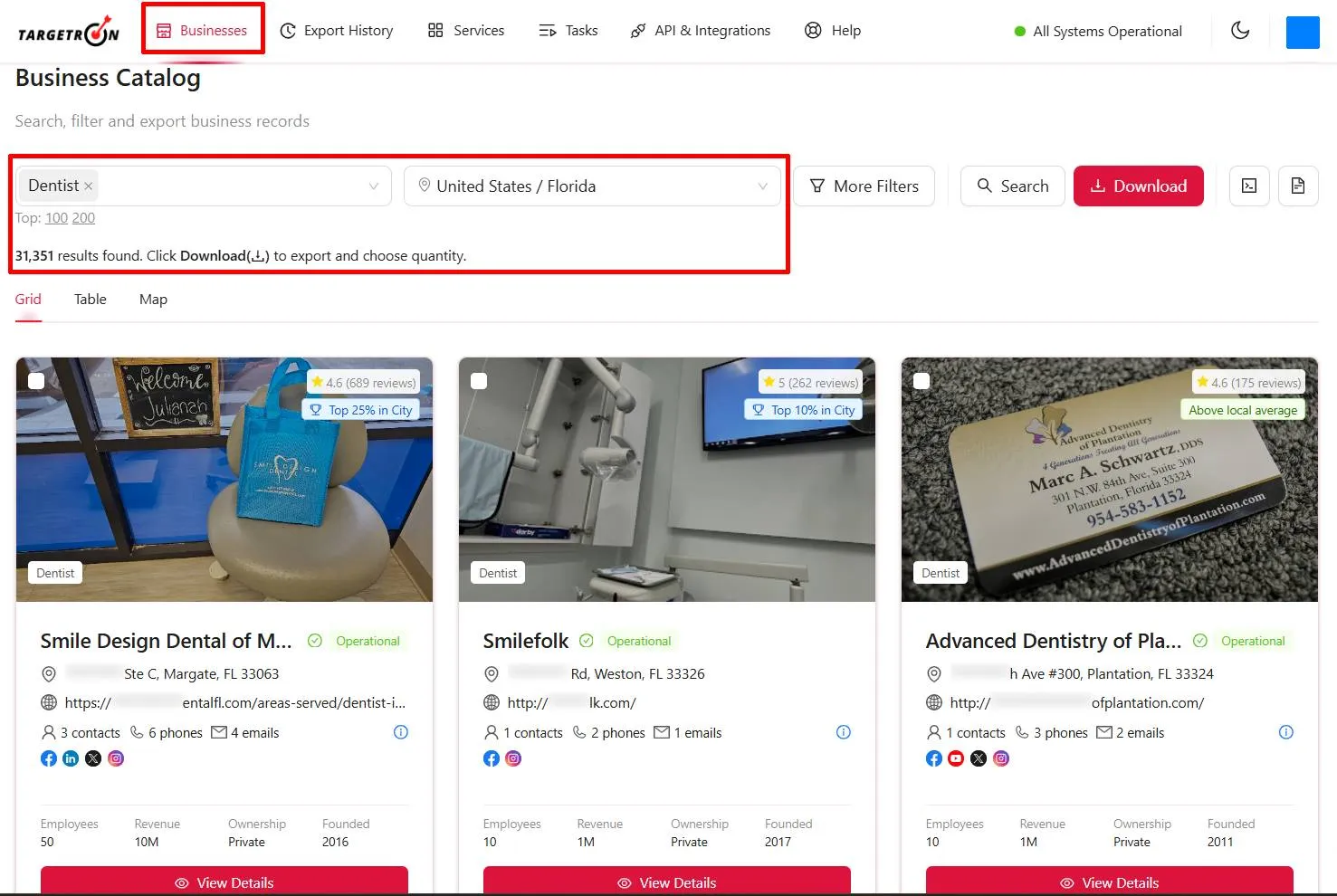
Step 1: Choose a Business Category and Location
Select the type of business you want to find and the market you want to cover. It should also match your target customer.
For example, a web design agency may search for dentists, restaurants, contractors, or other local businesses that fit its services. Choosing a focused category and location helps remove unrelated records from the results.
Step 2: Add Supporting Filters When Needed
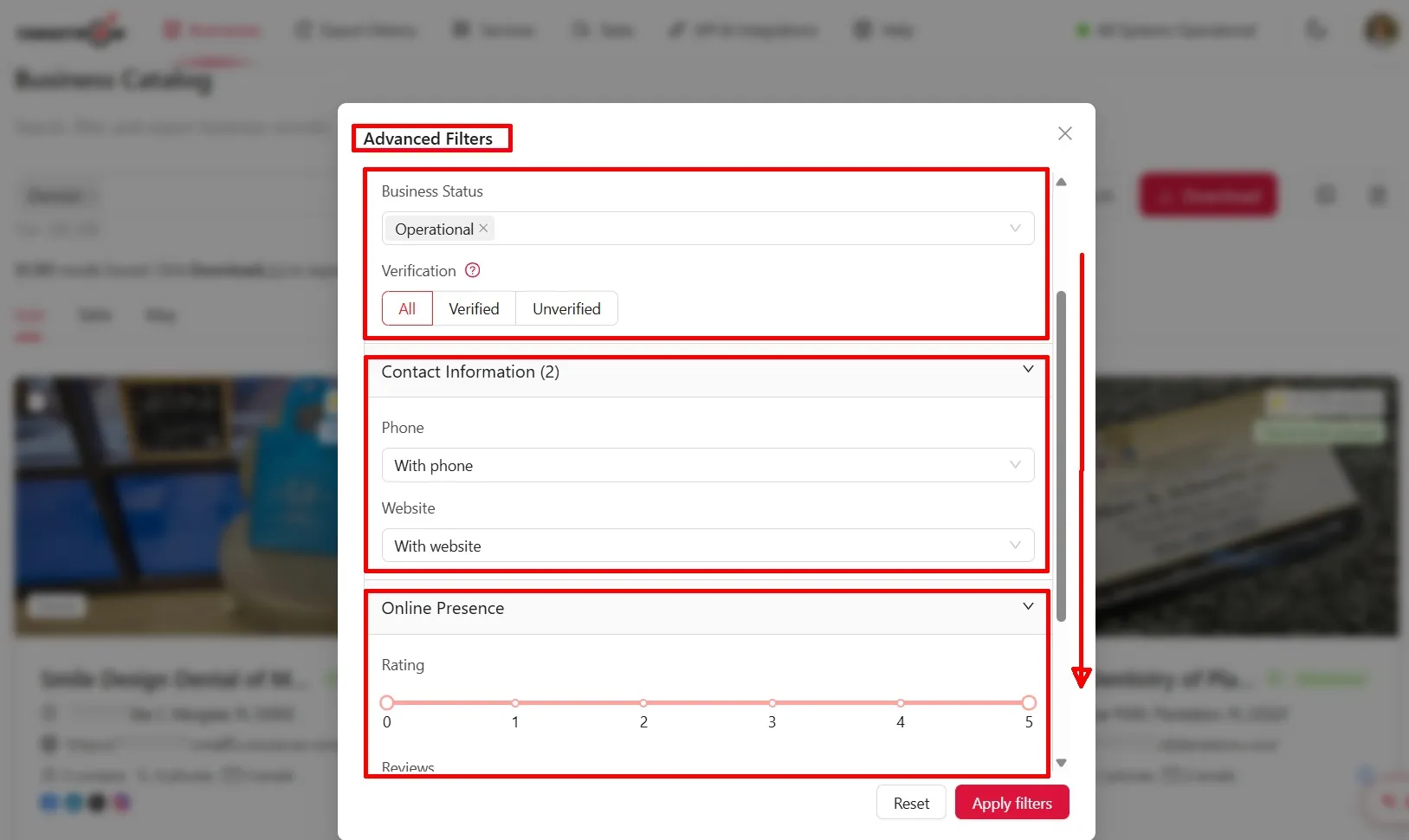
Click More Filters to open the Advanced Filters panel and set any additional conditions that match your search.
These may include business status, review count, website availability, phone availability, or email availability. These filters help narrow the list, but they do not confirm that a business recently opened.
Review count should remain optional. A business with no reviews may be new, but an older business may also have no reviews. For an explanation of the other available options, see how to use Targetron’s Advanced Filters.
Step 3: Set the Added Date Range
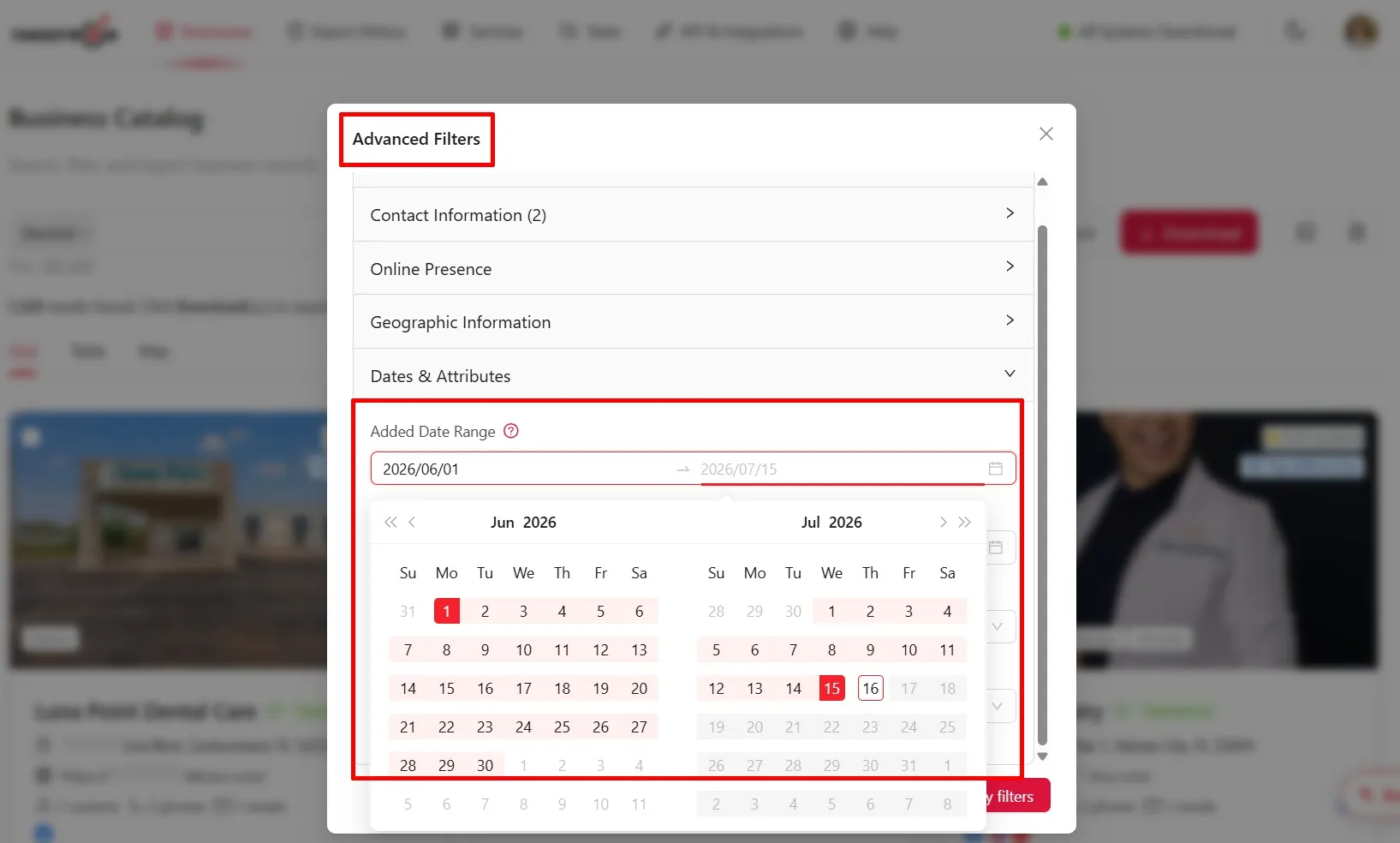
In Advanced Filters, expand Dates & Attributes, and set the Added Date Range for the period you want to search.
This is the main filter for finding businesses recently discovered by Targetron. The estimated accuracy is about 95%-99% because the result is based on when the system first found the business, not its official registration or exact opening date.
Do not use Updated Date Range for this search. That filter shows changes to existing business records and excludes newly added businesses.
Step 4: Review and Export the Results
Check the matching records before exporting your list.
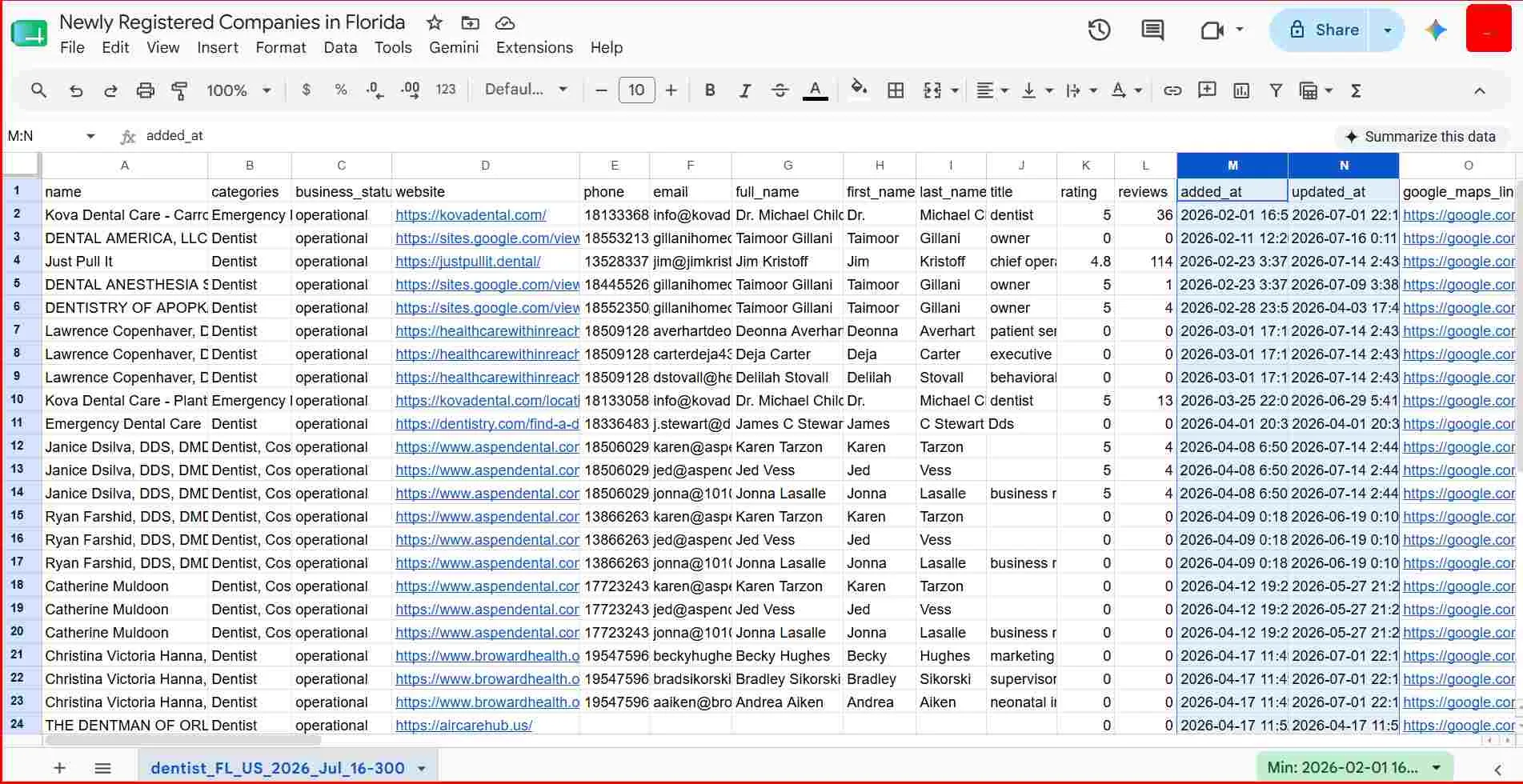
Review the business category, location, business status, added date, website, reviews, and available contact information. Remove records that do not match your target market.
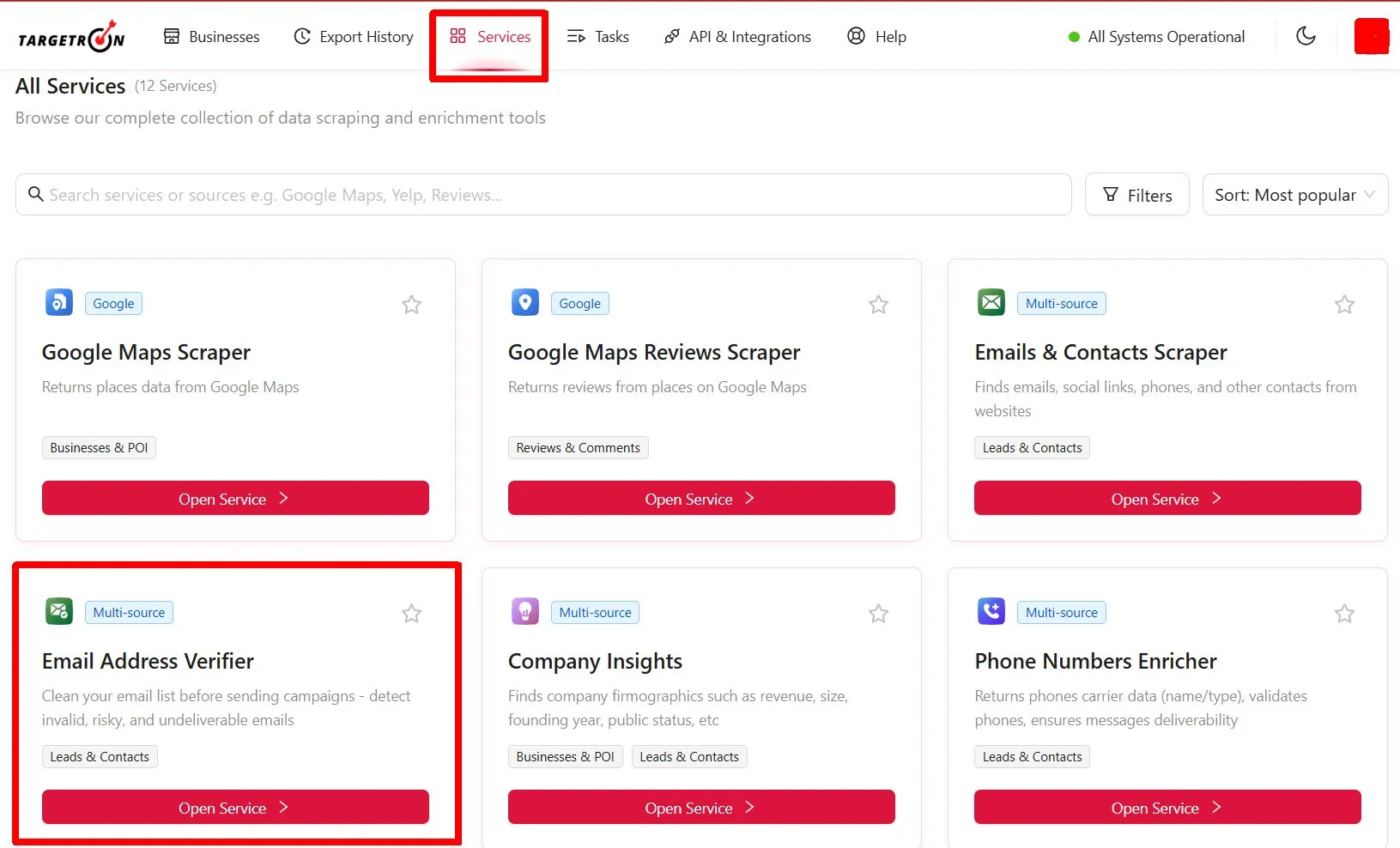
Targetron users can also open the Services tab when the list needs additional checks. For example, use Email Verifier to check email addresses before adding them to an outreach campaign. Choose other services based on the missing or unconfirmed data in your list.
After reviewing and checking the records, export the businesses that match your search. For a broader prospecting process after the list is prepared, see how to use Targetron to find new customers.
Once you are satisfied with the results, confirm the download and check the exported records. The sample below shows dentistry businesses in Florida that matched the selected filters.
Use the checklist below to confirm that your search settings and final results match your target market.
Final Answer: How to Find Newly Registered Companies
To find newly registered companies with Targetron, search for businesses recently discovered by the system rather than official government registrations.
- Choose the target business category and location.
- Open Advanced Filters.
- Add supporting filters when needed.
- Set the Added Date Range.
- Review the matching records before export.
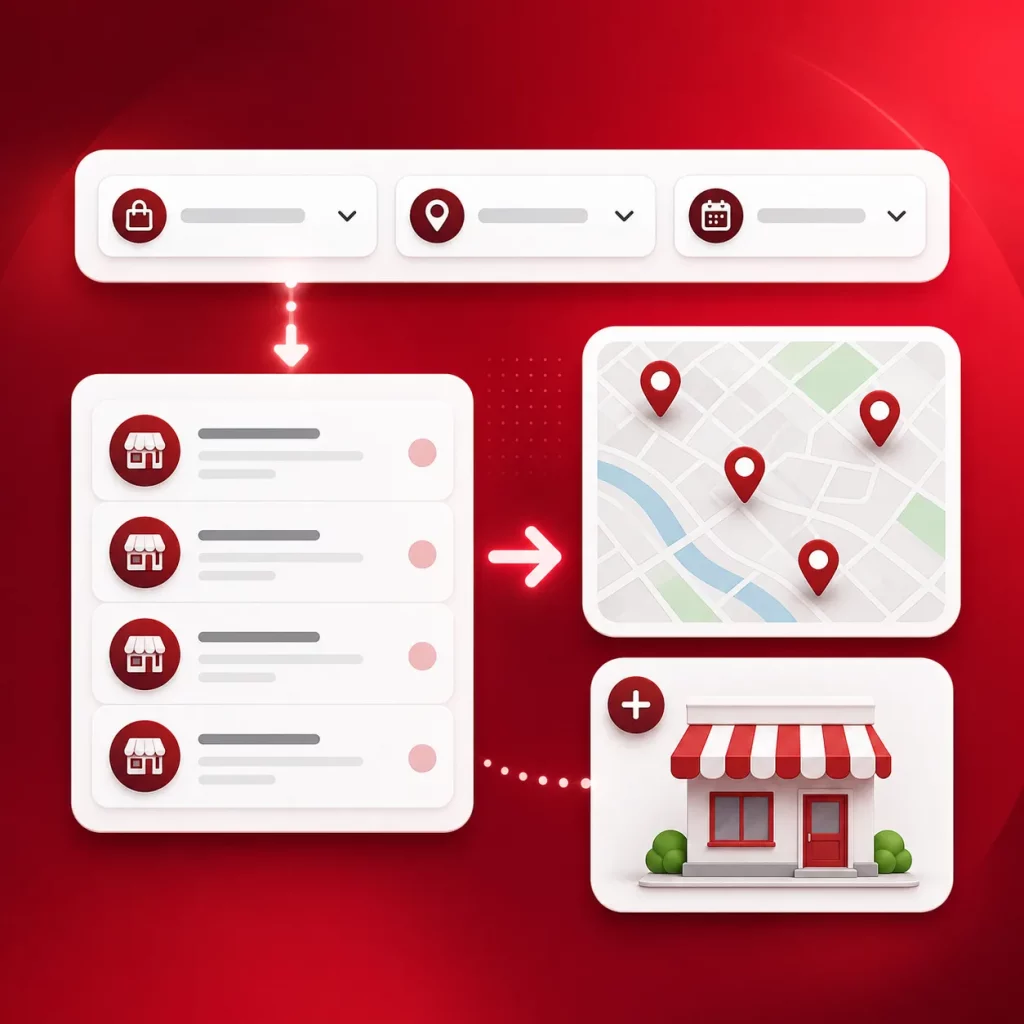
Choose your target category and location, set the Added Date Range, and review the matching records before export.
You can start the business search for free. Downloading records requires a Targetron account with available credits.
FAQ
Most frequent questions and answers
Select your target country, state, city, or local area. Open Advanced Filters, expand Dates & Attributes, and set the Added Date Range for the period you want to check.
Select the country, state, city, or local area you want to search. Open Advanced Filters, expand Dates & Attributes, and set the Added Date Range. Review the matching records because the date is based on when Targetron first found the business.
Use Targetron to search by business category and location. Add filters that match your target market, review the results, and export the records you want to use.
Choose a business category and the local area you want to cover. Targetron will return records that match the selected location and other search conditions.
Start with a clear target category and location. Use Targetron’s filters to narrow the results, check the available business and contact details, remove poor-fit records, and export the final list.
No. The Added Date Range is based on when Targetron first found the business. It does not show its legal registration, incorporation, or exact opening date.
Added Date Range helps identify businesses recently found by Targetron. Updated Date Range finds existing records whose customer-visible place data changed during the chosen period and excludes newly added businesses.
easily access a comprehensive list of newly established businesses in your area or any location of your choice. Whether you’re a B2B marketer, salesperson, or entrepreneur, finding recent business registrations has never been easier.
Why Target New Businesses?
Newly registered companies are often in the setup phase and actively seeking products and services. This makes them prime opportunities for:
- Building lasting business relationships
- Offering essential services to companies just starting out
- Expanding your B2B sales pipeline with fresh, high-conversion leads
With Targetron, you gain access to new business leads tailored to your industry and location, ensuring you’re always one step ahead of your competition.
Our new business registration database is updated regularly to provide you with the most accurate and timely information. Whether you’re interested in local startups, new LLC registrations, or recently incorporated businesses, Targetron has you covered.
Search by:
- Industry: Identify companies that fit your target niche
- Location: Explore new businesses near you or across multiple regions
- Timeframe: Find companies registered this month or within any custom period