Important Note: Targetron helps sales teams narrow searches and export available business records for research. Filters, ratings, reviews, locations, and other business information do not confirm company growth, buying intent, budget, service need, or sales readiness. Business information is reviewed after the records are exported, and relevant details should be manually verified before qualification or outreach.
Sales teams looking for growing local businesses need more than a large database. They need a practical way to narrow a market, export relevant business information, and investigate companies that show activity worth researching.
Review activity, multiple locations, operational status, and other public business information can provide useful research starting points. A sales team can use these observations to decide which companies deserve closer investigation.
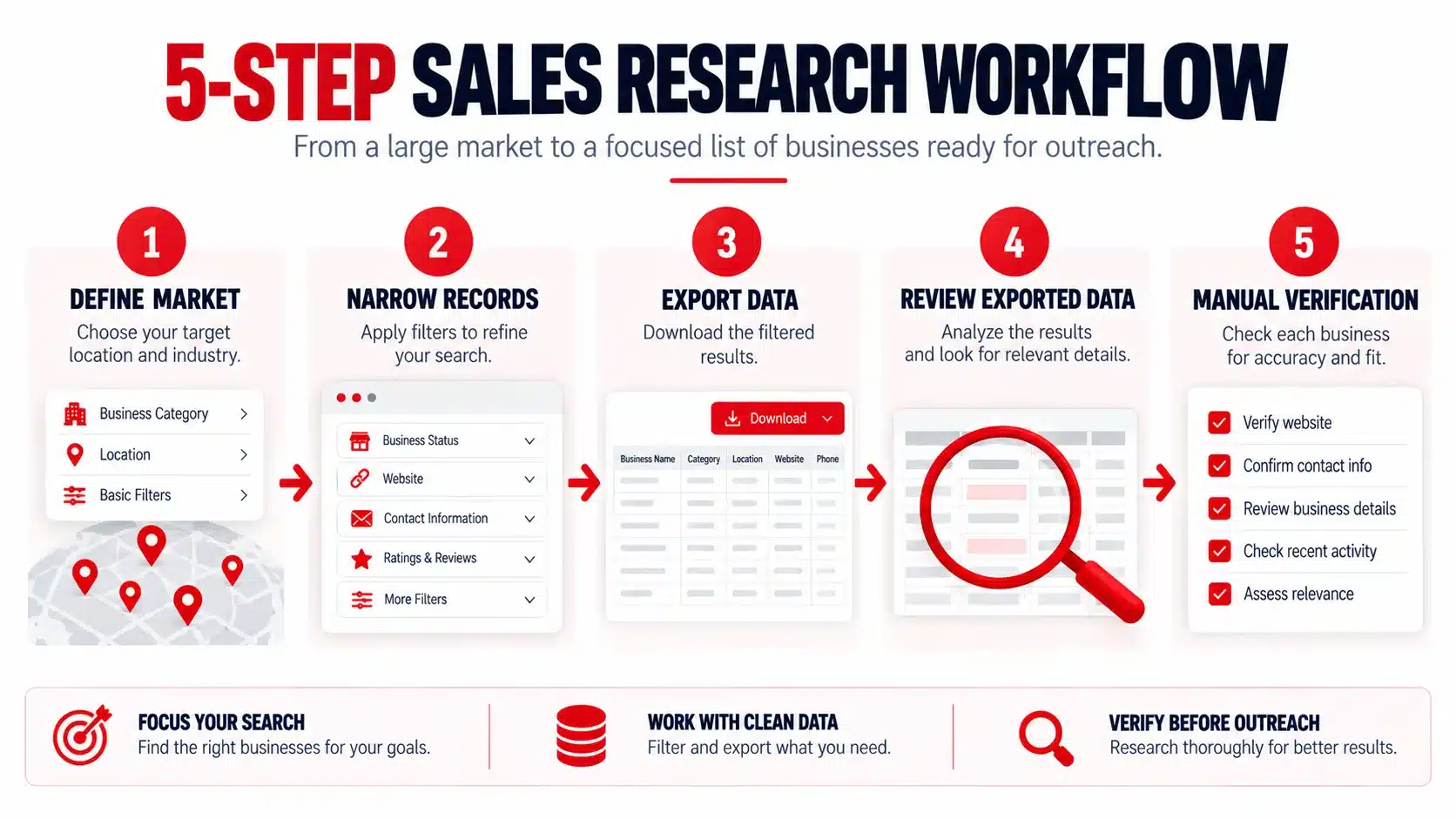
Targetron supports the discovery stage through a structured workflow:
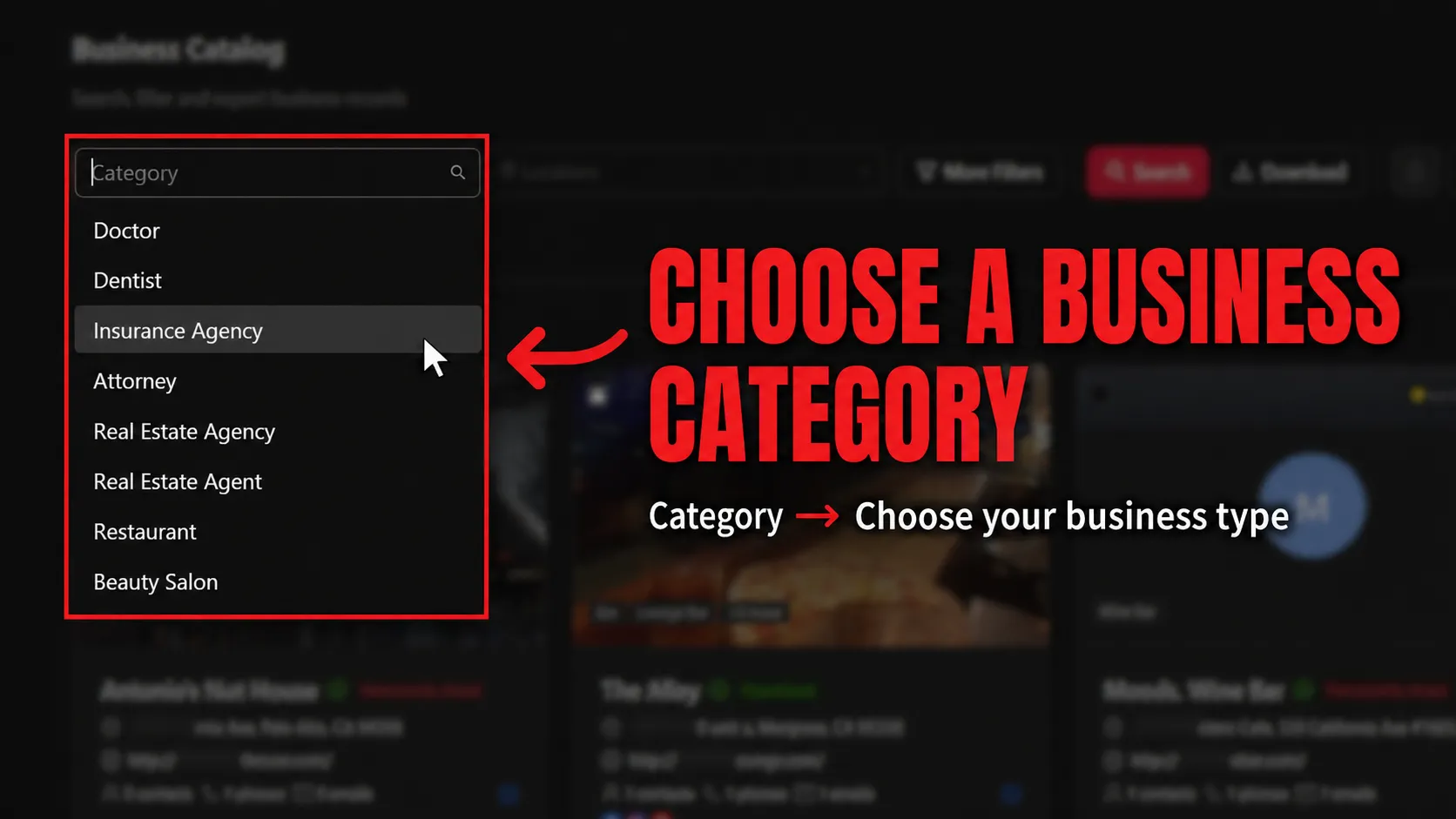
Step 1: Select the business category relevant to your sales market.
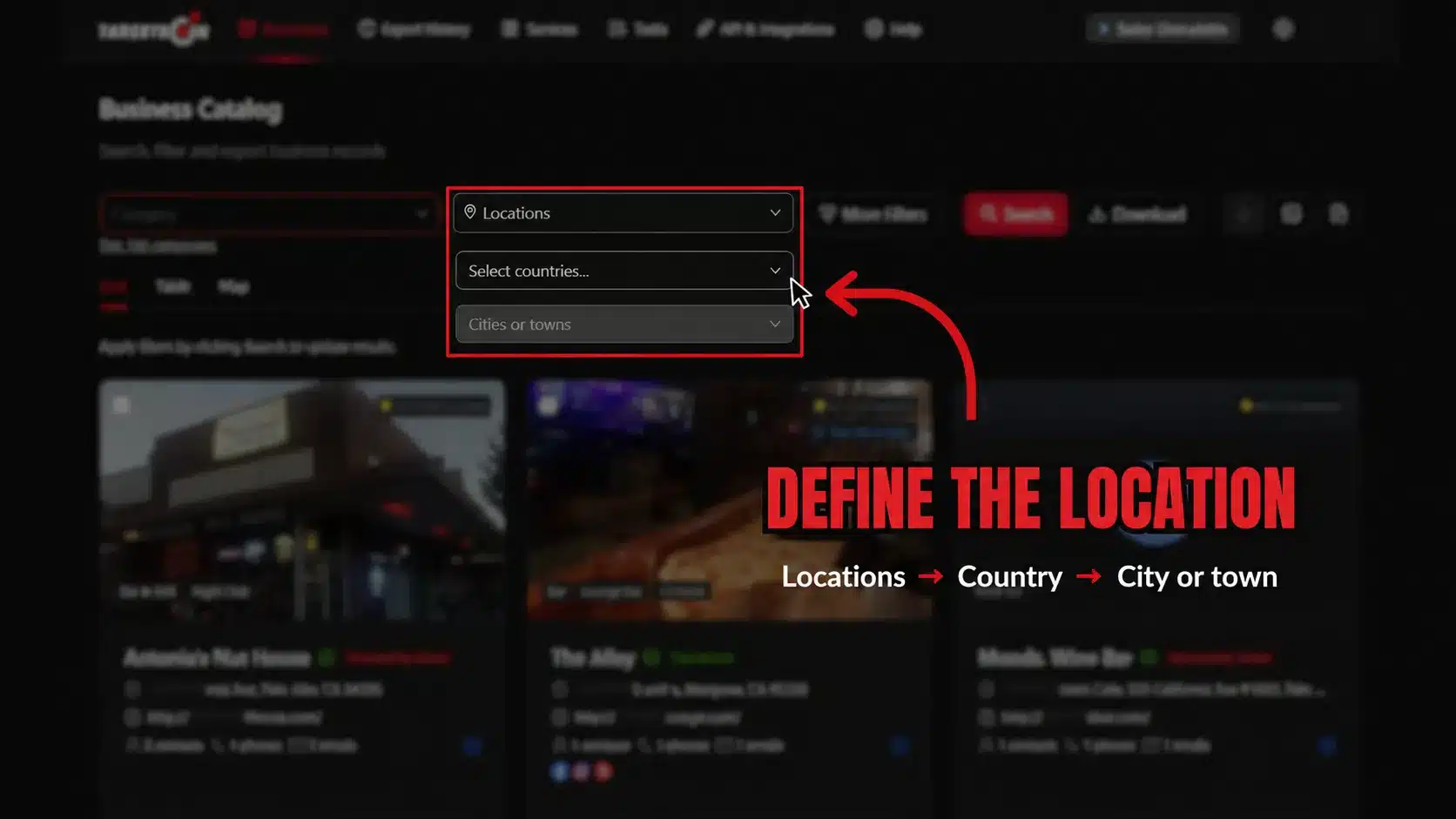
Step 2: Narrow the Search by Location
Step 2: Select the geographic market relevant to your sales research.
2. Apply Filters That Support Your Research Goal
After selecting the market, use the available Targetron filters to narrow which records will be included in the search.
The next stages are:
Advanced Filters → Contact Information → Online Presence
These controls help define the dataset your team will eventually export.
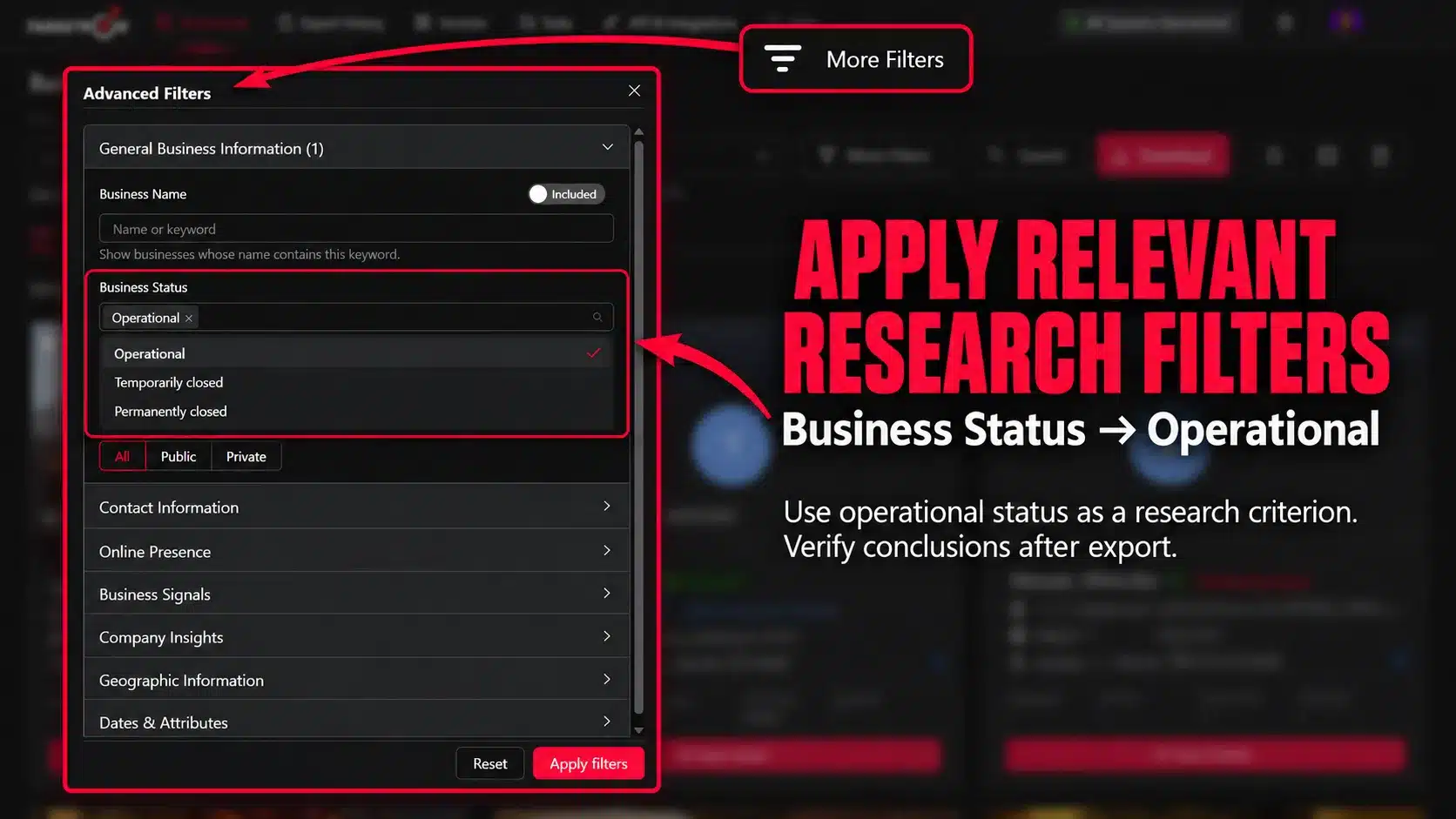
Use Advanced Filters
Advanced Filters can narrow the search according to your research requirements.
For example:
Business Status → Operational
This can focus the search on records currently marked operational.
Operational status is useful as a research criterion. Conclusions about company activity or growth require additional investigation after export.
Step 3: Apply criteria relevant to the business records you want to export.
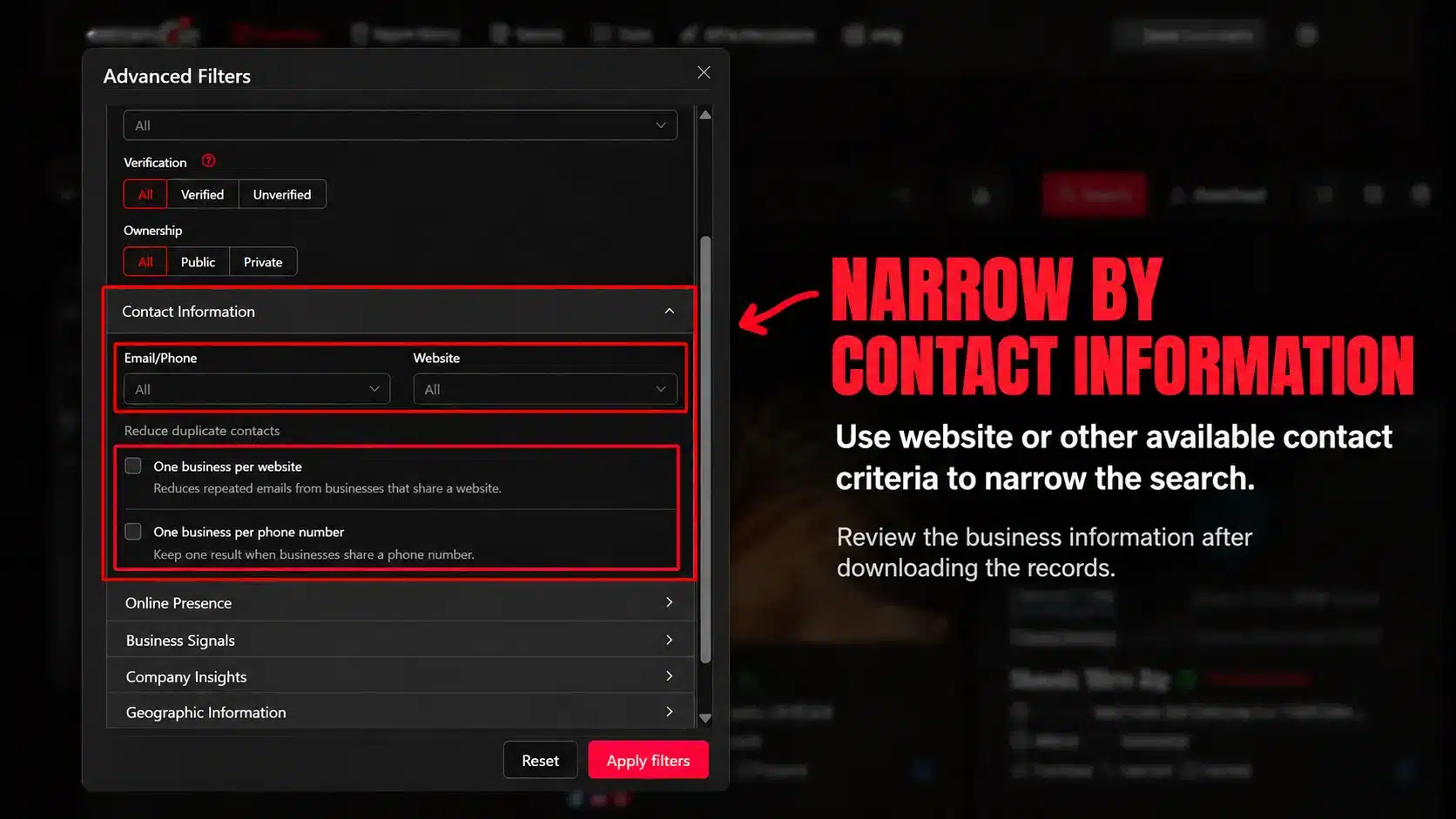
Set Contact Information Criteria
Use Contact Information when website or other available contact criteria matter to the research project.
For example, a sales team may want exported records that include businesses matching particular website-related criteria.
At this stage, the control helps narrow the search. The underlying business information is reviewed after the records are downloaded.
Step 4: Set contact-related criteria relevant to the dataset you want to research.
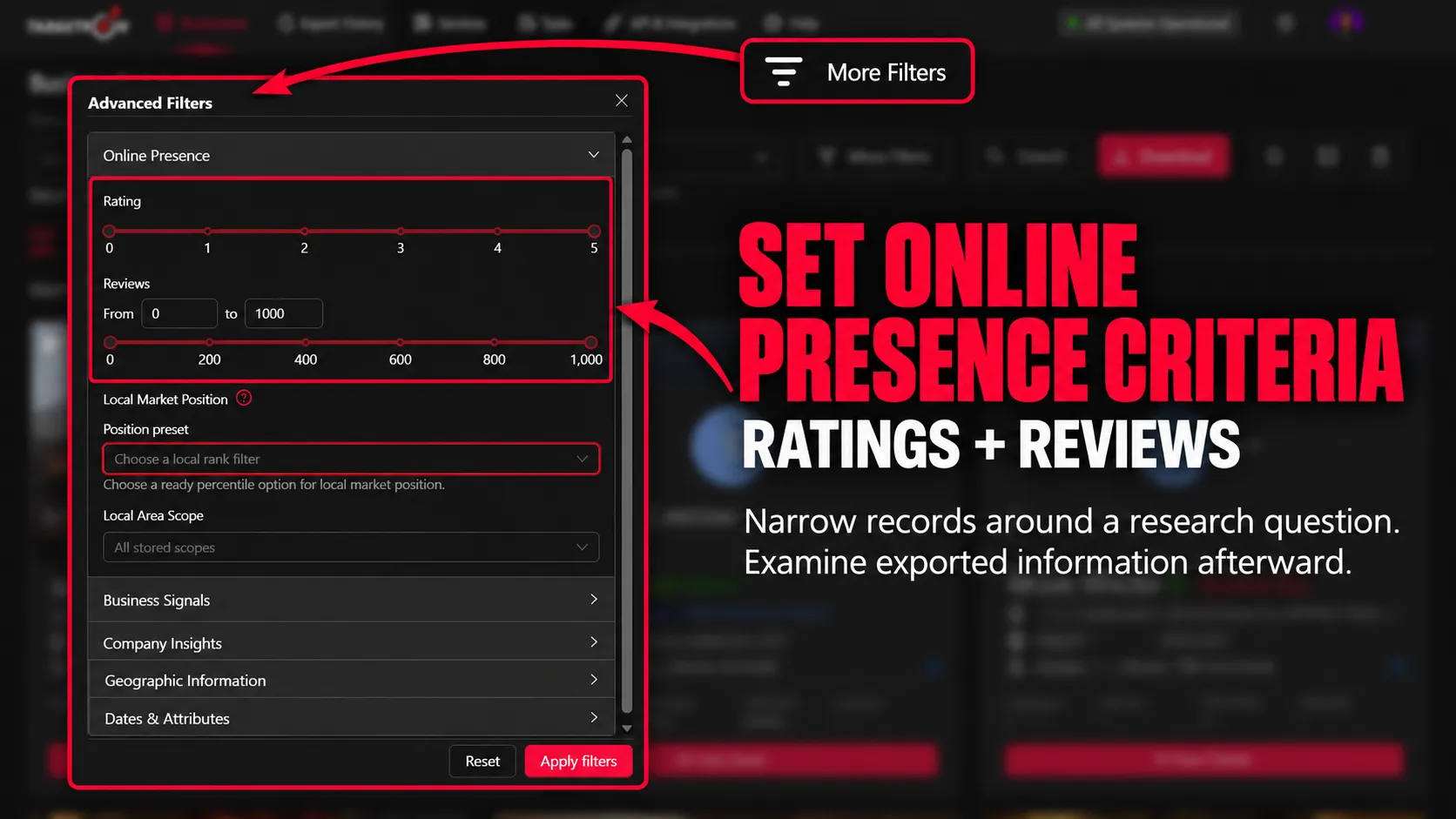
Set Online Presence Criteria
The Online Presence controls allow the search to be narrowed using available criteria such as Ratings and Reviews.
Using these filters helps narrow the dataset around a specific research question.
For example, a team interested in investigating customer activity may narrow records using review-related criteria and examine the exported information afterward.
Step 5: Apply rating and review criteria before generating the search results.
Narrow Your Local Business Research
Use Targetron to define your market and apply criteria before exporting the records for further research.
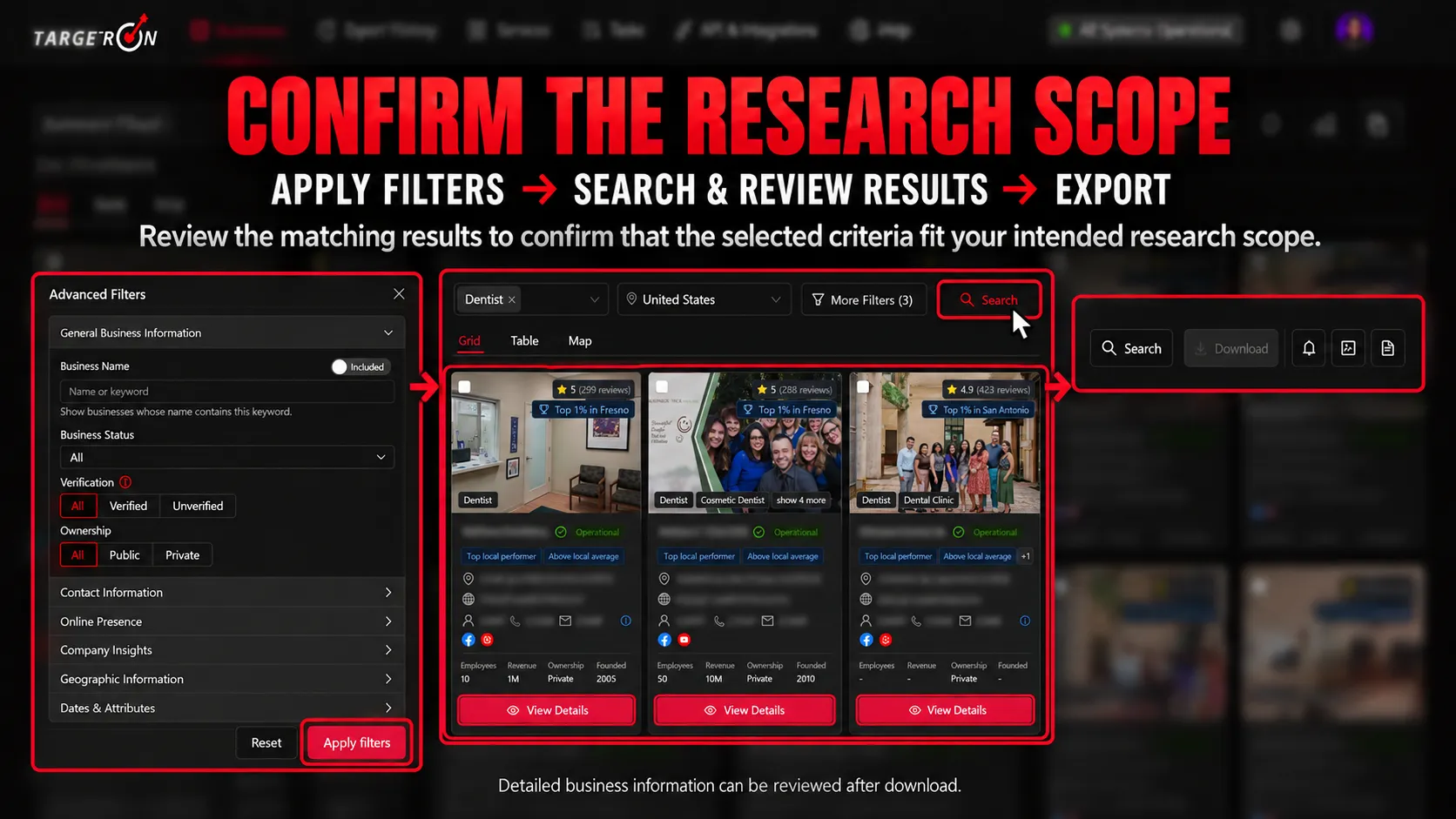
Once the criteria are set, click Search to generate the matching results.
The Search stage confirms the dataset produced by your selected criteria. Detailed business information should be reviewed after export rather than treated as directly inspectable inside the catalog results.
Run the Search
Use the search results as the transition between filtering and exporting.
At this point, decide whether the selected criteria match the research scope you intended to create.
Step 6: Run the search after setting the criteria for your research dataset.
Export the Data
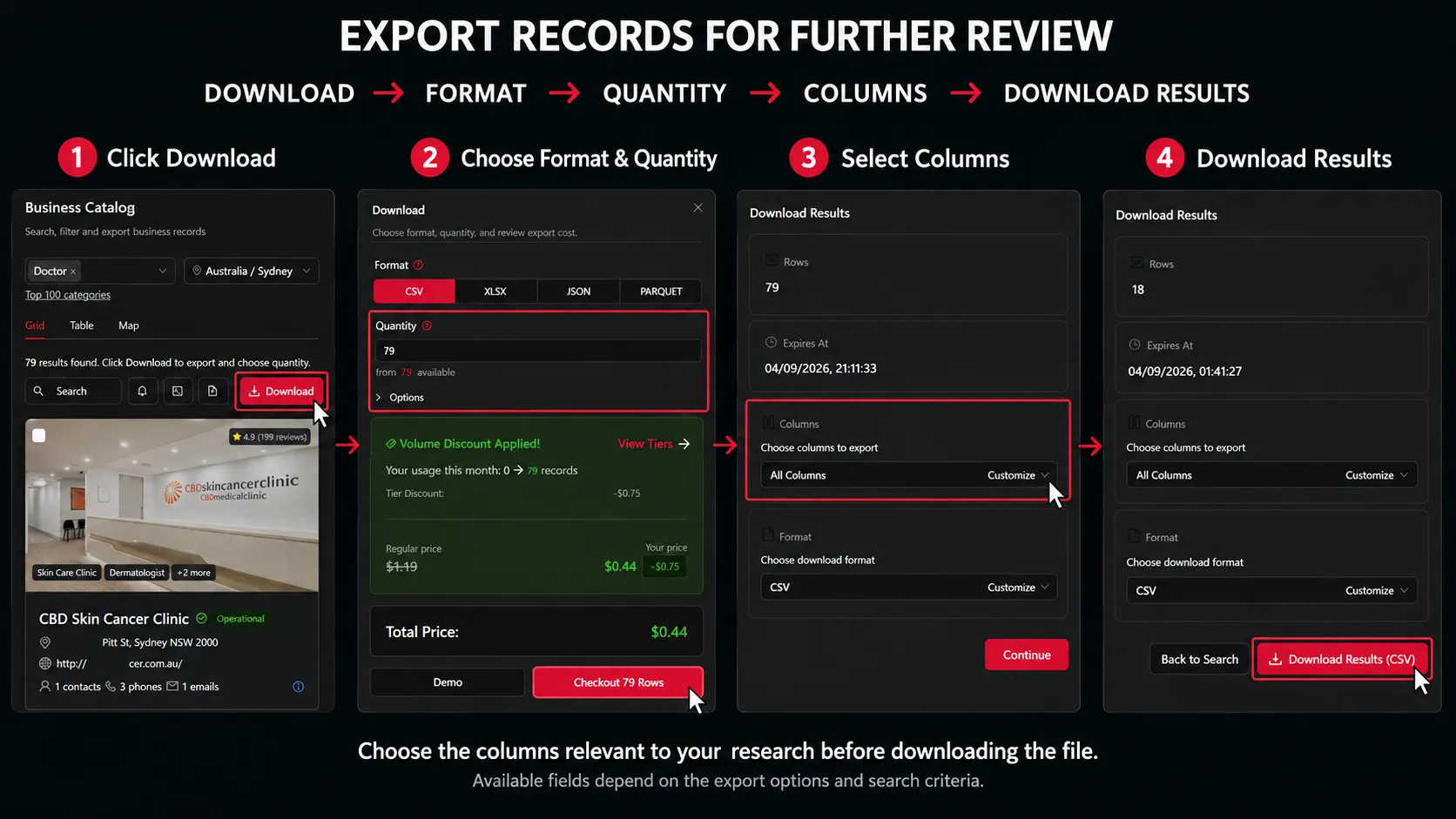
Proceed to Download to access the business information included in the records.
The export workflow is:
Download → Format → Quantity → Columns → Download Results
Choose the columns relevant to your research before downloading the file.
Possible fields depend on the available export options and the criteria used for the search.
Step 7: Export the selected records and columns before reviewing the business information.
4. Review the Exported Data for Businesses Worth Investigating
Open the downloaded file and review the information contained in the selected columns.
Depending on the exported fields, your research may include information related to:
Business name
Category
Location
Website information
Contact information
Ratings
Reviews
Other available business data
Now your team can begin deciding which companies warrant deeper investigation.
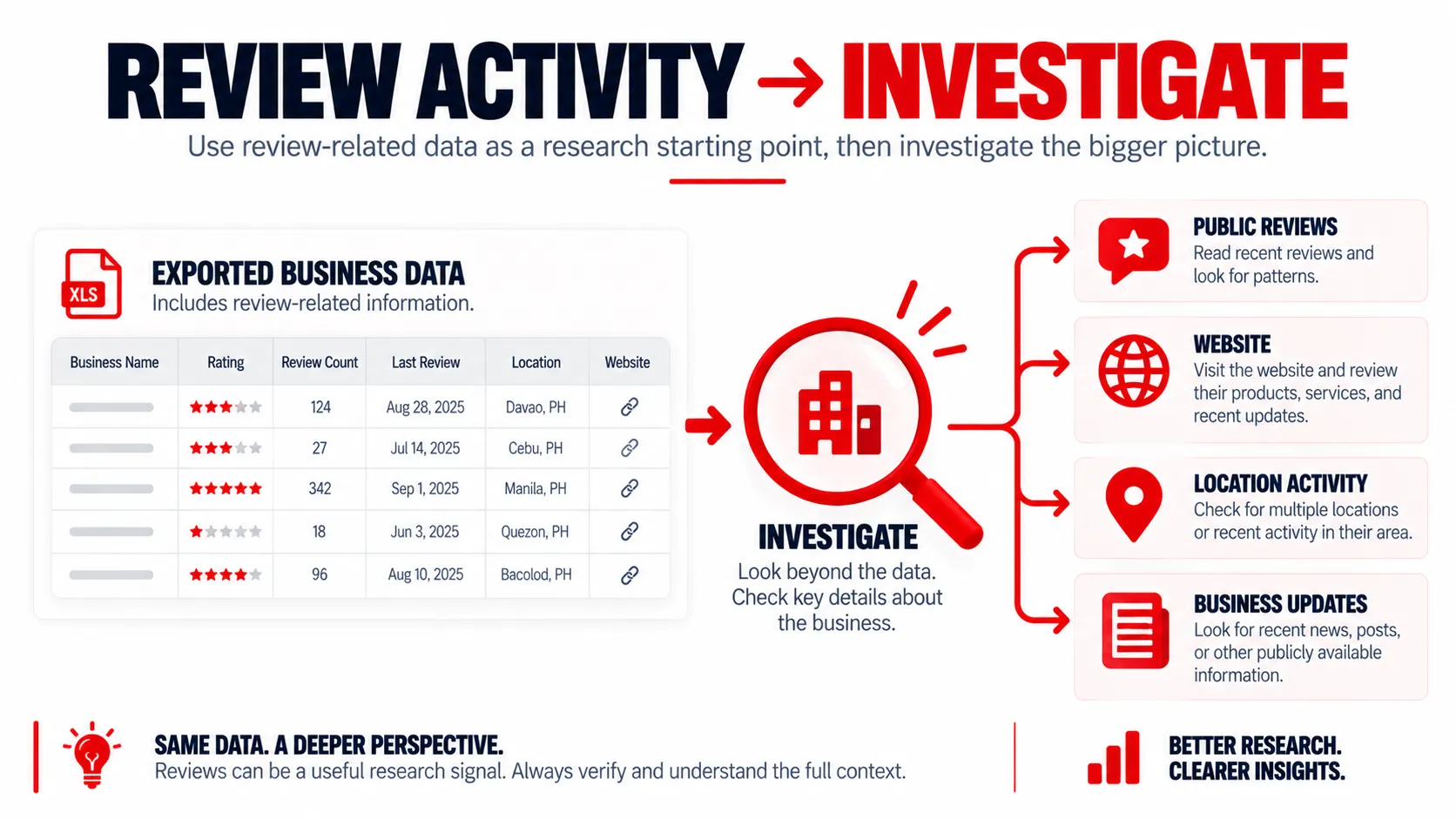
Use Review Activity as a Research Starting Point
Review information can help identify businesses where visible customer activity deserves closer examination.
Look at the exported information and determine which records support the research question you are exploring.
For selected companies, public research can then examine:
Recent reviews
Review frequency
Customer feedback
Location-specific activity
Changes visible over time
A change in review activity gives your team something to investigate. The surrounding context could involve seasonality, promotions, customer activity, a new location, or other factors.
Use exported review information to identify businesses that may warrant further investigation.
5. Investigate Multiple Locations and Other Business Activity
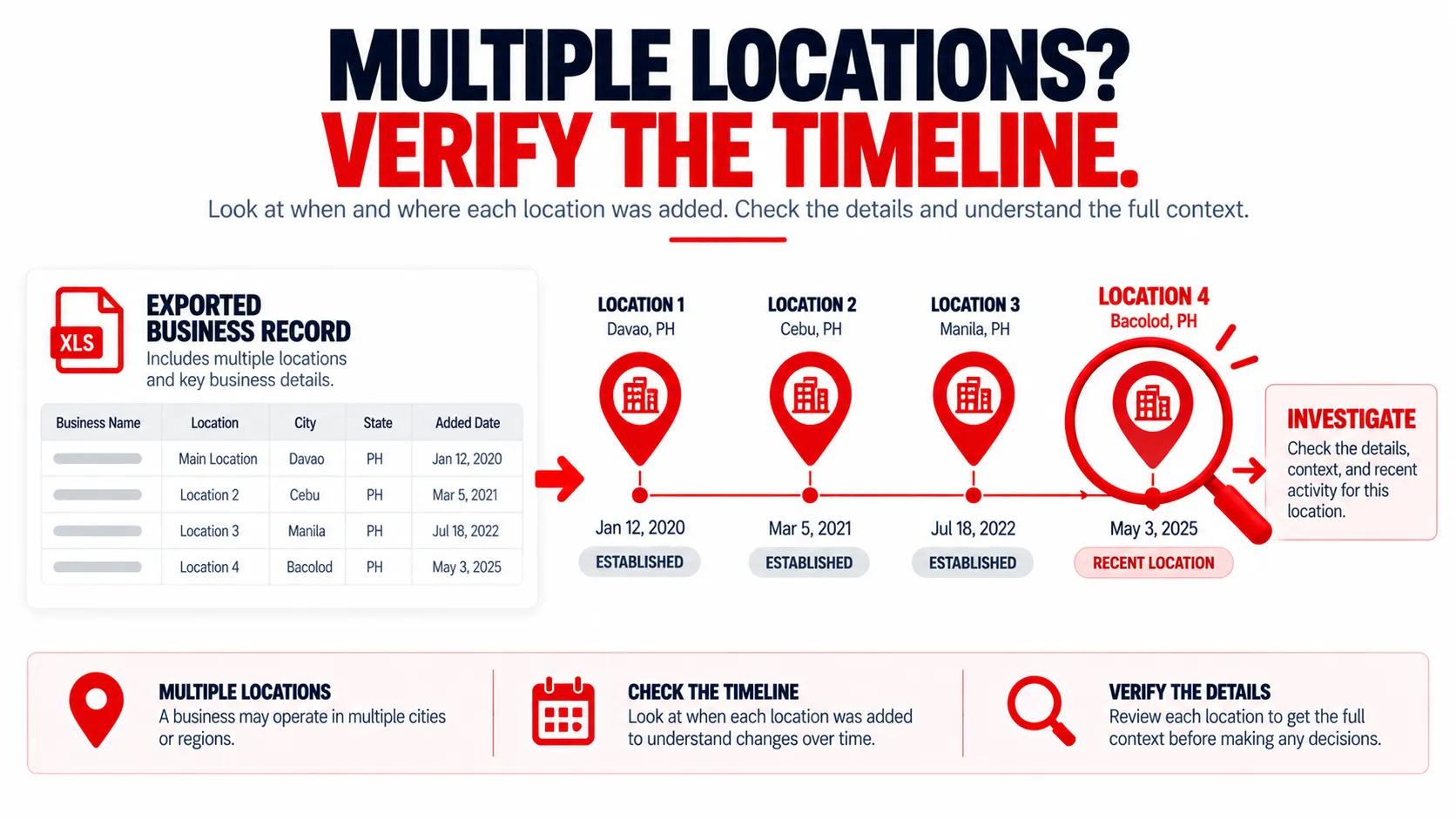
Multiple locations can provide another useful research direction once you are working with the exported records.
Suppose the dataset shows a business associated with several locations. The next question is:
When did those locations open?
A company may have operated those locations for years, recently opened another branch, acquired an existing location, or changed how it presents its service areas.
Verify the Location Timeline
Use reliable public sources to investigate details such as:
Company location pages
Opening announcements
Public company updates
Hiring pages
New service areas
Professional profiles
Relevant local news
For example:
Exported information: Business associated with four locations.
Manual verification: Three locations have operated for several years, while the fourth was announced recently.
That gives the sales team a specific, verifiable business development to record.
Investigate when business locations opened before using them as evidence of recent expansion.
6. Verify and Prioritize Businesses Before Outreach
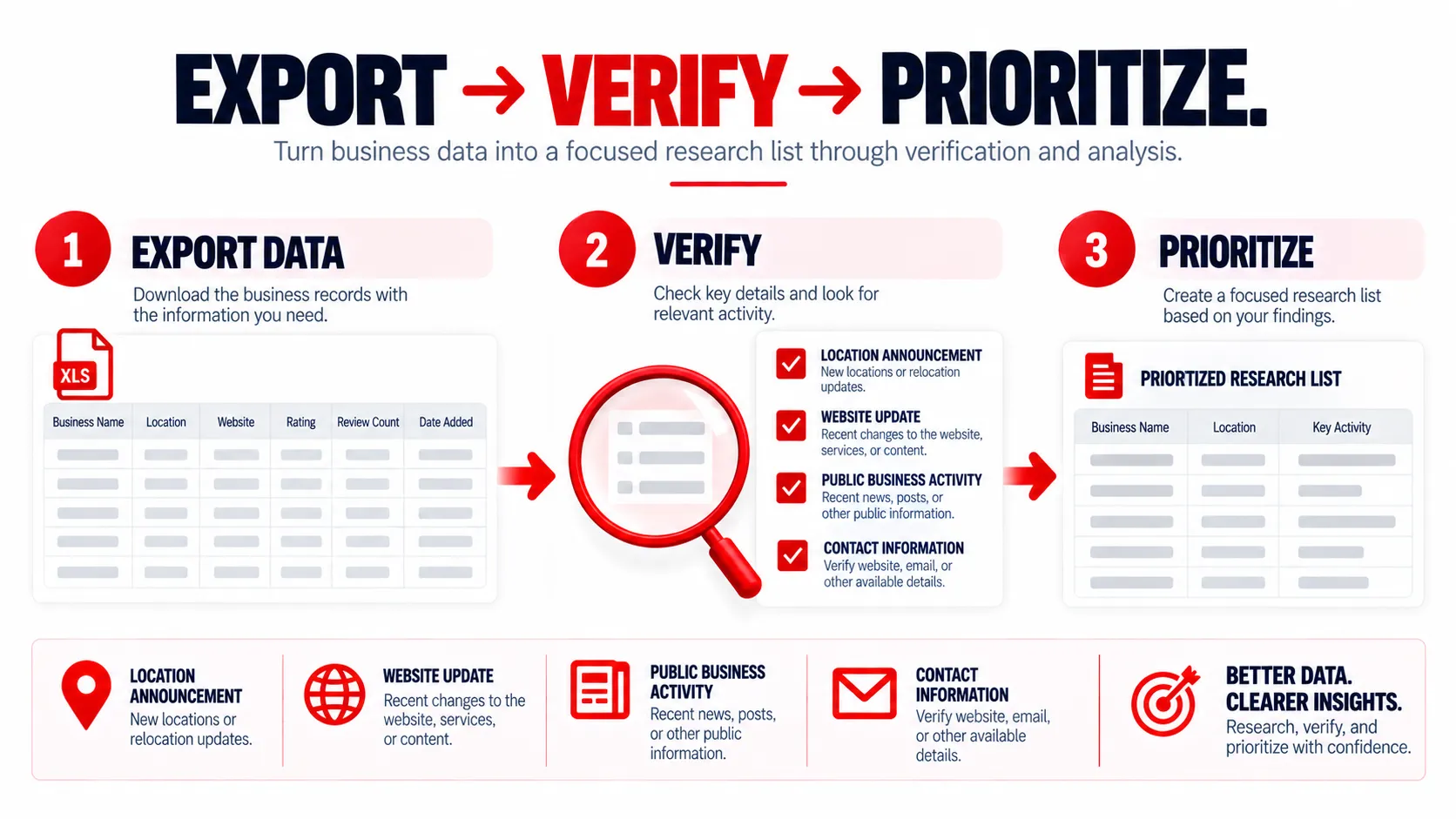
After identifying records worth investigating, verify the information relevant to your sales research.
The workflow after Targetron becomes:
Review Exported Data → Manual Verification → Research Prioritization → Qualification → Outreach
Combine Verified Information
Instead of relying on one observation, document the information you can confirm.
For example:
Exported data: Operational business + multiple locations + review information
Manual research: Recent location announcement found on the company’s website
Research note: New location publicly announced in July
That creates a factual research record your team can use when deciding whether to prioritize the company.
Another business might show similar exported information but no evidence of recent expansion. Record that result as well and continue according to your team’s research criteria.
When outreach begins, reference information that has actually been confirmed.
For example:
Hi Sarah, I saw that your team recently announced a new Austin location and wanted to reach out about…
The message references a specific public development rather than assuming the company is “growing fast” or ready to purchase something.
Targetron’s role remains earlier in the workflow: helping narrow and export business records for research. Your team’s verification and qualification process determines what happens next.