Arrange a Free Consultation.
Get Free Expert Advice
Don't wait for a call. Chat with our 5-decade experienced marketer via WhatsApp now!
The world of business sales in 2026 is defined by the staggering reality that over 74% of cold outreach never reaches a human inbox due to outdated contact lists and poor targeting. Precision is the primary driver of conversion. While basic search parameters provide a foundation, the real power of Targetron lies in its advanced filtering suite. These tools allow you to directly connect with high-intent prospects who fit your ideal customer profile (ICP).
Reaching a decision maker now requires more than a broad list of names. It requires precision. Targetron’s B2B leads database has built its entire interface to solve this, moving away from cluttered spreadsheets toward a high-speed, intent-driven system that identifies active buyers in seconds. This shift from simple “List Building” to “Intent-Driven Prospecting” ensures your sales team focuses only on leads with the highest probability of closing.
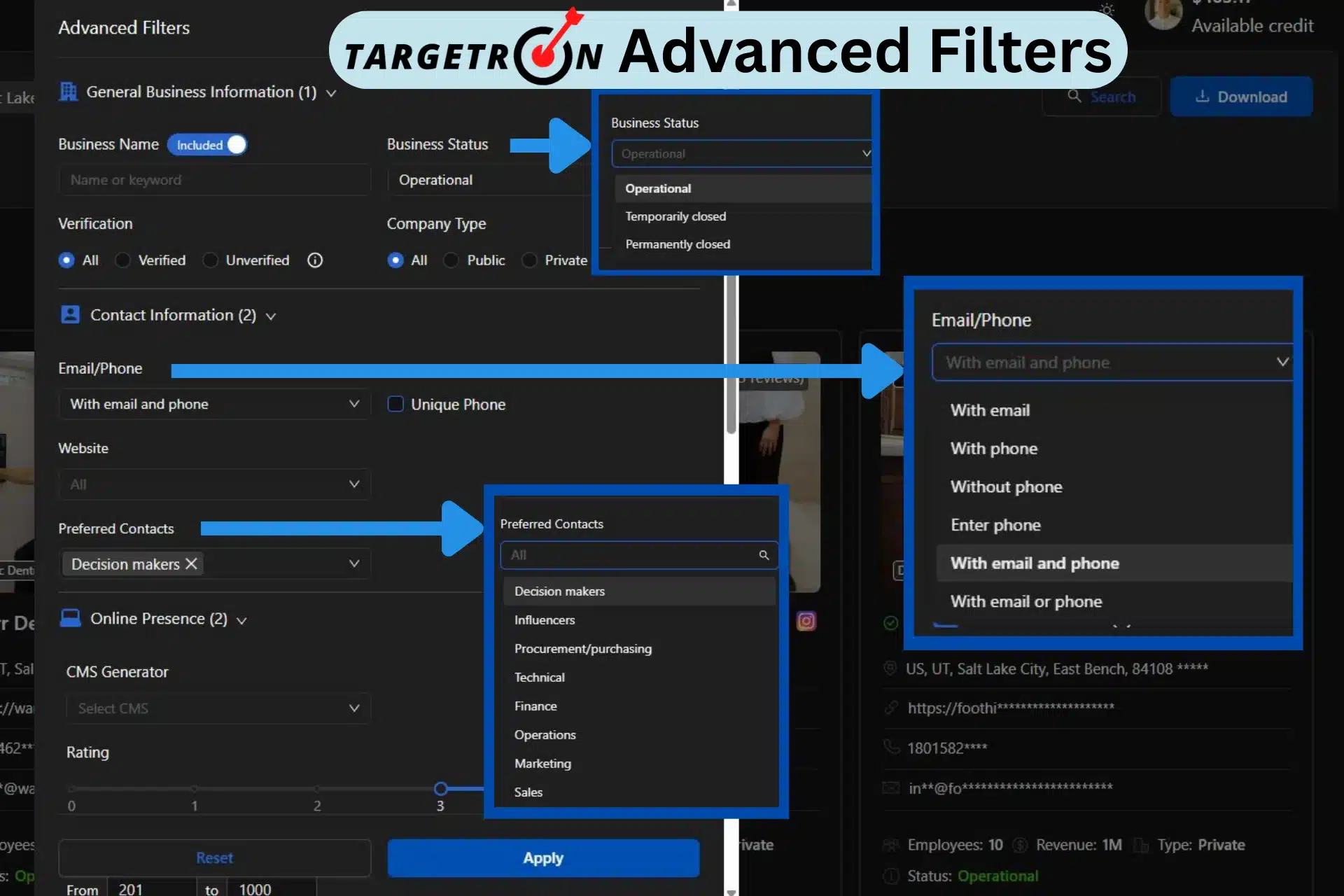
In this guide, we will break down the mechanics of the 2026 filtering engine and why these advanced parameters are needed for survival in the current market. You will learn:
Relying on basic industry categories and broad regions is no longer enough to maintain a healthy sales pipeline. In the current environment, data degrades at an accelerated rate. Companies pivot, rebrand, or change leadership quarterly. Advanced parameters act as a continuous shield against this data decay.
Solving the Data Decay Problem
Traditional databases often harbor “ghost leads” or profiles that appear to be active but have disconnected lines. Targetron’s 2026 database uses live-sync technology to cross-reference entries against digital activity. By filtering for “Operational” status timestamps, you ensure that every credit spent on an export translates to a live opportunity.
The Cost of Broad Targeting
Broad targeting is a drain on resources. When a sales team reaches out to a generic list, the response rate typically hovers near 1%. However, utilizing granular filters like “Decision Maker” roles combined with “High Rating” social proof allows for hyper-personalized messaging. This precision has been shown to improve engagement by up to 74% because the recipient feels the outreach is specifically tailored to their current situation.
The 2026 update introduced a modular filtering logic designed for high-speed processing. This B2B leads database does not simply search a static list; it builds a dynamic query based on live data points.
Targetron utilizes these sophisticated parameters to isolate niche company lists, effectively removing the manual labor of sorting through numerous entries. Using these granular controls ensures your sales team spends time on leads that actually meet your operational criteria.
Every time you toggle a filter, the system initiates a verification handshake. The Digital Footprint filter allows you to isolate leads with active websites, verified emails, or phone numbers. The engine confirms these assets are reachable before including them in your search results. This eliminates the bounce rates typically associated with older datasets.
The 2026 UX utilizes “And/Or” logic that allows for complex layering of entity health and hierarchy.
Targetron integrates live data from Google Maps to provide a “Social Proof” layer. You may filter by rating (e.g., 4.0+) and review volume to target entities based on their market reputation or growth stage. High review counts often signal an active, growing customer base, making these entities prime targets for B2B services.
Instead of manually cleaning your list after an export, you set exclusion rules during the search. If your product is not a fit for franchised outlets, you include a rule to strip those attributes with a single click. This multi-layered approach ensures the resulting list is a perfect mirror of your ideal customer profile.
One of the most powerful 2026 updates is the smart inclusion of the AI-Driven Engine using conversational search and filter generation. Targetron adopted an AI-assisted search. We move beyond manual menus by integrating a natural language processing layer.
This AI assistant allows you to refine your audience through conversational filter generation. It also allows you to describe your ideal prospect in plain English, and the system then converts it into technical search parameters.
The 2026 Targetron B2B leads database dashboard is engineered for high-velocity prospecting. Basic data from Google Maps and other business platforms is no longer enough. You need to get more data from other public sources and use Advanced filters to enrich that data. Follow this streamlined workflow to convert broad industry data into an effective lead list.
Log in to your Targetron account and select the Business Directory dashboard from the primary navigation menu. Once inside, begin by defining your core parameters. Enter your target industry (e.g., Dentist) and specify your target location, such as State or City. For this workflow, we will isolate the dentist in Salt Lake City, Utah.
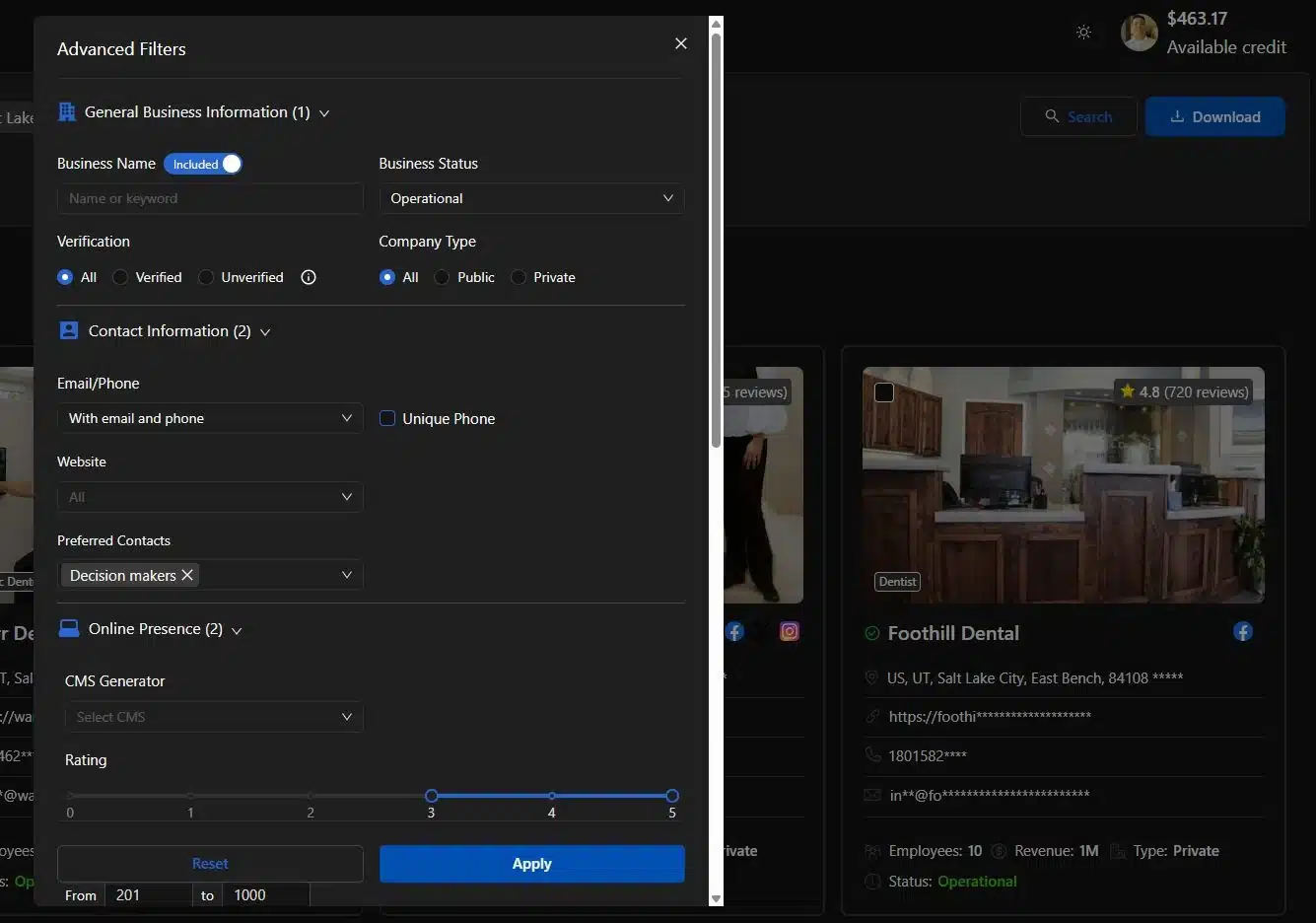
After selecting the categories and location, simply click “More filters,” and the Advanced Filter option will pop up. Inside the Advanced Filters, there are several options, such as the following:
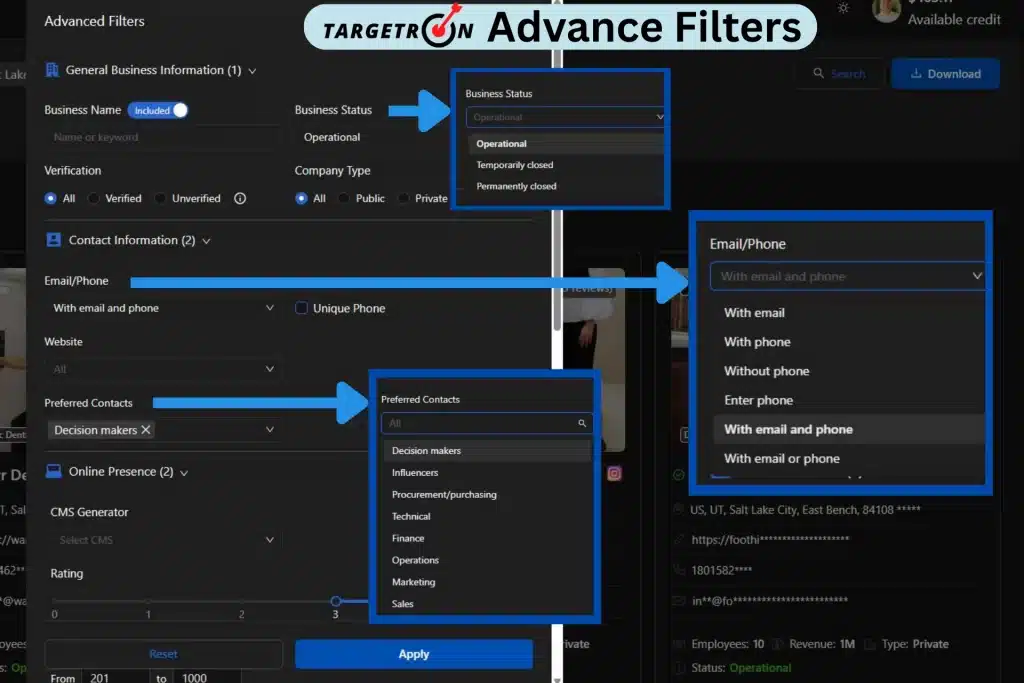
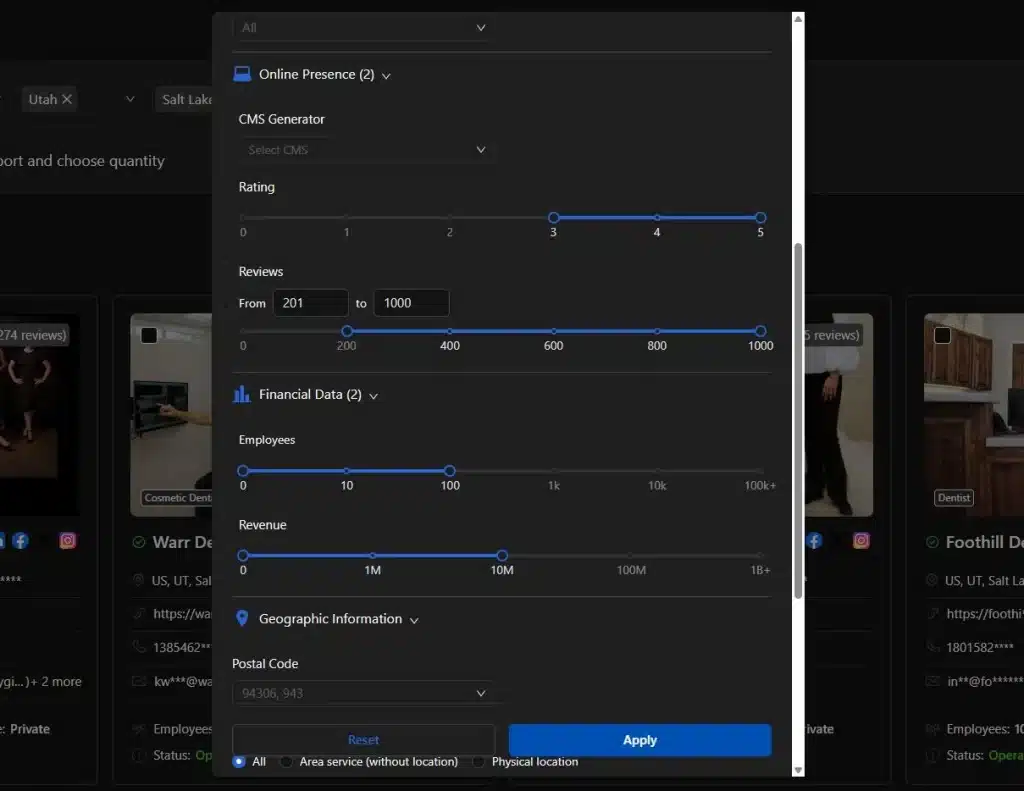
This is how an advanced filter works. In this example, we will choose Operational in the Business Status option under the General Business Information filter to remove defunct entities. Next, define your contact depth by selecting roles like Decision Makers in the Preferred Contacts.
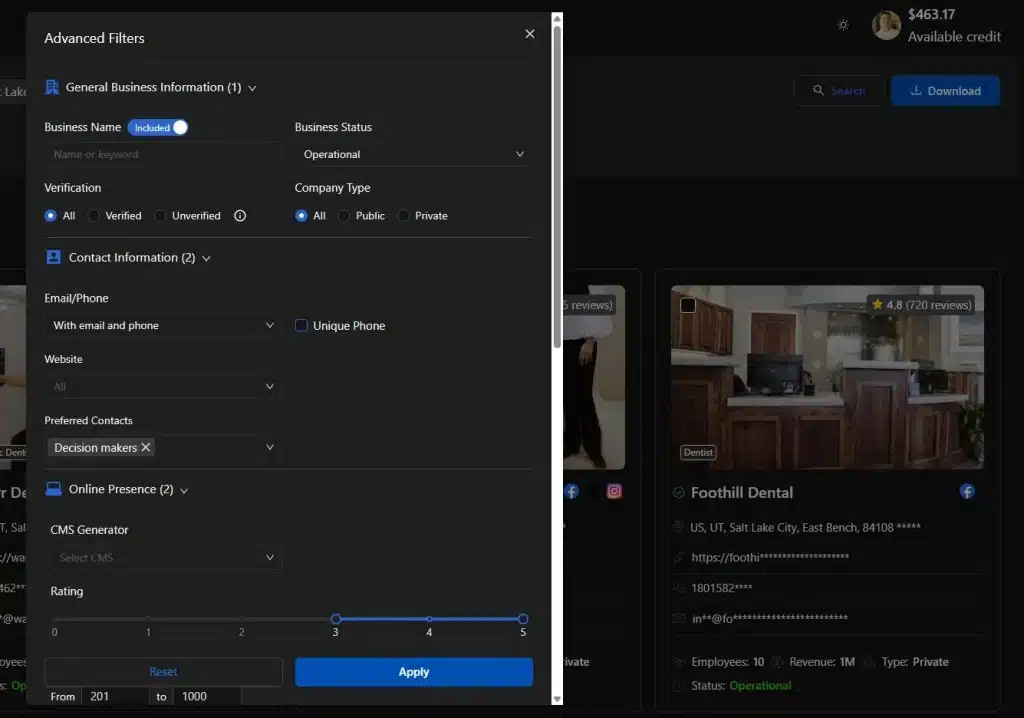
To ensure engagement, we will select businesses with higher ratings and reviews only. You can also select financial data with the number of employees and their revenue. This layering ensures your final list contains only high-intent prospects with a proven market reputation.
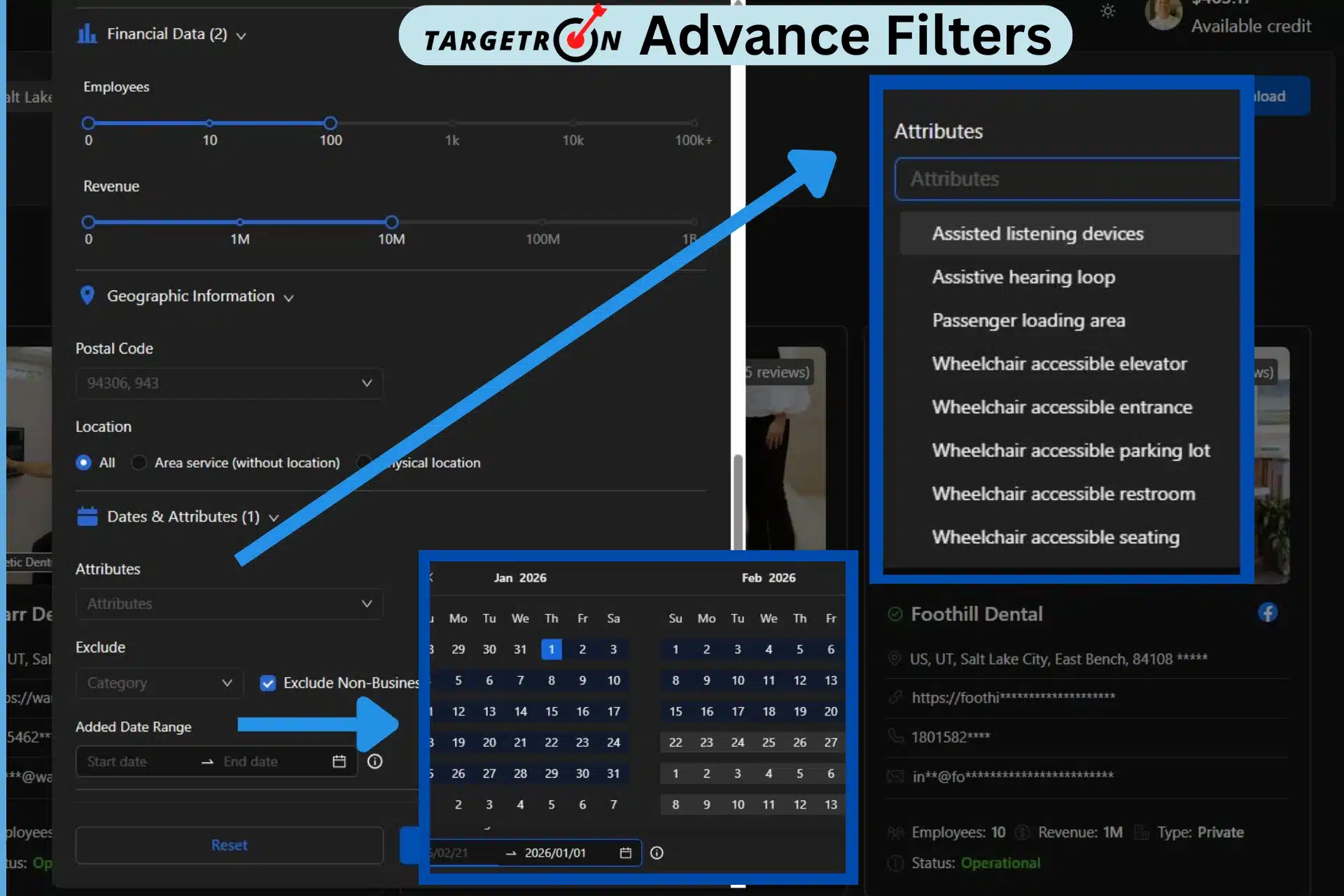
To solidify your data further, you can add dates and attributes or simply select attributes based on category or to exclude non-businesses. This option also allows you to select the Added Data Range, or you can specify to search for newly established businesses.
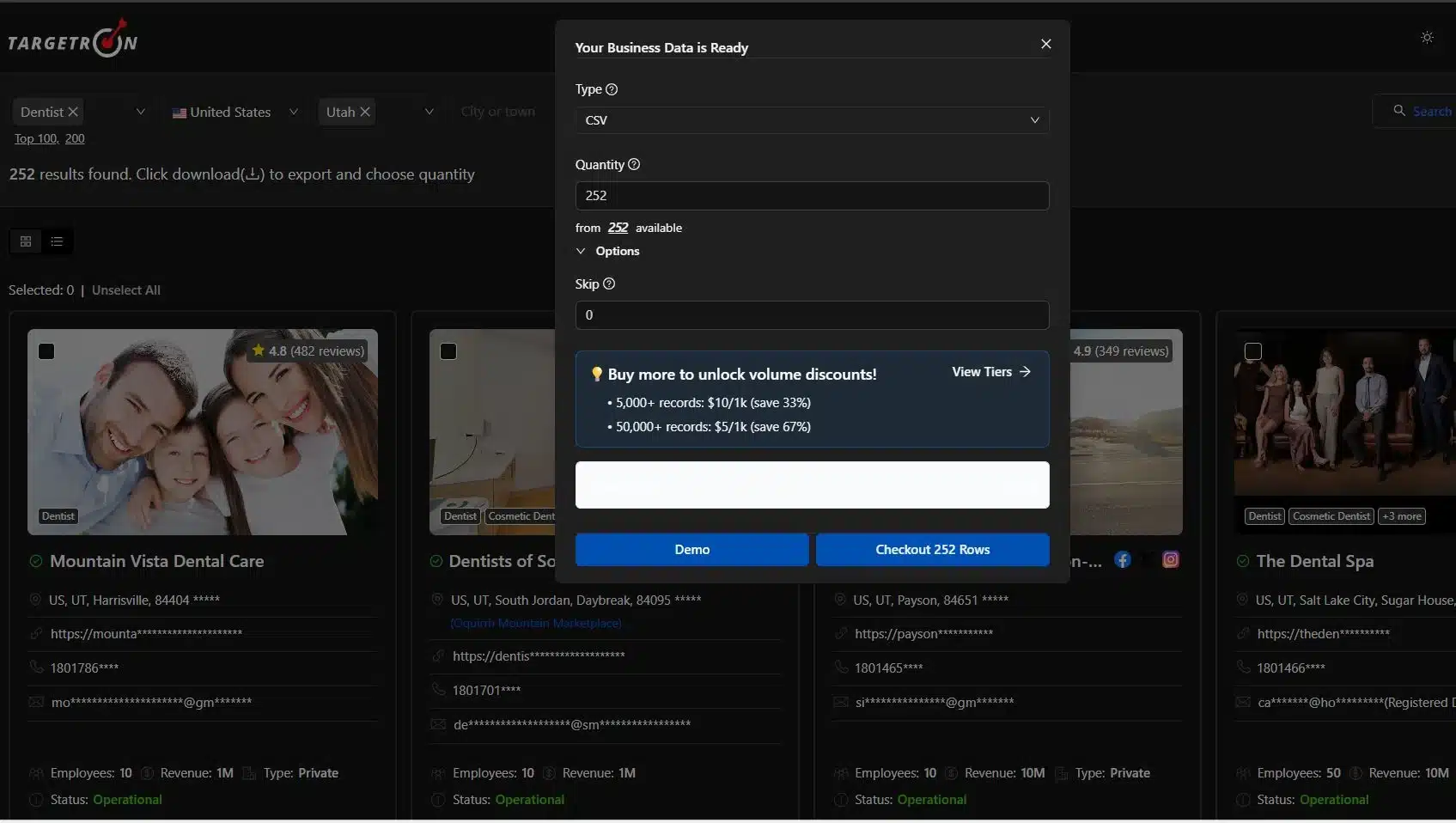
As you apply each filter, Targetron provides a real-time preview of your lead count. Review the list to ensure the results align with your expectations. When satisfied, select your preferred export format (CSV, XLSX, or JSON). Simply confirm the download in the pop-up window.
The system will process the file instantly, delivering a clean, verified dataset directly to your device, ready for immediate CRM integration or outreach.
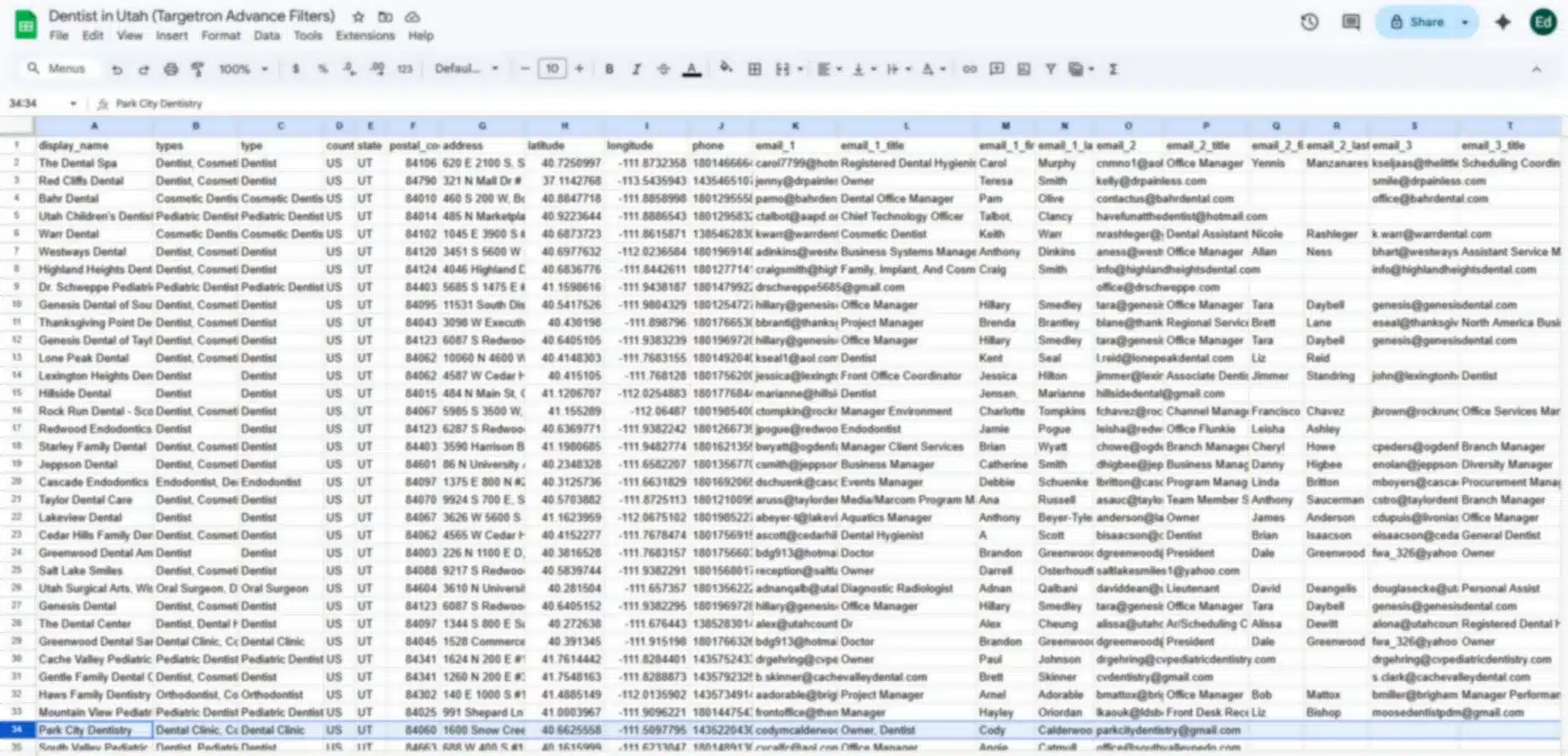
Here’s the sample data download of Dentist in Utah:
Adopting Targetron’s advanced filtering suite is no longer a luxury for sales teams, but it is a requirement for survival in the 2026 market. As the gap between generic outreach and high-intent prospecting widens, the ability to bypass the 74% failure rate determines which companies scale and which remain stagnant.
Businesses that move away from static, broad lists and embrace a strategy rooted in real-time verification and prospecting ensure that every outreach effort is backed by precision data. The integration of AI-driven conversational search has transformed the lead generation workflow into a high-speed, intuitive experience.
This evolution allows your team to focus its energy on building relationships with verified decision makers rather than cleaning outdated spreadsheets. Utilize these proven 2026 tools to refine your Ideal Customer Profile (ICP), eliminate data decay, and secure an advantage in your industry.
Most frequent questions and answers
Targetron cross-references every entity against recent digital activity and Google Maps data to ensure that “Operational” status timestamps are current and the contact data is reachable.
The advanced suite includes granular filters for both the number of employees and annual revenue tiers, allowing you to target entities that fit your specific B2B service requirements.
Yes, the 2026 interface allows you to isolate specific desks such as Decision Makers, Procurement, or Technical leads to ensure your pitch reaches the correct person without going through gatekeepers.
Instead of manual selection, you simply describe your target audience in plain English, and the system automatically generates technical filter suggestions for revenue, roles, and status.
This attribute allows you to target newly established entities or recently updated records. In the 2026 market, being the first to reach a new entity can significantly increase your conversion probability before their inbox becomes saturated with competitors.