Arrange a Free Consultation.
Get Free Expert Advice
Don't wait for a call. Chat with our sales team now via WhatsApp!
Data from Google shows that 76% of people who search for something on their smartphone visit a related business within 24 hours. Despite this high intent, traditional search often forces you to filter through a variety of links and reviews manually. You can save hours of research when you find local business leads using ChatGPT and Targetron GPT, which moves beyond a simple list of websites to provide direct, curated answers.
The key advantage is that AI “reads” the fine print for you. Instead of opening ten tabs to check business hours or service areas, you can ask for a specific match. For example, searching for “top-rated vegetarian restaurant in Los Angeles, California. The AI analyzes descriptions and feedback to give you the best options immediately.
Instead of spending an hour digging through sites, you can get the info you need in seconds. It is the fastest way to go from a quick search to actually walking through the restaurant’s door.
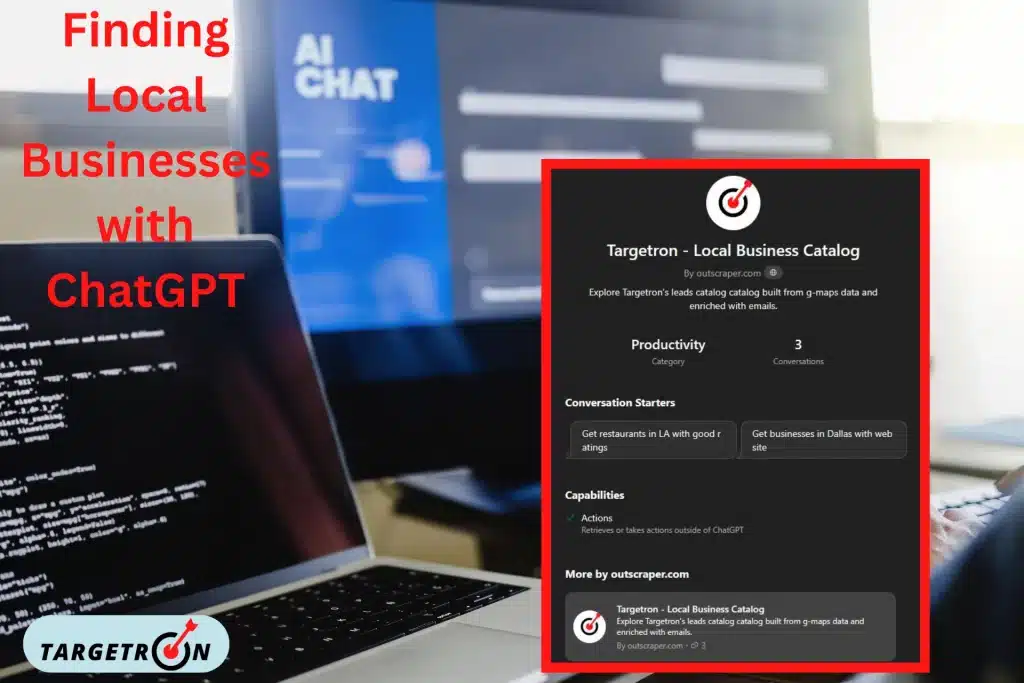
Custom GPT is a mini-app that lives inside ChatGPT. In comparison, the standard version of the AI can write poems or explain physics; a Custom GPT is built to do one specific job very well. It is trained on a specific set of data or a unique list of instructions that a regular chat session does not have.
Why Use a Custom GPT for Local Search
Standard GPT is a generalist. It knows a little bit about everything, but it can sometimes give you outdated or vague information when you ask for local details. A Custom GPT, such as the one built by Outscraper for Targetron, is designed specifically to find and verify business data.
Because it focuses only on this one task, it is much more accurate for lead generation. It does not just “guess” where a business is located based on old training data. Instead, it uses a specific set of rules to scan for active companies, verified phone numbers, and current service areas. This makes it a key tool for anyone who needs reliable data without the usual AI “hallucinations.”
To get the best results from a general AI, you need to move past simple two-word searches. Using the “Persona + Context” method is the best way to ensure the AI understands exactly what you need. When you give the AI a role and a specific situation, it filters out generic businesses that don’t fit your criteria.
Instead of typing “find restaurants,” try a more detailed prompt:
“I am a supplier of fresh vegetables in Los Angeles, looking for a 4.5 to 5-star vegetarian restaurant in Los Angeles that is newly built and in need of suppliers.”
By defining who you are and the exact problem you have, you force the AI to look for businesses with specific needs rather than just any restaurant in your area.
The first thing the AI gives you is just the starting point. You can treat a chat like a conversation with a researcher to manage the challenges of local search. Once you have a preliminary list, use follow-up questions to narrow down the best candidate based on your personal requirements.
Next, you can ask for specific traits that weren’t in your first prompt. For example:
This back-and-forth method allows you to refine the data until you have a shortlist of businesses that actually meet your standards. It is much faster than clicking through ten different websites to find one that is open on the weekend.
After the back-and-forth methods and copy-pasting all the data provided by ChatGPT, you will realize that no matter how good your prompt is, there’s always no direct email that was listed publicly.This is where you need a specialized custom GPT like the one provided by Targetron B2B leads database platform.
Using a specialized tool like Targetron GPT turns a general search into a professional data mining operation. Make sure you have a ChatGPT account before using the custom GPT. Search for Targetron or you can proceed directly to Targetron’s Local Business Data Catalog GPT.
Here is exactly how to move from a basic query to a verified lead list in four simple steps:
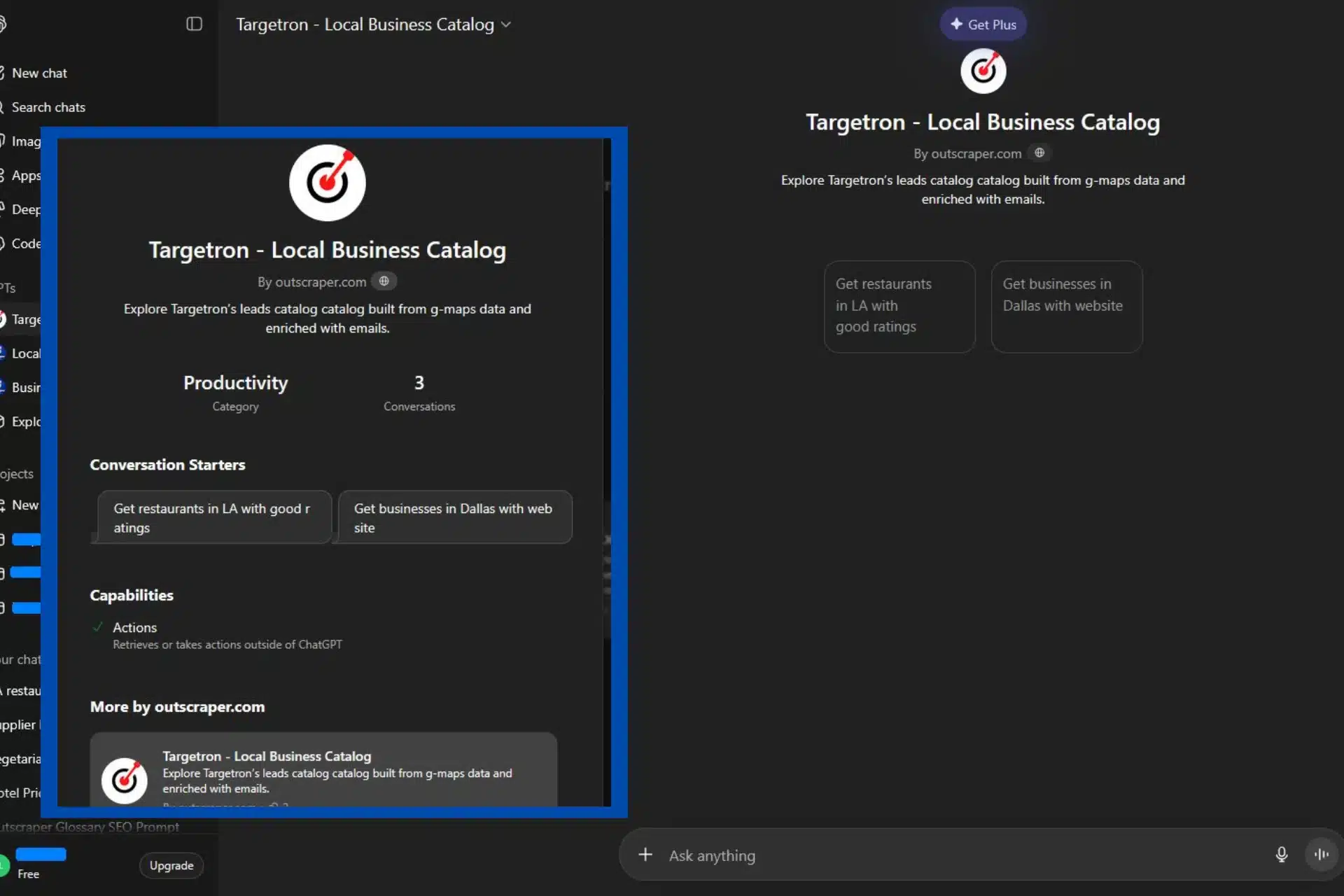
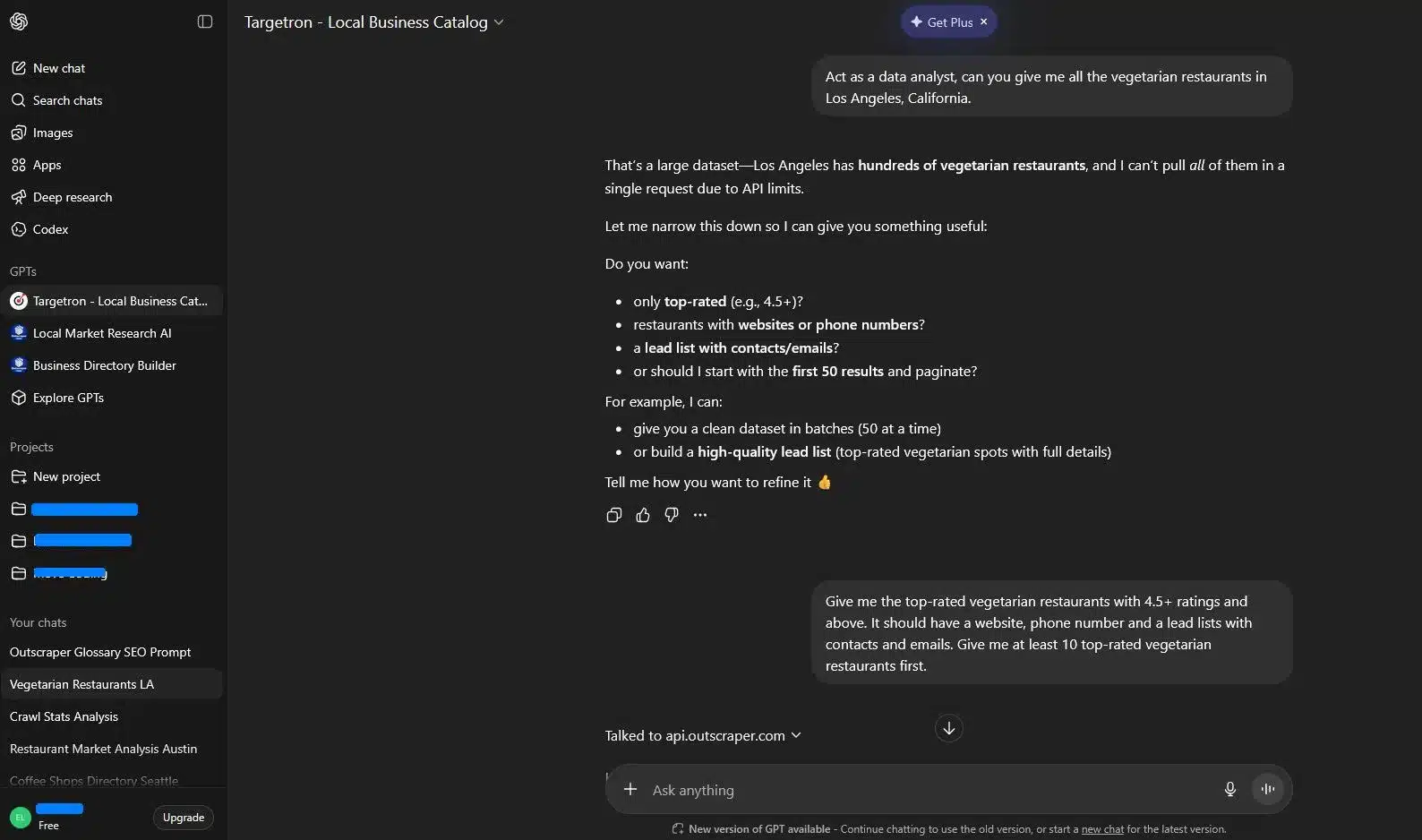
Instead of asking a casual question, start by defining the AI’s role. This helps the system understand that you need structured data, not just general suggestions.
Sample Prompt: “Act as a data analyst, can you give me all the vegetarian restaurants in Los Angeles, California.“
Because Los Angeles has hundreds of results, the GPT will ask you to narrow your focus to manage the challenges in local data. It might ask if you want top-rated spots only, contact emails, or specific batches of 50 results at a time.
To get the list you can actually use for sales or outreach, you need to be specific about the “enrichment” you need. This is where the GPT connects to the Outscraper API to pull real-time, verified details.”
The Follow-up: “Give me the top-rated vegetarian restaurants with 4.5+ ratings and above. It should have a website, phone number, and a lead list with contacts and emails. Give me at least 10 results first.”
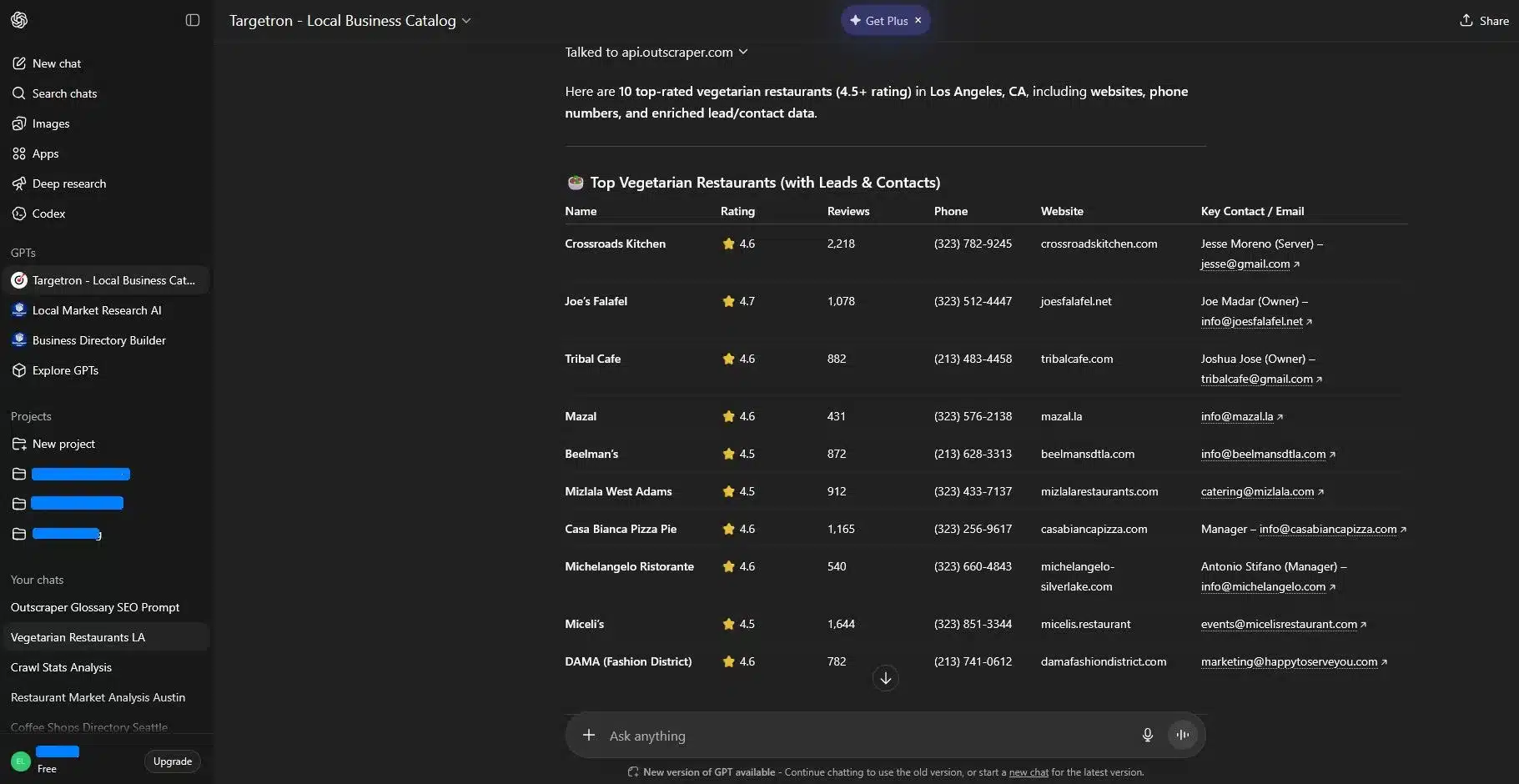
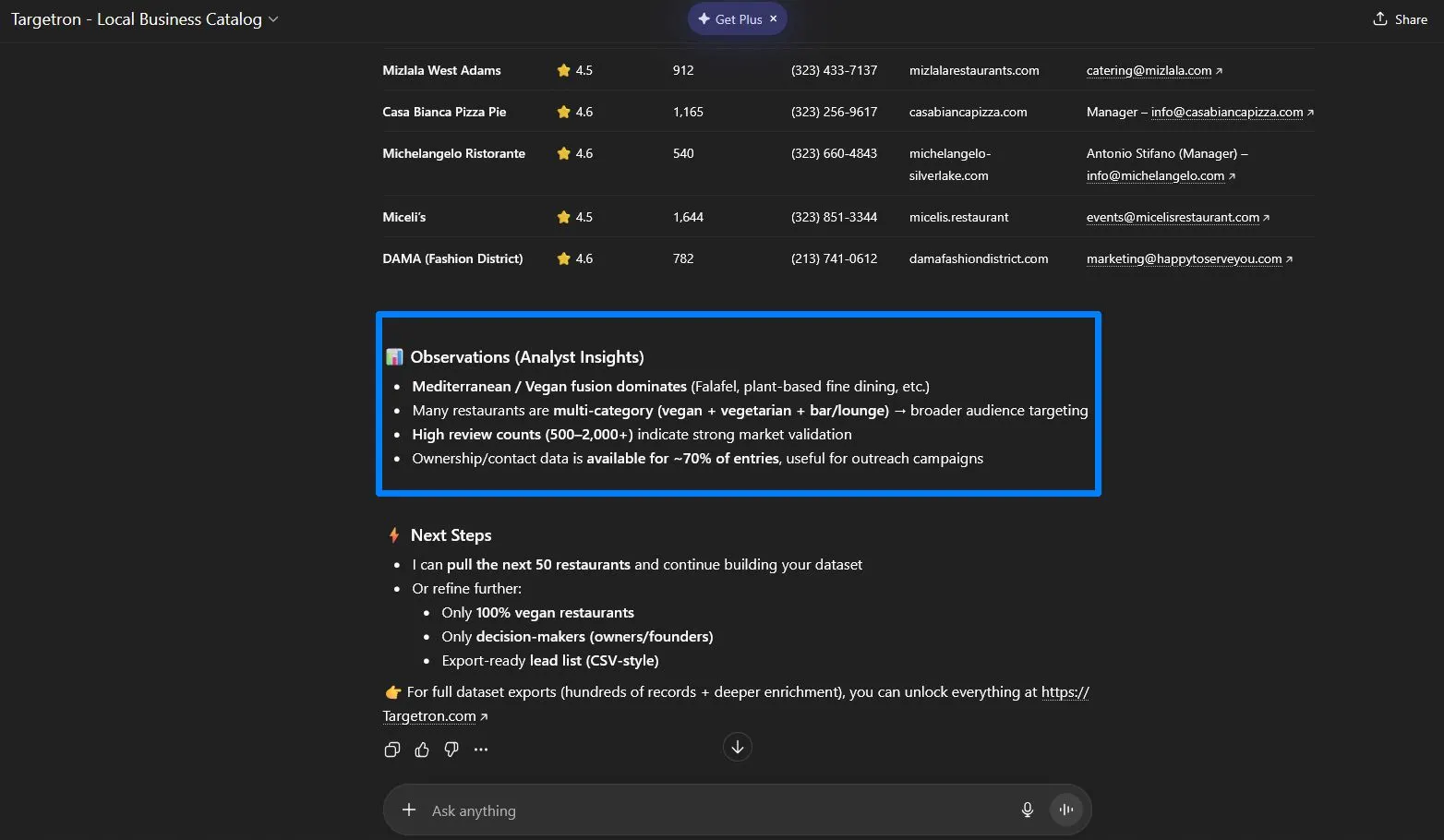
The GPT will then provide a table containing high-intent leads. Unlike standard search results, this table includes direct contact names and business emails. The business emails provided by Targetron is what keeps it ahead with ordinary search activities inside ChatGPT.
The final part of the process is the “Analyst Insight.” The GPT looks at the data to find patterns. For example, it may be observed that Mediterranean and Vegan fusion dominate the LA market. It also notes that review counts between 500 and 2,000 indicate strong market validation. This helps you understand which businesses are the most stable and likely to need consistent services.
While Targetron GPT is a powerful tool for discovery, you should understand how the interface works to get the most out of your lead generation efforts.
The “Sample” Nature of the GPT Interface
The chat window is designed for real-time interaction and quick analysis. Because of how the AI processes information, it typically provides a curated sample of results, which is usually the top 10 or 20 highest-rated businesses based on the prompt.
Targetron’s Local Business Catalog GPT can serve as the lead researcher that can show you the best examples and provide analyst insights, but it is not meant to display a massive spreadsheet of thousands of rows within a single chat response.
Moving from Chat to Full Data Exports
The GPT interface has built-in limits on how much data it can show at once. To get the full datasets with deep enrichment, such as thousands of verified entries across multiple cities, you should move the workflow to the Targetron website. The website allows you to export data in clean CSV or XLSX formats and access hundreds of results in a single click.
Verification Requirements
The Targetron GPT uses live data to find contact details for many entries. It successfully pulls email addresses or owner names for about 70% of the businesses it finds.
However, business data changes constantly. For high-stakes outreach, we recommend a quick manual check of the website to confirm the contact is still active. This extra step helps protect your sender’s reputation and ensures your message reaches the right person.
To get the most out of these tools, you need to treat the AI like a high-level assistant. While it takes care of the research, you are still the one who directs the final results.
Verifying Your Leads
Even with a powerful tool like Targetron GPT, it is important to remember that AI can sometimes hallucinate or pull data from a cached source that has changed recently. Always perform a quick check of the business website or a telephone directory to confirm the physical address and current hours.
Refining Your Search Intent
If your initial results feel too broad, the best way to improve them is by adding constraints. ou can also check our local lead generation guide to effectively use Targetron’s data for lead generation. Instead of accepting a general list, refine your prompt to narrow the focus. For example, you can specify:
These extra details help the AI filter out the noise and provide a list that is ready for immediate action.
Choosing the Right Tool for the Job
The best tool for the job depends on what you need. Standard ChatGPT is great for casual discovery, like finding a new restaurant for dinner. It is a conversational search that works well for quick ideas.
However, if you are a business owner or a supplier, you need a different level of data. Standard AI can sometimes “hallucinate” phone numbers or give you old information.
For lead generation, the Targetron GPT is the better choice because it connects to a live business database. It saves you from the manual work of searching for emails and names, giving you a list that is actually ready for outreach.
Most frequent questions and answers
Yes, you can now use Custom GPTs like Targetron even if you do not have a paid subscription. OpenAI opened the GPT Store to Free users, which means you can search for and chat with specialized agents at no cost. However, keep in mind that Free accounts have lower usage limits than Plus accounts. If you hit your limit for the day, you may have to wait for it to reset or switch back to the standard ChatGPT model.
The GPT connects to the Outscraper API, which scans public business directories and website data in real time. It looks for patterns in contact pages and social media profiles to find decision-maker names and business emails that a standard Google search might miss.
The chat window provides a high-level sample to help you validate your search. For full datasets with hundreds or thousands of rows, you should use the Targetron website. This allows you to download clean files in CSV or XLSX format for your CRM or sales team.
AI tools pull from live databases, but local businesses can change status quickly. We always recommend a quick “verification” step for high-stakes outreach. A fast click on the business website or a social media page can confirm they are still active before you reach out.
You can search for businesses in any location worldwide. While larger cities like Los Angeles have more data available, the tool is effective for smaller towns as long as the businesses have an online presence or a listing in a local directory.
When you tell the AI who you are (e.g., a vegetable supplier), it changes how it filters results. Instead of just showing popular spots, it looks for businesses that fit your specific professional needs. This reduces the amount of time you spend filtering through irrelevant results.