Arrange a Free Consultation.
Get Free Expert Advice
Chat with Paul via WhatsApp now! Get a chance to receive free leads instantly.
A list of 300 local businesses is not useful if your team still has to guess who to contact first.
Lead scoring for small business helps small teams sort leads by fit, need, and contact readiness before outreach begins. Instead of treating every prospect the same, you can rank leads based on the signals that show who deserves attention first.
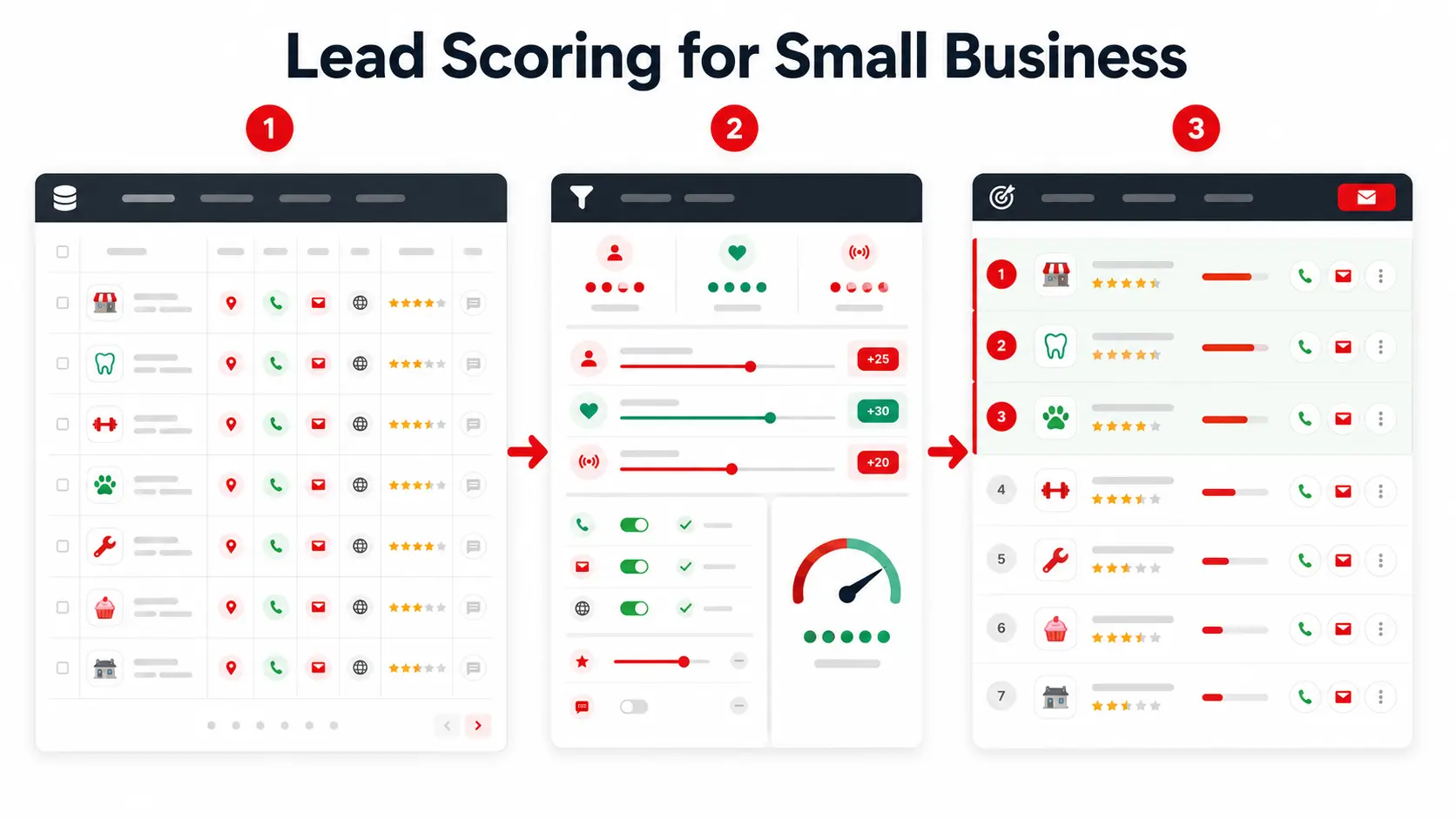
Before scoring leads, start with a clear prospect source. See the B2B lead workflow to understand how source, signals, shortlist, and outreach work together.
Lead scoring is the process of giving each lead a score based on how well they match your ideal customer, how strong their buying signals are, and how easy they are to contact.
For a small business, this does not need to be complicated. You can start with a simple spreadsheet, a few scoring rules, and the lead data your team already uses.
Lead scoring means giving points to leads based on clear signs of quality.
For example, a lead may get more points if they are in your target industry, located in your service area, have a working website, show signs of need, and include a phone number or email address.
A lead may get fewer points if they are outside your target area, missing contact details, closed, inactive, or clearly not a fit for your offer.
The goal is simple: help your team focus on the leads that are most likely to turn into real sales conversations.
Lead scoring is worth it when your team has more leads than it can contact properly.
A small sales team, agency, consultant, or local service provider may only have a few hours each week for outreach. Without a scoring system, that time can go to prospects that are hard to reach, outside your target area, or unlikely to need your offer.
A simple score gives your team a clear order to follow. High-score leads get contacted first. Lower-score leads can be saved for later, added to a follow-up list, or removed from the outreach plan.
Lead scoring helps when your leads have clear differences in quality.
For example, one lead may match your target category, have a website, show active reviews, and include contact details. Another lead may be outside your service area and missing basic information.
Lead scoring helps you:
If your business only gets a few leads each month, it may be better to review them manually. You may not need a scoring system until your lead volume grows or your team starts wasting time on poor-fit prospects.
Lead scoring is also not helpful if you do not know what a good lead looks like yet. Before assigning points, you need a basic idea of your ideal customer. This can include the right industry, location, company size, problem, budget, or contact details.
Start simple. Once you know which leads are easier to contact and more likely to convert, you can build a scoring system that matches how your small business actually sells.
Small businesses do not usually struggle because they have no leads at all. The bigger problem is knowing which leads are worth contacting first.
A lead list can look useful at first, but not every business on that list will match your offer, location, budget, or outreach goal. Some leads may be too hard to contact. Others may be outside your target market. Some may have no clear sign of need.
That is why lead scoring matters. It gives your team a simple way to sort prospects before outreach starts.
A small team can only contact so many prospects in a day.
If your list has 300 local businesses, your team cannot treat every lead as equal. Calling or emailing each one without a clear order can waste hours on businesses that are not ready, not reachable, or not a good fit.
This is where manual prospecting vs. lead generation becomes an important decision for small teams.
Lead scoring helps you choose where to start. The best-fit leads move to the top of the list, while weaker leads can stay in a lower-priority group.
Old lead lists can create extra work because business information changes often.
A company may close, move to a new location, change its phone number, update its website, or stop using an old email address. If your list is outdated, your team may spend time contacting businesses that are no longer active or no longer match your offer.
This is one reason small teams need fresher business signals before outreach. A lead list is more useful when it includes details such as business category, location, website, phone number, email availability, ratings, reviews, and business status.
Not every lead deserves the same level of attention.
For example, a marketing agency that serves restaurants in one city should not spend the same effort on businesses outside that area. A web design agency may want to prioritize businesses with no website. A reputation management service may want to focus on businesses with low ratings or many negative reviews.
A lead list is only useful when it helps your team decide what to do next. Scoring turns a raw list into a clearer outreach order.
Lead scoring gives small teams a simple order to follow.
Instead of starting from the top of a random spreadsheet, your team can sort leads by score. High-score leads get contacted first because they match your target market and show useful signs of need. Lower-score leads can be saved for later, added to a follow-up list, or removed from the outreach plan.
This makes lead research easier to turn into action. The goal is not just to collect more names. The goal is to build a list that helps your team spend time on the right prospects.
A lead scoring model helps your team rank prospects using the same rules each time.
For a small business, the model does not need to be advanced. Start with a few signs that show whether a lead is a good fit, has a possible need, and is easy to contact. These three areas are enough for a simple first version.
The goal is to make your lead list easier to act on, not harder to manage.
A simple lead scoring model can start with three parts:
For example, a lead may fit your offer if it is in the right industry, located in your service area, and matches the type of customer you usually serve.
For example, a business with no website may be a better fit for a web design agency. A business with low ratings may be a better fit for a reputation management service. A business with many reviews may be useful for a market research or review analysis workflow.
A lead with a website, phone number, email address, and active business profile is easier to contact than a lead with missing or outdated details.
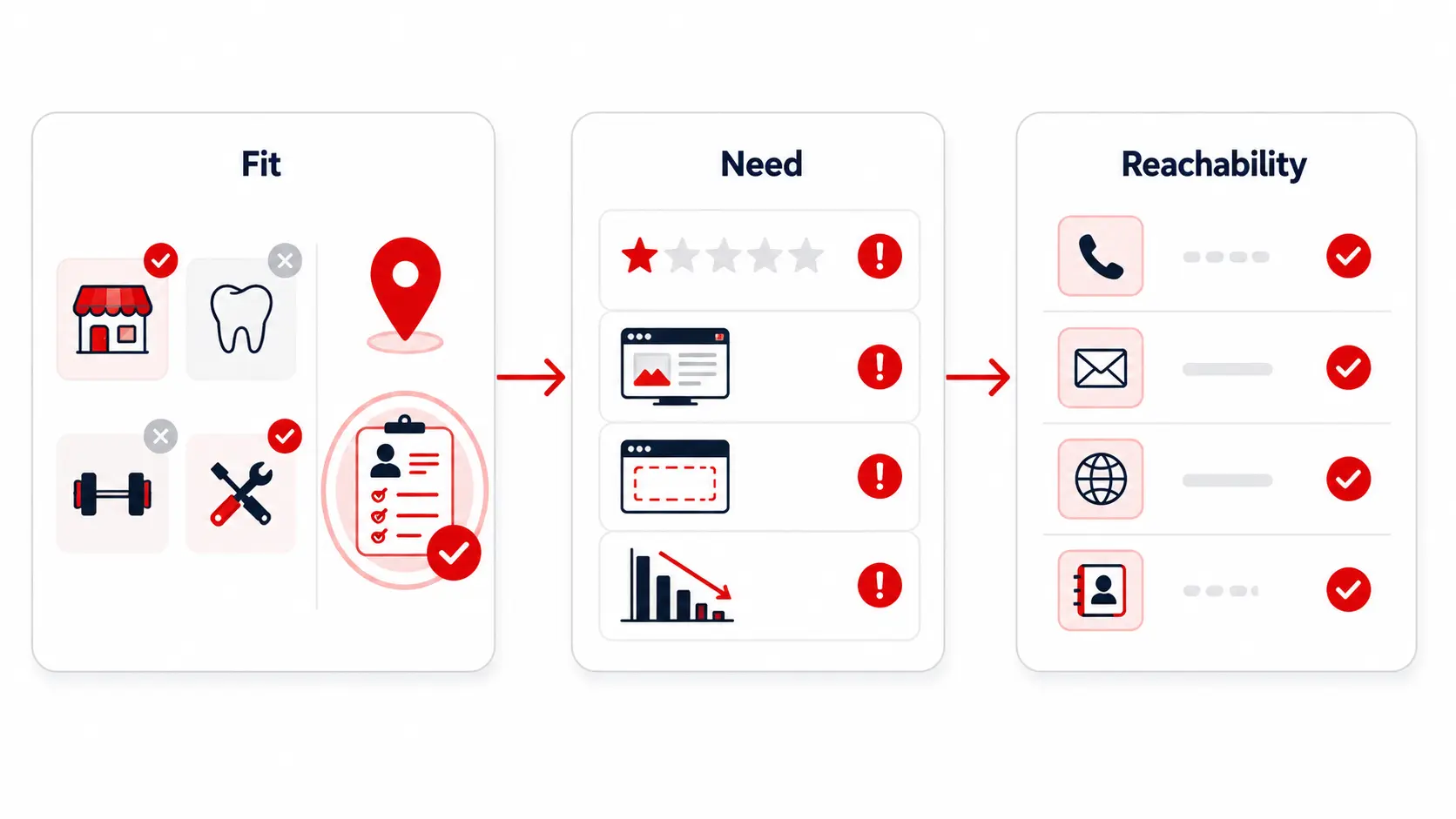
Start by adding points for strong-fit leads. These are prospects that match your target category, location, contact requirements, and signs of possible need.
For example
| Lead signal | Example | Points |
|---|---|---|
| Matches your target category | Restaurant, clinic, agency, contractor | +15 |
| Located in your target area | City, region, or service radius | +10 |
| Has a website | Website is listed | +5 |
| Has a phone number | Phone number is available | +5 |
| Has an email address | Email is available | +10 |
| Shows a possible need | No website, low rating, or weak online presence | +10 |
Lead scoring works best when your criteria match the type of leads you sell to. For B2B and local business prospecting, you do not need too many rules. Start with the signals that help your team decide whether a business is a good fit, easy to contact, and worth outreach.
These criteria are easier to apply when your lead source includes advanced filters for better targeting.
Category fit shows whether the business matches your target customer. For example, an agency may score dentists, restaurants, clinics, contractors, or real estate companies higher if those categories match the offer.
Location fit matters when your service depends on a city, region, or territory. A lead inside your target area should score higher than a lead outside your service location.
Website presence can show whether a business is active online. A listed website may make the lead easier to research, while no website can show the possible need for web design, SEO, or online visibility services.
Contact details affect how easy the lead is to reach. Leads with a phone number, email address, and website should usually score higher because your team has more ways to start outreach.
Reviews can show business activity and possible need. Low ratings, many reviews, or very few reviews may be useful signals depending on your offer.
Business status helps your team avoid closed or inactive businesses. Active businesses should stay higher in your list, while closed or inactive listings should be removed or scored lower.
A strong lead should match your target market and show a reason your offer may be relevant. Examples include no website, low ratings, weak online presence, missing contact details, or strong competition in the area.
You do not need advanced sales software to start lead scoring. A spreadsheet can be enough for the first version.
Start with a few lead signals, assign simple point values, and sort your list by total score before outreach.
Before the spreadsheet step, you can start with category and location filters to avoid scoring businesses that are outside your market.
Yes. Excel or Google Sheets can work for basic lead scoring.
Create one row for each lead, then add columns for the signals you want to score, such as category, location, website, phone, email, reviews, ratings, and business status.
Your spreadsheet can include columns for business name, category, location, contact details, review data, fit score, need score, reachability score, total score, and next action.
Each score should follow a clear rule. For example, a lead inside your target area may get +10 points, while a business outside your service area may get -15 points.
The point values do not need to be perfect at the start. They only need to help your team sort better leads from weaker ones.
Negative scoring is just as useful as positive scoring.
Some leads may look acceptable at first, but they are not worth immediate outreach. Subtracting points helps push those leads lower in your list.
For example:
| Poor-fit signal | Example | Points |
|---|---|---|
| Outside your target area | Not in your service location | -15 |
| Wrong business category | Does not match your offer | -15 |
| Missing contact details | No phone, email, or website | -10 |
| Business appears inactive | Closed or no recent activity | -20 |
| Poor match for your service | No clear reason to contact | -10 |
This helps your team avoid wasting time on leads that are hard to contact or unlikely to become customers.
A good lead score depends on your offer, market, and sales process.
For a simple starting point, group your leads by score range so your team knows what action to take next.
| Score range | Lead group | What to do |
|---|---|---|
| 40 points or higher | Hot lead | Contact first |
| 20–39 points | Warm lead | Add to follow-up list |
| 1–19 points | Low-priority lead | Review later |
| 0 or below | Poor-fit lead | Remove or skip |
These ranges are only a starting point. After a few outreach rounds, review which leads replied, booked calls, or became customers. Then adjust the point values based on what actually worked.
A simple model becomes more useful when it reflects your real sales results.
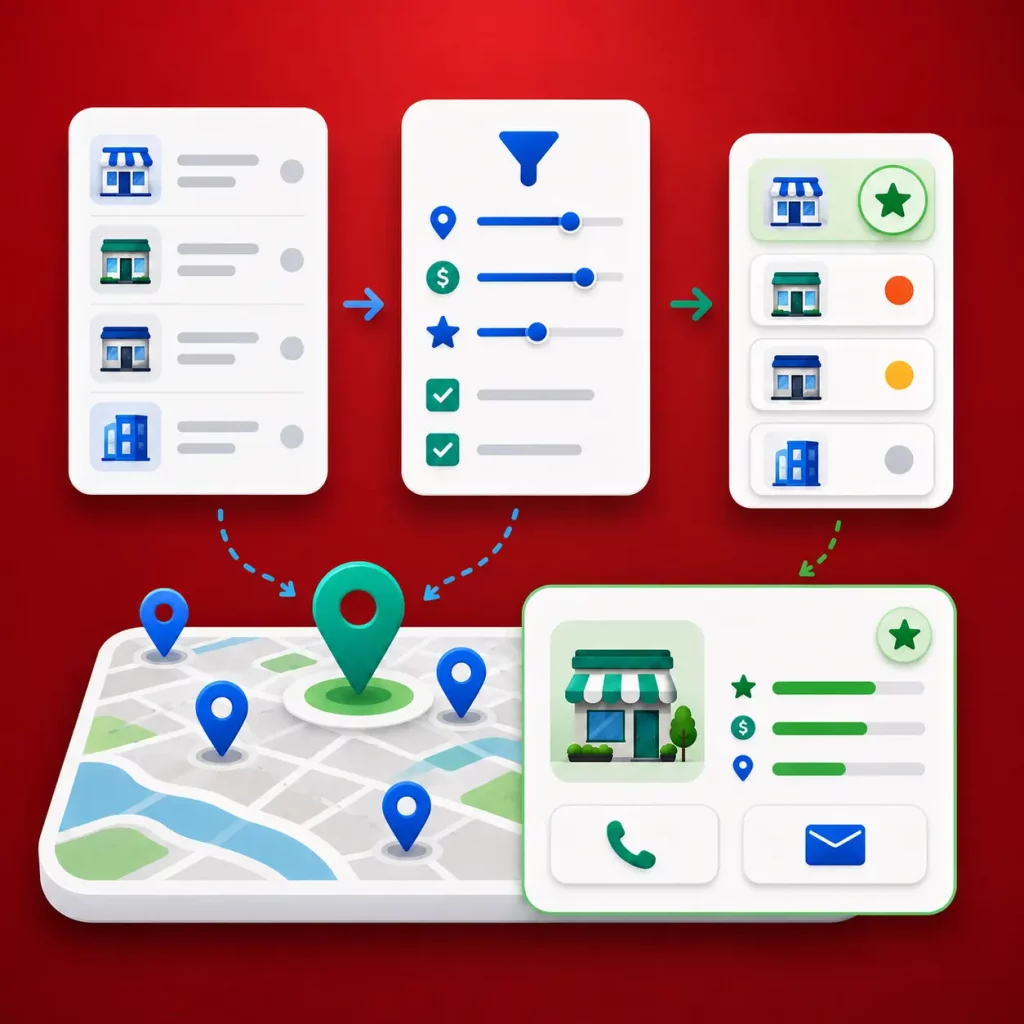
Use Targetron to find local businesses by category and location, filter by key signals, and export a cleaner list your team can score before outreach.
Group leads into simple ranges so your team knows what to do next.
High-score leads can go into your first outreach list. Mid-score leads can move to follow-up. Low-score leads can be reviewed later or removed if they are not a fit.
After each lead has a total score, sort the spreadsheet from highest to lowest.
This gives your team a clear outreach order instead of a random list of businesses.
A spreadsheet is a good starting point, but a CRM becomes useful when you need to track follow-ups, assign leads, record notes, or manage several outreach campaigns.
Start with the spreadsheet first. Move to a CRM when manual tracking becomes too slow.
Lead scoring works better when your lead list already includes useful business data.
If your list only has business names, your team still needs to check each prospect manually. With Targetron’s local business leads directory, you can start with local business leads that include details such as category, location, website, phone number, email availability, ratings, reviews, and business status.
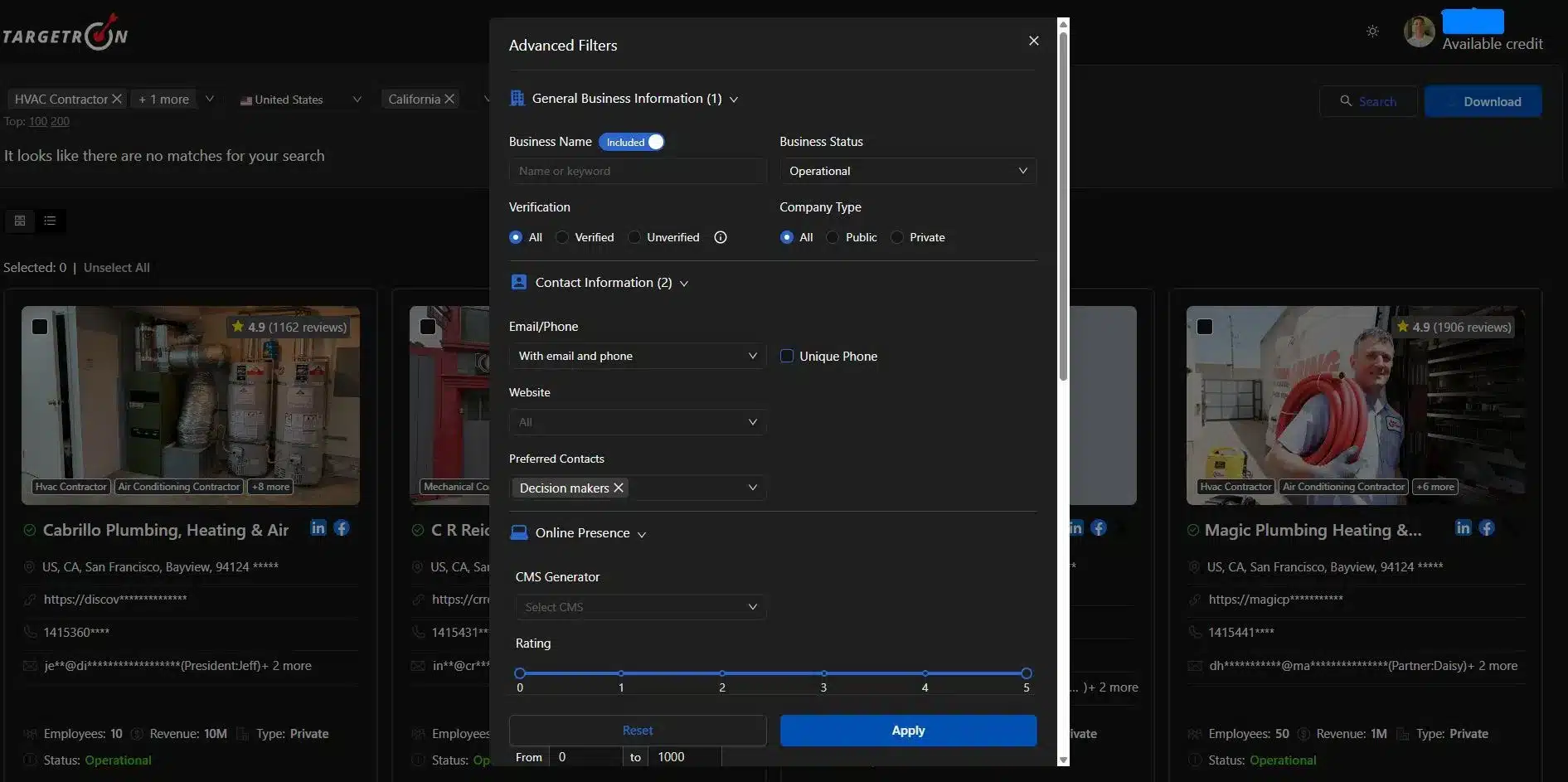
Begin by choosing the type of businesses you want to reach and the area you want to target.
For example, you can search for restaurants, clinics, contractors, agencies, real estate companies, or other local business categories in a specific city, region, or service area.
After choosing your market, narrow the list using signals that matter to your offer.
These can include website presence, phone number availability, email availability, ratings, review count, business status, category, and location.
These filters help you remove poor-fit leads before scoring begins.
Public business data can show a possible need before your team sends a message or makes a call.
A business with no website may be a fit for web design or SEO services. A business with low ratings may need reputation support. A business with many reviews may be useful for market research or competitor analysis.
Once your list is filtered, export it and add your scoring columns in a spreadsheet or CRM.
This gives your team a cleaner starting point instead of a mixed list of businesses that still need manual checking.
After scoring your leads, sort the list by total score.
High-score leads should match your target category, sit inside your target location, show possible need, and include enough contact details for outreach. Lower-score leads can be saved for later, added to a follow-up list, or removed from the outreach plan.
Simple takeaway: Lead scoring works best when your list already has the right business signals. The cleaner the list, the easier it is to decide who to contact first.
Lead scoring for small business does not need to start with expensive software or a complicated sales process. It works best when your team starts with clear business signals, assigns simple point values, and sorts leads before outreach.
Start with fit, need, and reachability. Then score each lead using signals such as category, location, website presence, phone number, email availability, reviews, ratings, and business status.
After a few outreach rounds, adjust your scoring rules based on real replies, booked calls, and customers. This keeps your scoring system tied to what actually works in your sales process.
With Targetron, you can find local business leads, filter them by the signals that matter, and export a list your team can act on faster.
Ready to build a better lead list? Use Targetron to find and filter local business leads before starting your next outreach campaign.
Most frequent questions and answers
Lead scoring for small business is a simple way to rank leads based on how well they match your ideal customer, how strong their buying signals are, and how easy they are to contact. It helps small teams decide which leads to contact first instead of treating every prospect the same.
Start by choosing a few scoring signals that matter to your sales process. For small teams, a simple model can use fit, need, and reachability. Give points to leads that match your target category, location, and contact requirements. Subtract points from leads that are outside your target area, missing contact details, or not a good fit.
Good criteria for local business leads include business category, location, website presence, phone number, email availability, ratings, review count, business status, and signs of possible need. The best criteria depend on what your business sells and which prospects are most likely to become customers.
Yes. You can score leads without a CRM by using Excel or Google Sheets. Add columns for lead signals, assign point values, calculate a total score, and sort your list from highest to lowest. A CRM becomes more useful later when you need to track follow-ups, assign leads, and manage several outreach campaigns.
A good lead score depends on your offer and sales process. As a simple starting point, leads with 40 points or higher can be treated as high-priority, 20–39 points as follow-up leads, 1–19 points as low-priority leads, and 0 or below as poor-fit leads. Adjust the ranges after you see which leads reply, book calls, or become customers.
