Text on WhatsApp
Don't wait for a call—chat with our sales team now via WhatsApp!
Finding web design leads usually means hours of manual searching, but you don’t need a huge ad budget to land new clients.
Most people assume you need expensive scraping tools or a complex marketing strategy to find businesses without websites. That isn’t true. You can find high-quality leads using a tool you probably open on your phone right now: Google Maps.
I use this 5-step process to find local businesses that are active and making money but are completely invisible online. These are the leads your competitors are overlooking.
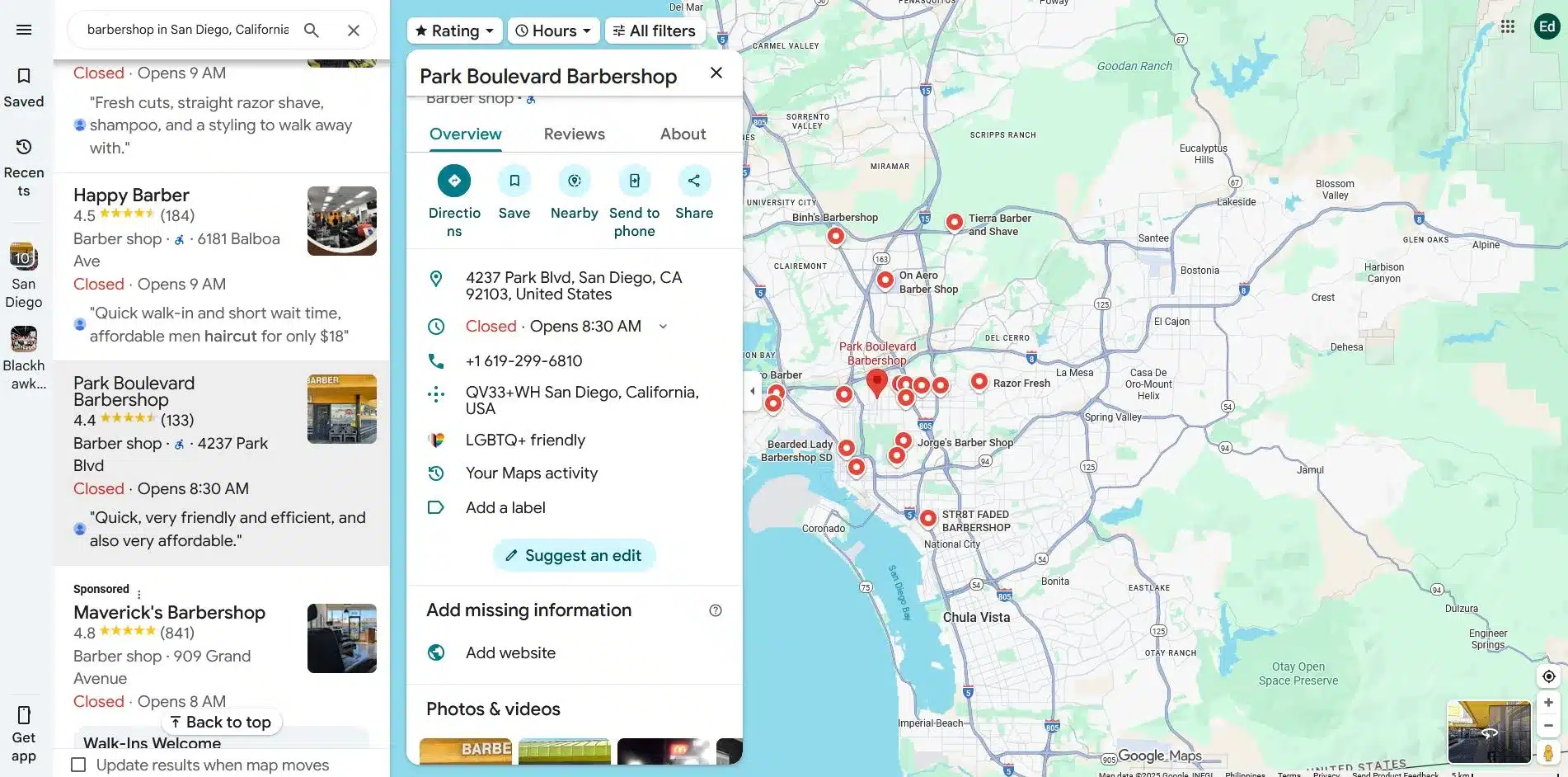
The Secret: Look for the “Add Website” link on Google Maps business listing. If you see this, it means Google has verified the business exists, but no official website is linked yet.
Here is my 5-step- process to find and pitch these leads.
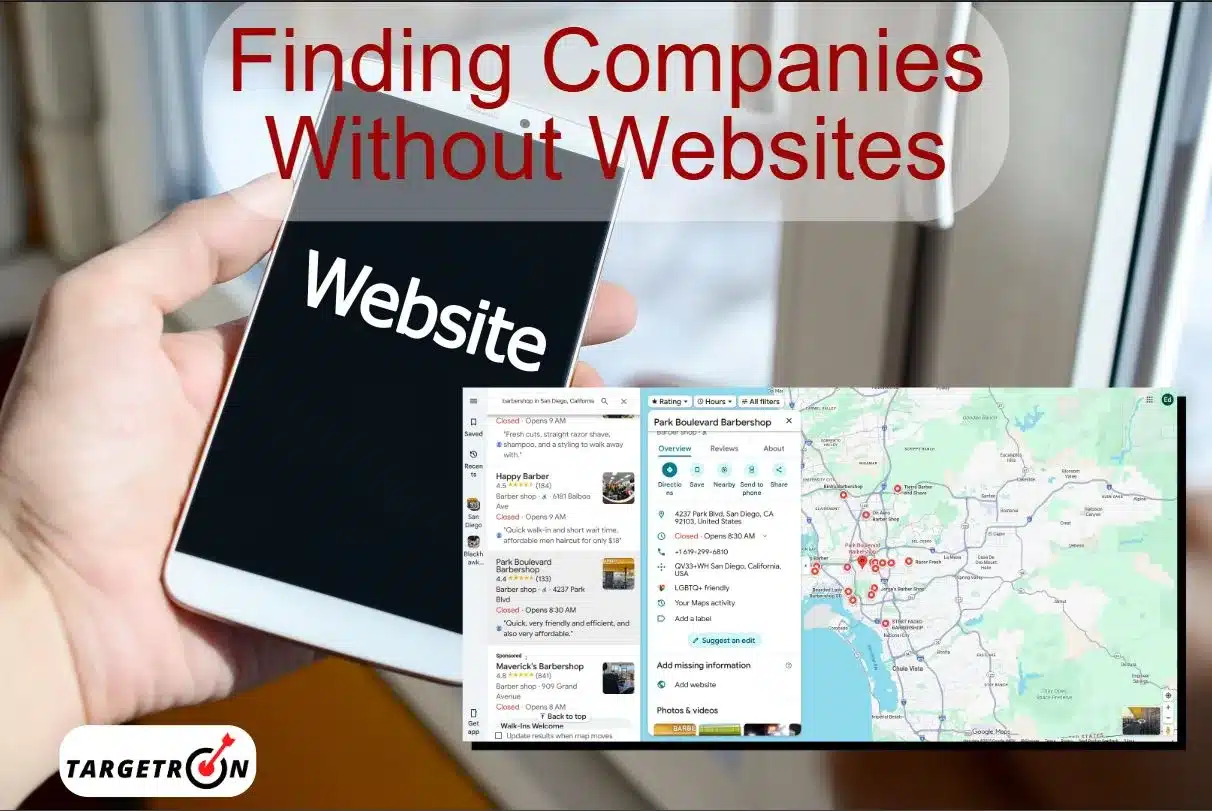
This is the step-by-step guide you’ve been waiting for. Simply follow these five steps to quickly build a list of perfect prospects.
Don’t just type “businesses near me.” Think like a customer, the more specific you are, the faster you’ll find the right leads. Here are some samples
You can also look for businesses with a physical location. These are the ones who are most likely to rely on foot traffic and Google searches, which means they have the most to gain from a website.
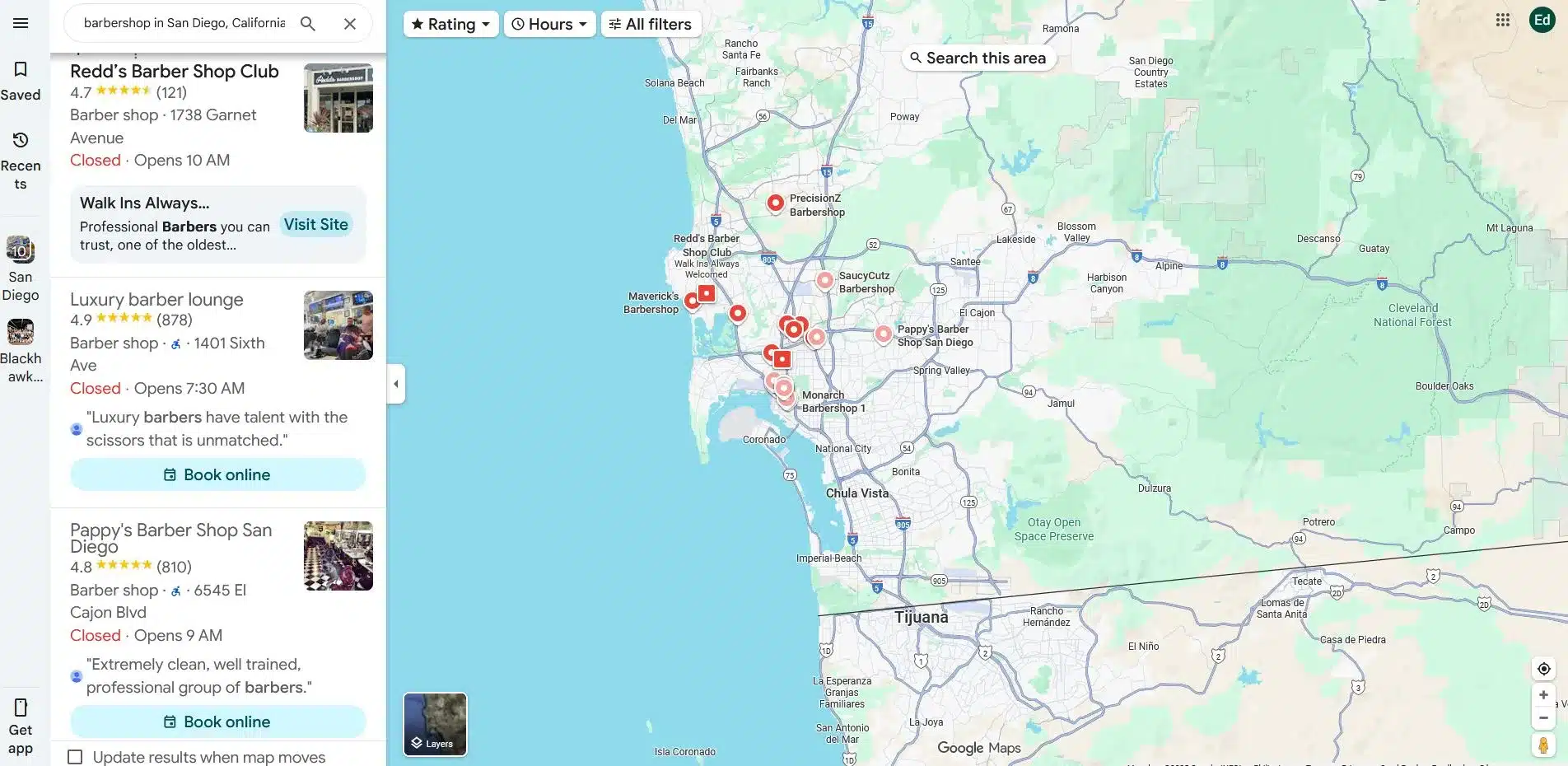
Build your list of ideal customers for cold outreach.
Look at the listings on the Google Maps results page; businesses with a website will typically have a dedicated link or a Globe icon. If it’s missing, you need to go to each listing and select the overview.
While some listings may show a website link directly on the list view, others may not. The full business profile provides the most complete and accurate information.
Why you should take an extra step in finding businesses without websites. First, Google’s listing display can change based on screen size and other factors. Second, a business may not have a traditional website but might list a social media page in its profile. Third, there’s an option for providing booking links. This option is also a key indicator if it’s the only digital presence they have, or it’s in addition to a traditional website.
Not all businesses without a website are the same. The best ones to target are those with a low star rating. You can find more details on this strategy in our guide on identifying companies with bad ratings.
Why?
Now, go through your filtered list and get the key information you’ll need for your outreach. Simply open a spreadsheet and record the following for each business:
If you are looking for more ways to find these details, check out our tips on how to find emails and contact local companies.
Before you reach out, quickly check a few things to make sure the lead is a good fit for your business. This step helps you focus on high-quality prospects:
Business without a website is in deep trouble. They are losing credibility, missing out on valuable leads, and are at the mercy of their online reviews.
But how do you find these specific businesses? How do you move past generic lists and find the ones that desperately need your help?
It’s Google Maps.
It’s a lead generation tool hiding in plain sight. It gives you a direct, visual way to find businesses that have a clear, immediate problem you can solve.
So, you found a company with no online presence. That’s a good thing right?
Absolutely. Because when a business doesn’t have a website, they’re not just missing out on a few customers, they’re missing out nearly on all of them:
If there is no website, there is no way to capture that inbound traffic from Google or AI search tools like ChatGPT. This is exactly why local lead generation is so effective when you target the right gaps.
While Google Maps is your primary tool for finding businesses that need a website, it’s not the only way to find leads.
Here are a few other effective methods to add to your process:
Build your list of ideal customers for cold outreach.
Every record in this list comes from the Targetron business directory, which is built from publicly available business information across sources including Google Maps listings, Facebook pages, and company websites. Each profile includes the business name, address, phone number, category, rating, review count, and, where available, email addresses and social media links.
A business is included in this list when its verified profile has no website attached. We check beyond the obvious: some businesses have no website link at all, others list only a Facebook or Instagram page, and some show only a third-party booking link. Our filter distinguishes between these cases, so you can target businesses with zero web presence or include those relying on a social page alone. A social profile or booking widget is not a website, and for outreach purposes those businesses are often your best prospects, since they’ve already shown they want to be found online.
Business listings change constantly. Companies launch websites, close their doors, or update their profiles, so a list pulled six months ago is a list full of dead ends. The Targetron database is refreshed. The record count and sample data on this page are updated with every refresh; the dataset date shown at the top of this page tells you when that last happened.
When you pull a list, you’re not buying a static spreadsheet that was scraped once and resold. You’re querying a live directory at the moment you export, filtered to your city, industry, and criteria.
You’ve done your hard work of building your B2B sales list of qualified leads. Now, it’s time to take the next step. The key here is not to be pushy, but you need to be helpful.
Cold calls are intrusive and easy for business owners to dismiss. Instead, send a simple, direct mail or a personalized message through their business’s social media page. Your goal is to get a conversation starter, and not to make a sale.
Your first sentence should show that you’ve done some research. Acknowledge their success first, before you bring up their problem.
Example opening lines:
I was searching for a [their business type] in [their city] and found your business. It looks like you have a great reputation.
Once you’ve built a little rapport, gently point out the missed opportunities. Do this in a way that shows you’re on their side, not just trying to sell them something.
Example language:
I noticed you don’t have a website listed like your competitor, [competitor name], which means you’re missing out on new customers who search online for businesses like yours. [competitor name] has a website that helps them bring in new customers every day. A website could do the same for you.
Finally, explain how a professional website will help them get more leads, improve their reputation, and grow their business. Focus on benefits, not just features.
You now have the complete, step-by-step guide to find businesses that desperately need a website, using a tool you already have, which is Google Maps.
No more chasing useless leads and no more cold calls that get you nowhere. I’ve shown you how to spot the “growing vulnerabilities,” how to find the perfect leads with a simple review audit, and how to reach out in a way that gets a response.
The businesses that need your help are out there. Your next client is waiting.
The only thing left to do is take the first step. Open a new tab, go to Google Maps, and run your first targeted search. The future of your business is just a few clicks away.
P.S. If you want to skip the manual work and get a list of hundreds of qualified leads in minutes, you can use a B2B sales intelligence platform like Targetron.
Last month, I used this exact Google Maps filter to find a local plumbing contractor in Santa Monica, California. They had 45 positive reviews but no website link on their profile.
By sending a short, empathy-first message about their "unclaimed" digital presence, I secured a discovery call within 24 hours. No expensive ad spend was required. Just 10 minutes of targeted searching using the steps above.
Most frequent questions and answers
1. Go to the Targetron Platform.
2. Select categories and locations.
3. Click search, and export to get the data.
Many small businesses set up a free social page or booking link instead of a real website. These show up in our data with their own status label, and they’re often the strongest prospects, because they’ve already shown they want an online presence.
B2B data is the information used to help sales and marketing. This includes a database of company details, emails, phones, social links, and other useful information.
Yes. Creating a Targetron account is free, and you can preview results for any city and industry before exporting.
