Arrange a Free Consultation.
Get Free Expert Advice
Chat with Paul via WhatsApp now! Get a chance to receive free leads instantly.
To find B2B leads that match your ideal customer profile, turn your ICP into search filters before you export any list. Define the business category, location, company size, revenue range, website presence, email or phone availability, rating, review count, business status, and other signals that show whether a company fits your offer.
Your ICP should act as the filter for the lead list, not a note your sales team checks after the list is already built. By removing weak-fit businesses early, your team can enrich and verify only the records that are worth contacting.
In this workflow, you will see how to use Targetron to search by category and geography, filter businesses by ICP signals, enrich records when needed, and export a cleaner B2B lead list for outreach. For a broader view of the full process, read Targetron’s guide to B2B lead generation.
Quick Answer: How to Find B2B Leads That Match Your ICP
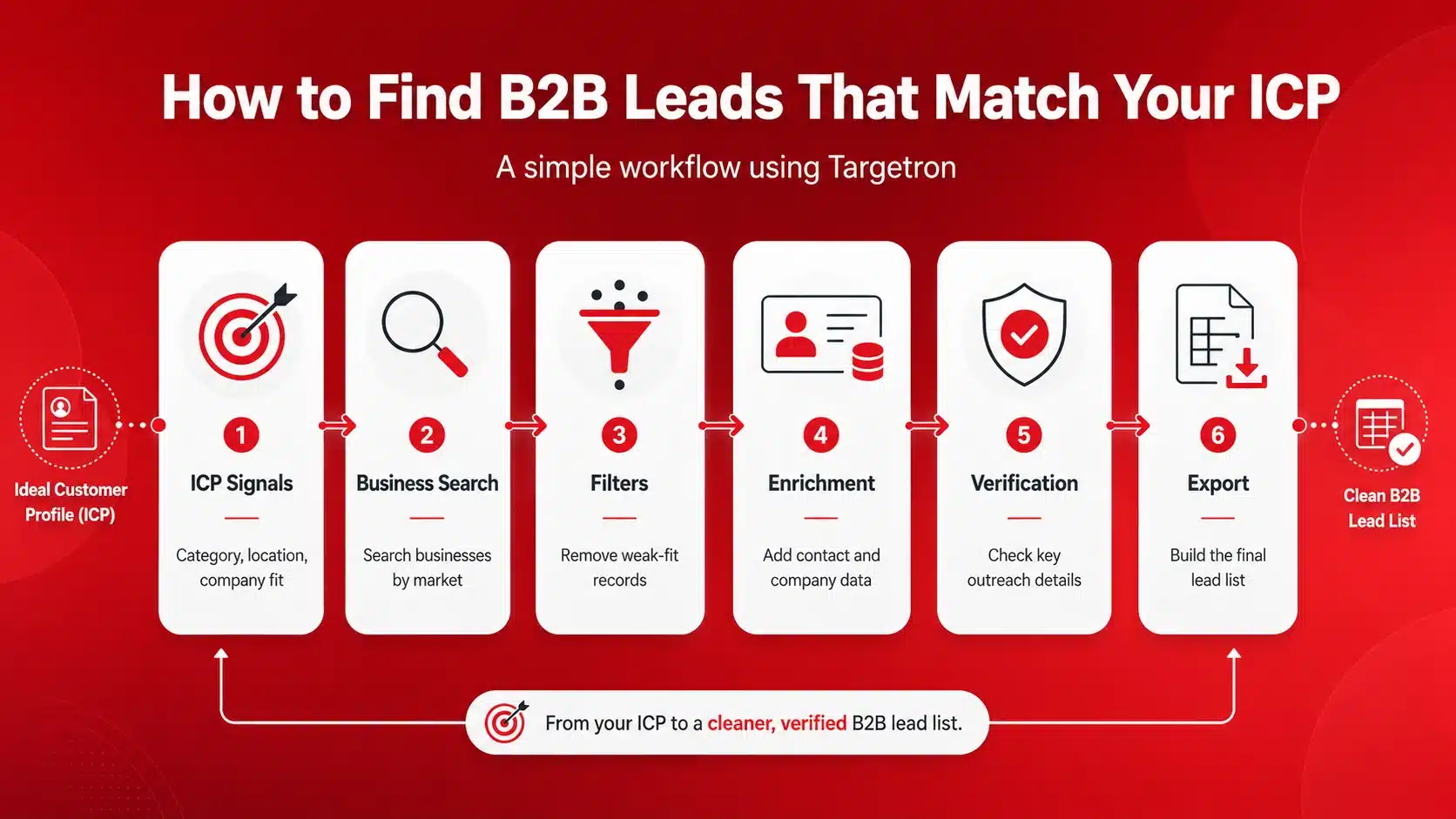
A B2B lead list is only useful when the companies in it match your ideal customer profile. If the list is built first and checked later, your team may spend more time removing bad-fit records than contacting good-fit prospects.
That is why your ICP should come before the search.
Before you export any list, decide which business signals matter. These can include category, location, business status, website presence, contact availability, ratings, reviews, company size, revenue range, or other fields tied to your offer.
This step helps you avoid three common problems:
A useful list is not the biggest possible export. It is the list your team can use immediately. If your team is trying to avoid stale spreadsheets, read Targetron’s guide on how to find B2B leads without buying expensive lists.
In Targetron, this means starting with ICP signals first, then using category, geography, filters, business records, enrichment services, and export options to prepare a cleaner B2B lead list.
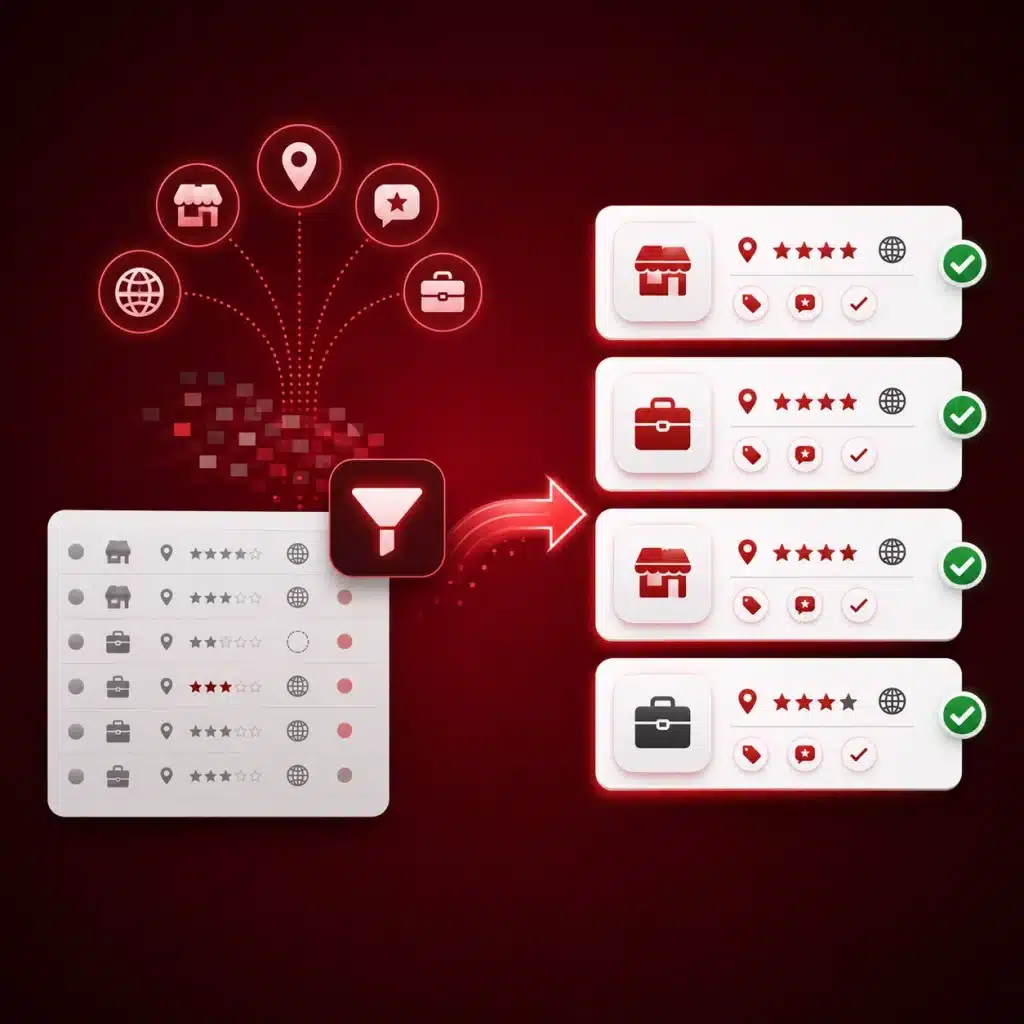
Instead of relying on outdated spreadsheets, use Targetron to find businesses by category, location, reviews, ratings, and website presence before you start outreach.
Your ICP should not stay as a broad description like “small businesses,” “local service companies,” or “B2B companies.” To use it for lead research, you need to turn it into fields you can search, filter, and review.
Start with the signals that decide whether a business belongs in your list.
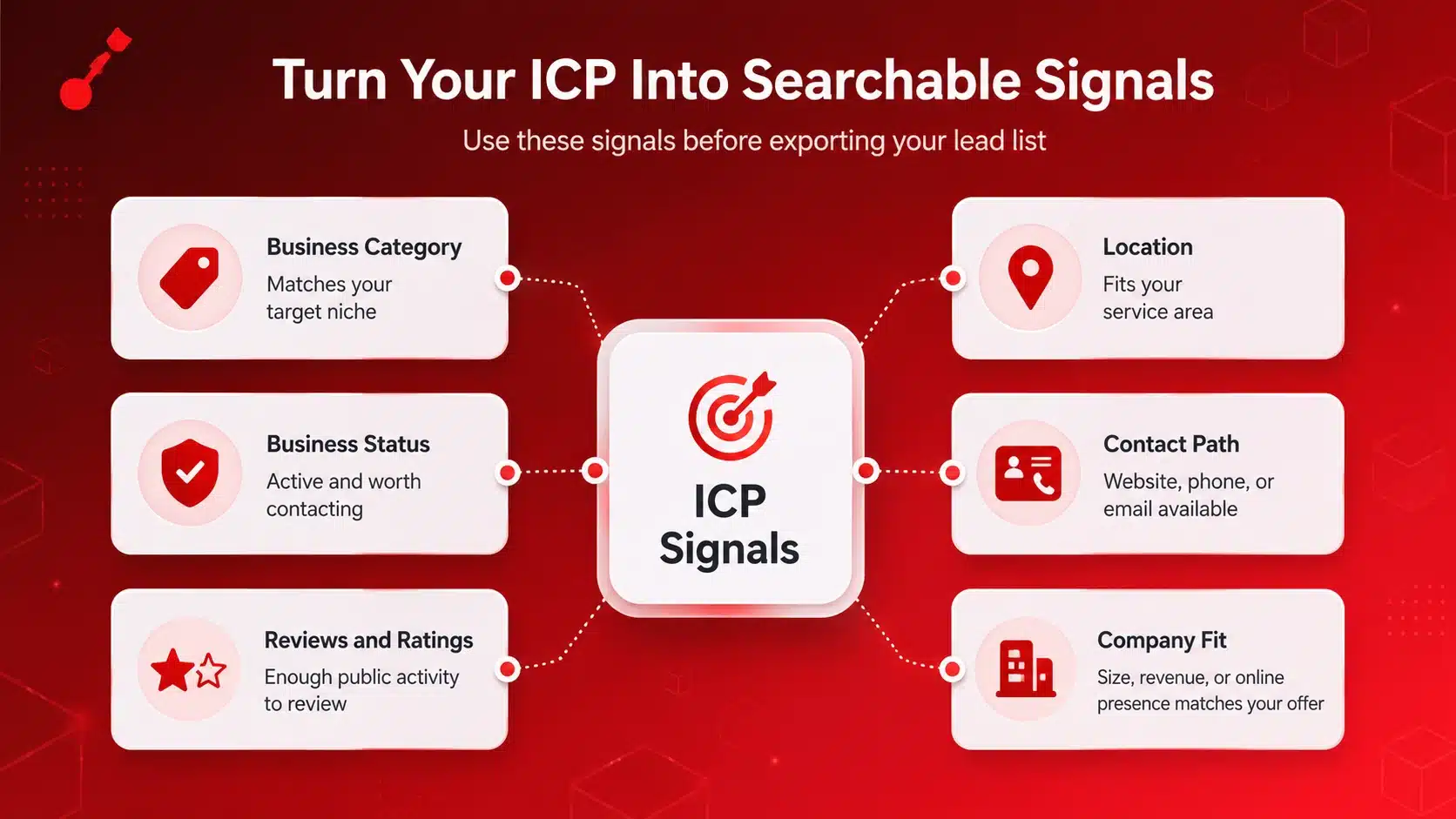
| ICP Signal | What to Check |
|---|---|
| Business category | Does the business match the niche your offer is built for? |
| Location | Is the business inside your target country, state, city, or service area? |
| Business status | Is the business active and worth contacting? |
| Contact path | Is there a website, phone number, email, or another way to reach the company? |
| Reviews and ratings | Do the rating and review count give enough public activity to qualify the business? |
| Company fit | Does the company size, revenue range, or online presence match your offer? |
Required signals are the details a lead must match before your team spends time on it.
These usually include:
If a business fails one of these required signals, it should usually be removed before export.
Fit signals help you decide which businesses are stronger matches.
These include:
These signals help you move from a broad lead list to a more focused prospect list.
A strong ICP should also define which businesses should not enter your final lead list.
Remove companies that are in the wrong category, outside your target area, closed, missing a clear contact path, duplicated, or outside your target company size or revenue range.
This matters because enrichment should not be used on every record. Use it only on businesses that already match your main ICP signals, so your team does not spend time improving leads that should have been removed earlier.
For a deeper ICP setup process, read Targetron’s guide on building your ICP with local data.
Once your ICP signals are clear, use them to build the search inside Targetron.
Do not start with every possible business. Start with the category, location, and filters that match your ideal customer profile.
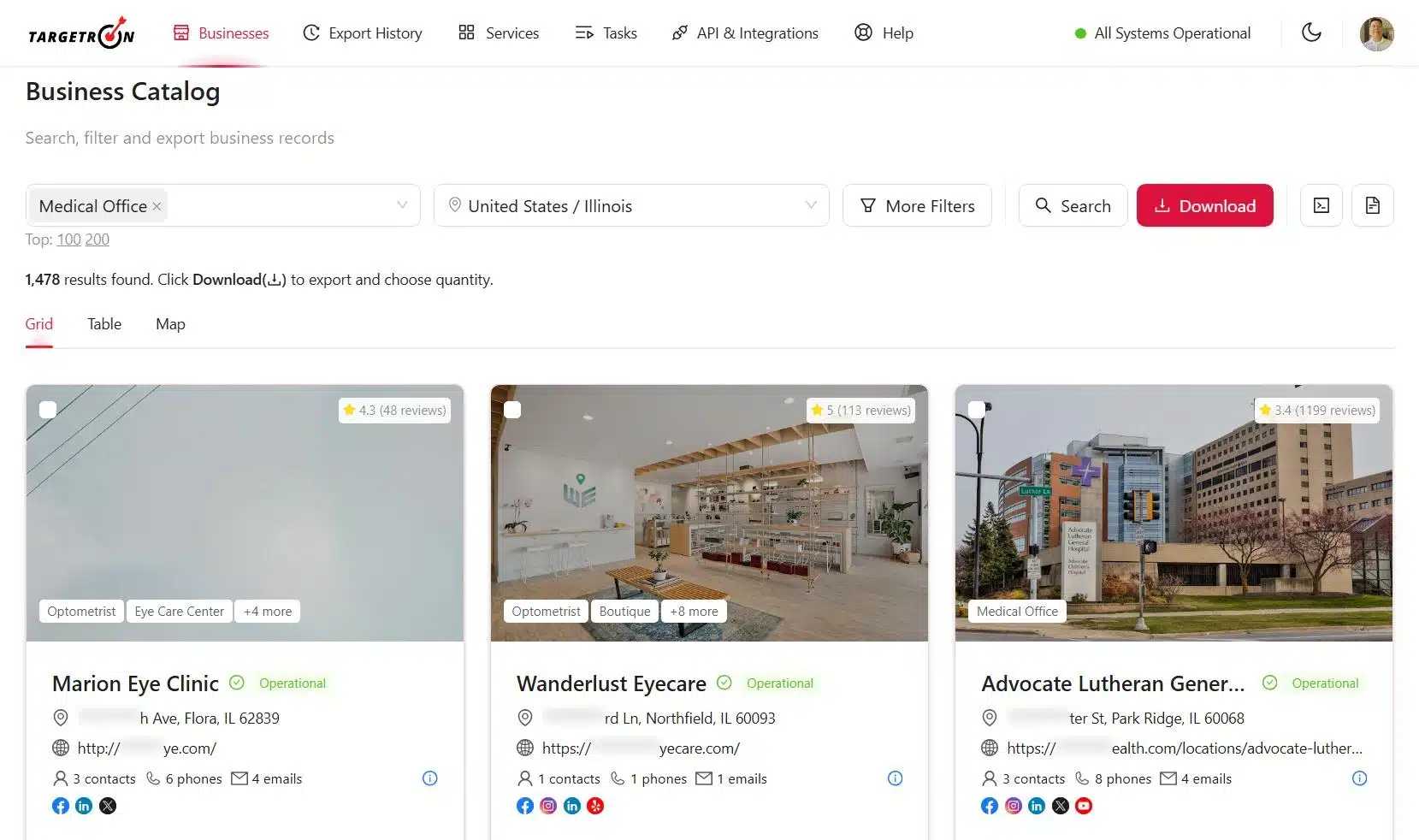
Begin with the business type your offer is built for.
For example, if your target market is HVAC companies, start with that category instead of searching for all local businesses. This keeps the list closer to your ICP from the beginning.
The category should answer:
What kind of business is most likely to need your offer?
Next, narrow the search by geography.
Use the country, state, city, town, or market area that matches your sales plan. This helps remove businesses your team cannot serve or does not want to contact.
A focused location filter is useful for agencies, consultants, sales teams, and local service providers that work by territory.
After category and location, use filters to narrow the list further.
Depending on your ICP, you may want to check signals such as:
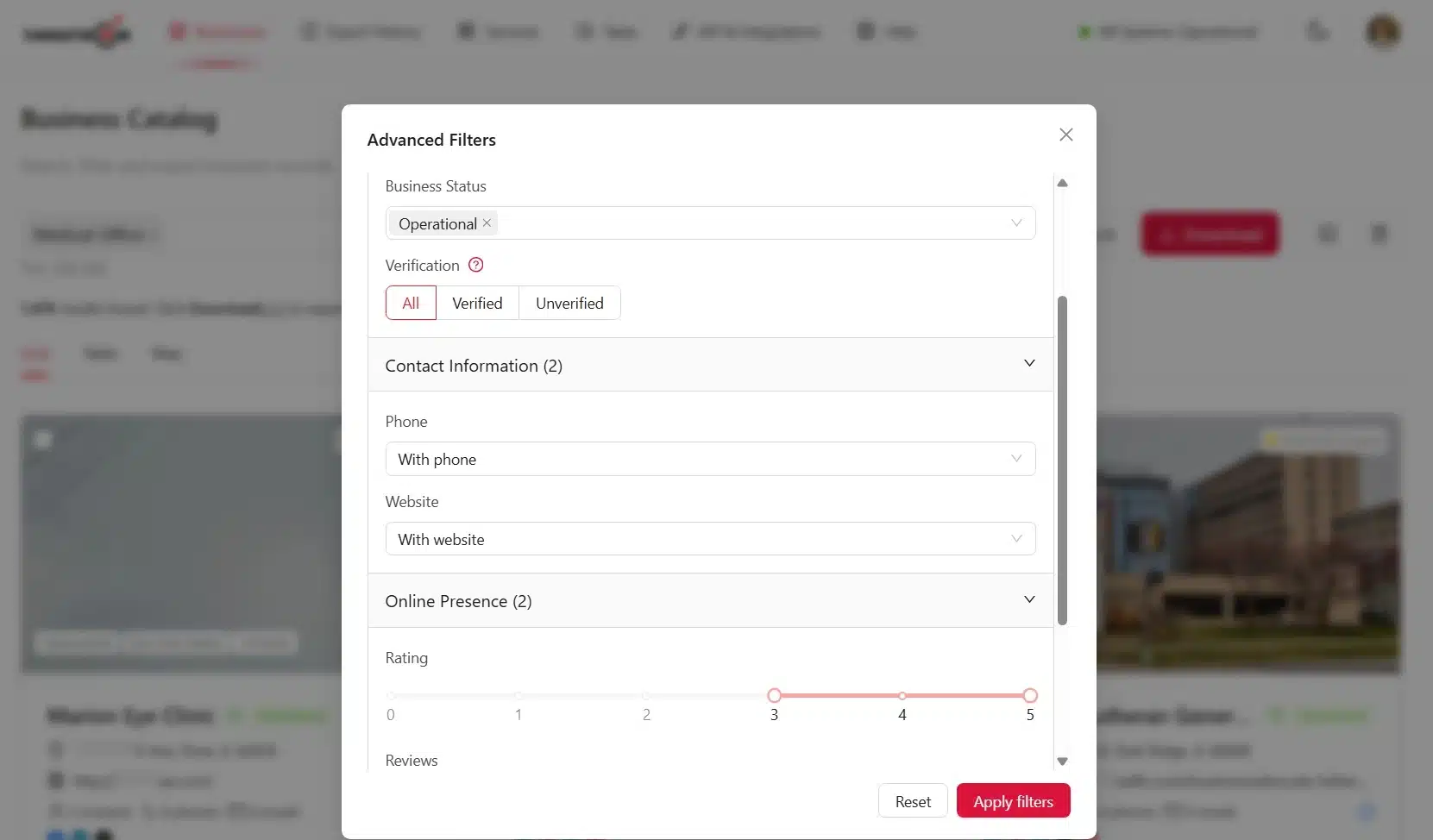
Remove weak-fit businesses before export, not after your team has already downloaded the list. For more detail on filter setup, read our guide on using advanced filters.
Before exporting, review the business records in the results.
Check whether the companies match your ICP, have a clear contact path, and show enough public signals to support outreach.
This step helps you avoid sending a raw list to your sales or marketing team. The final list should already be narrowed by fit, location, contact path, and business relevance.
For a related category-based workflow, read Targetron’s guide on finding B2B leads in niche industries.
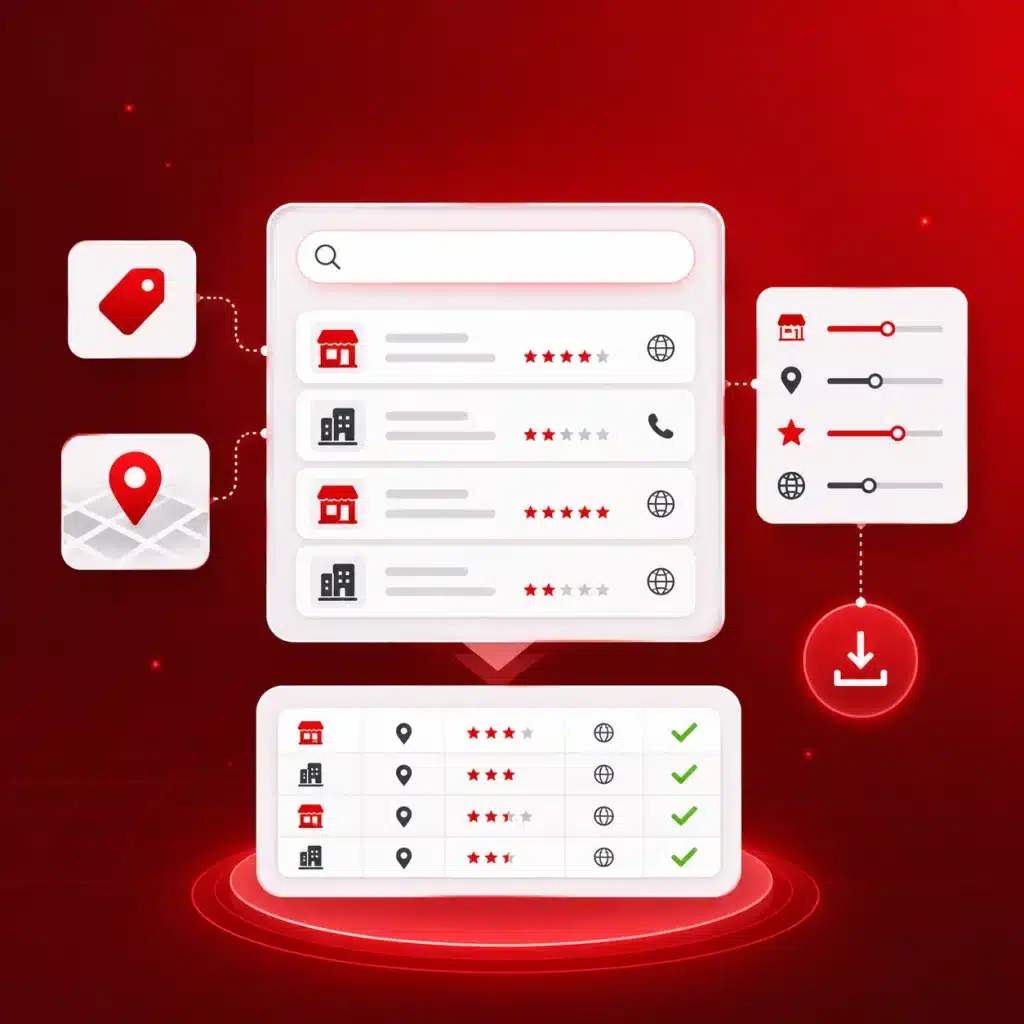
Start with your ICP, choose the business category and target market, then use Targetron filters to narrow the results before downloading your list.
Finding matching businesses is only the first step. A lead can match your ICP by category and location, but still need more contact or company data before your team can use it.
Enrichment and verification make the list more useful before outreach.
Do not enrich every business in the search results. Start with the records that already pass your main ICP filters.
That means the business should already match your required signals, such as:
Targetron’s newer services dashboard supports the next step after business search. After you narrow the list, use it for contact enrichment, company details, phone data, email checks, website technology signals, or related business data.
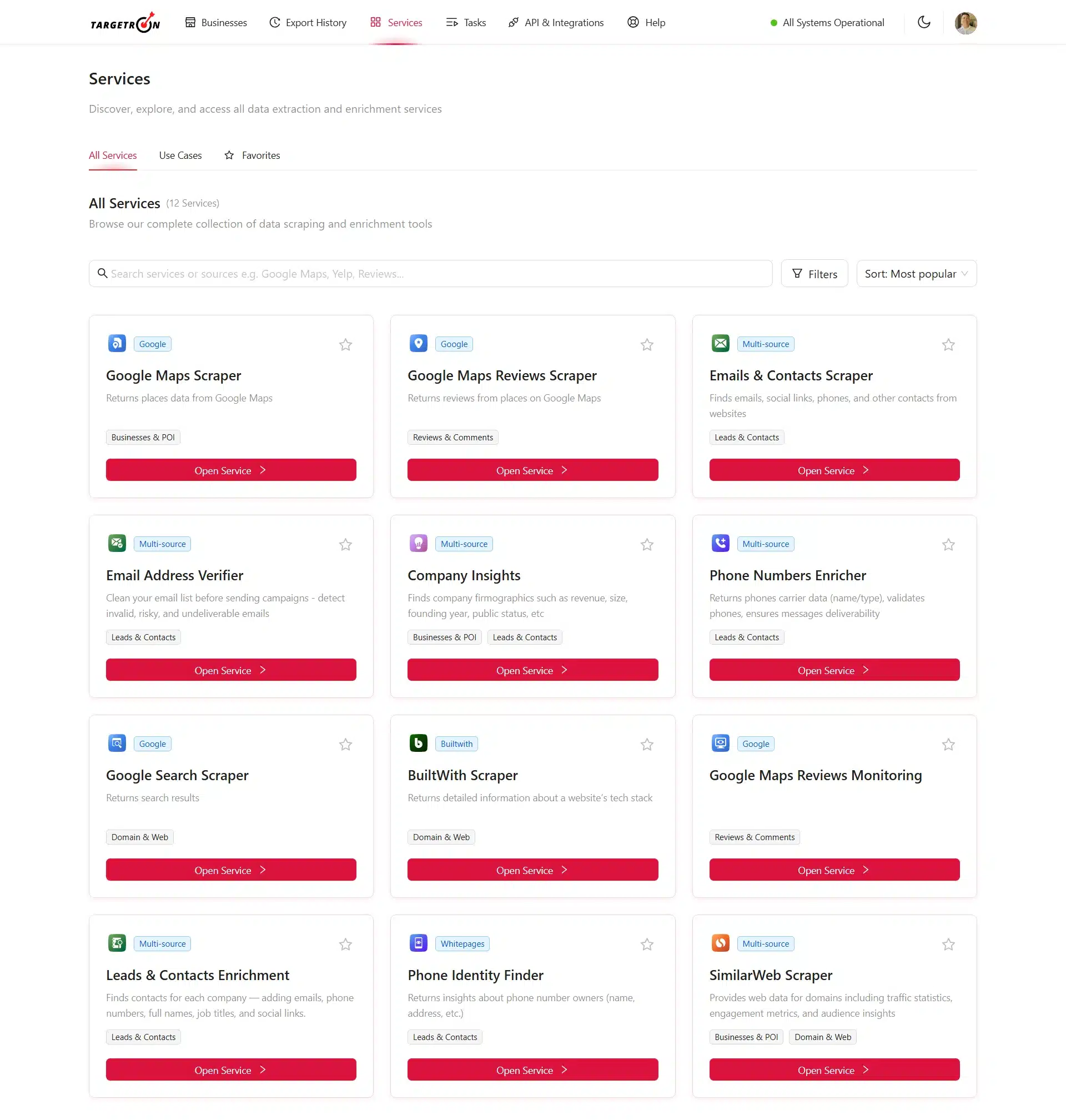
The enrichment step should match how your team plans to contact or qualify the lead.
If your campaign depends on cold email, email availability and verification matter. If your sales team calls prospects, phone data matters more. If your offer depends on company size, website setup, or business maturity, company and website signals may be more useful.
A simple rule is:
Only add the data that helps your team decide whether to contact the business or how to contact it.
This keeps the list cleaner and easier to use.
Before exporting the final list, check the fields that matter most for outreach.
That may include:
The final file does not need to be the largest one. It needs to be clean enough for your team to act on with less manual cleanup. After the list is cleaned, you can use a simple lead scoring system for small business to decide which records should get outreach first.
Most frequent questions and answers
Start by turning your ICP into searchable business signals, such as category, location, company size, website presence, contact availability, business status, ratings, and reviews. Then use those signals to search, filter, enrich, and export a lead list that fits your outreach goal.
Use signals that show fit and contact readiness. These can include business category, target location, active status, website presence, phone or email availability, rating, review count, company size, revenue range, and online presence.
Your ICP helps decide which businesses should enter the list before you export it. Without ICP-based filters, your team may spend more time removing bad-fit records than contacting good-fit prospects.
No. Enrich only the records that already match your main ICP signals. This helps avoid spending time adding data to businesses that should not be part of your outreach list.
A broad lead list includes many possible businesses, but not all of them fit your offer. An ICP-matched lead list is filtered by category, location, contact path, business status, and other signals that make the records more useful for sales or marketing outreach.
Targetron helps you search businesses by category and location, review public business signals, apply filters, use enrichment or verification services when needed, and export a cleaner lead list for outreach.