Arrange a Free Consultation.
Get Free Expert Advoce
Don't wait for a call. Chat with our sales team now via WhatsApp!
Local sales teams using a business radius map to focus on leads within 50 miles often see 30% to 40% lower customer acquisition costs than those running national campaigns. This tool creates a visual circle that shows every prospects or competitor within a set distance from your front door.
For a local company, this changes how you see your market. Instead of just looking at a flat list of addresses, you see a defined area where your customers actually live and work.
Efficiency is essential as transport and labor costs rise. According to current Foursquare data, location-based marketing results in 47% lower cost-per-action (CPA) and up to 15% higher incremental revenue compared to non-geographic targeting.
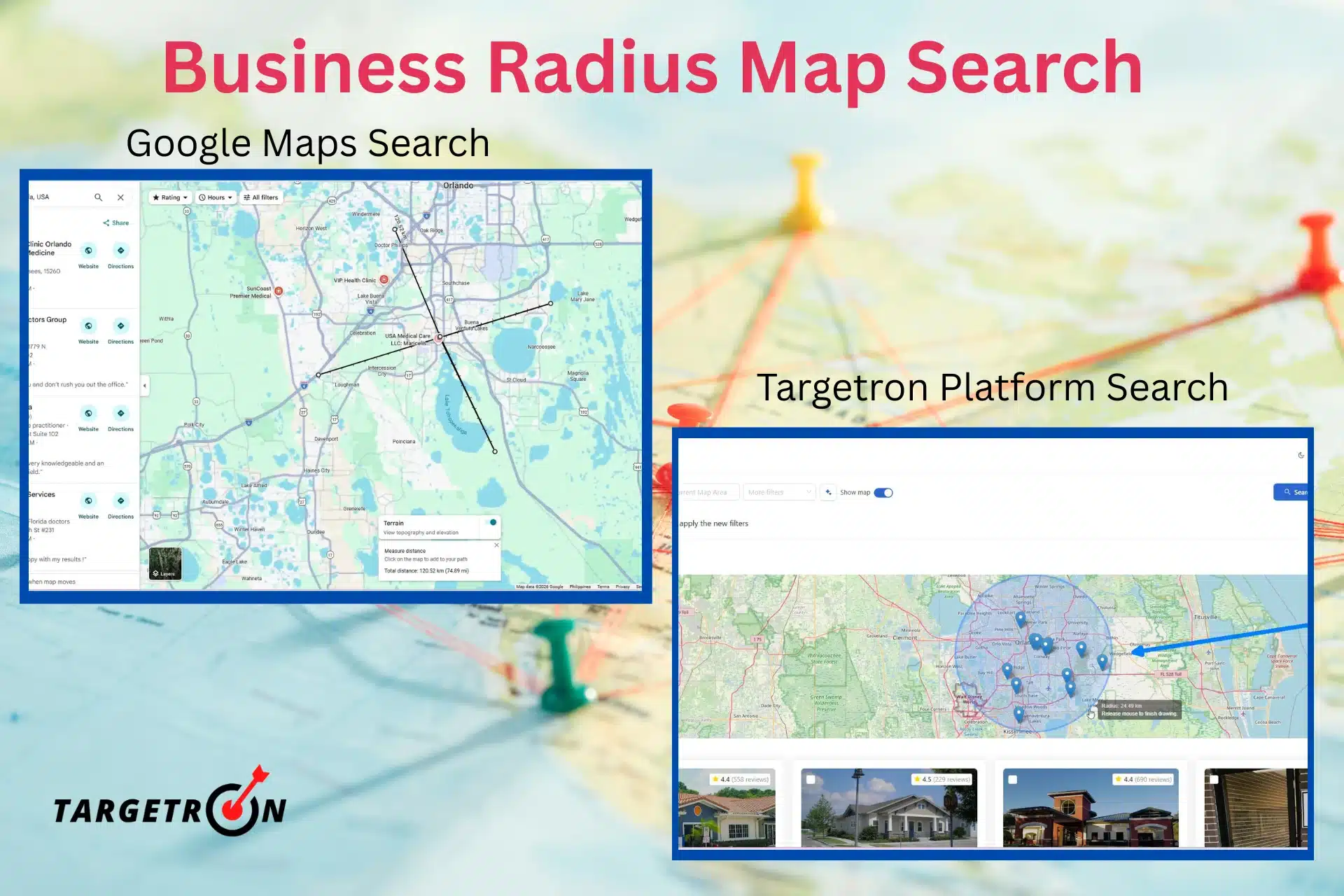
Most people think they need a complex plan to find new leads. The truth is, you often just need a clear view of your local area. A radius map provides this by removing irrelevant data and focusing on the physical proximity that matters for local service or sales.
This shift is critical today because the traditional sales model is struggling. Gartner reports that 74% of Chief Sales Officers believe they must change how their sellers use data to meet 2026 revenue goals. By using a radius map, companies meet this requirement by obtaining precise geographic data.
Standard searches provide rows of text. A radius map shows density. For a medical supplier company, seeing fifty leads within five miles makes route planning easy and cuts fuel costs. You can also spot neighborhoods where competitors are absent. This tool shows you exactly where to send your team. It presents data in a format that fits your daily schedule.
Finding local prospects requires the right tools. You can start with free mapping services for basic distance checks, but professional data tools are necessary for actual sales outreach. Here is how to use both.
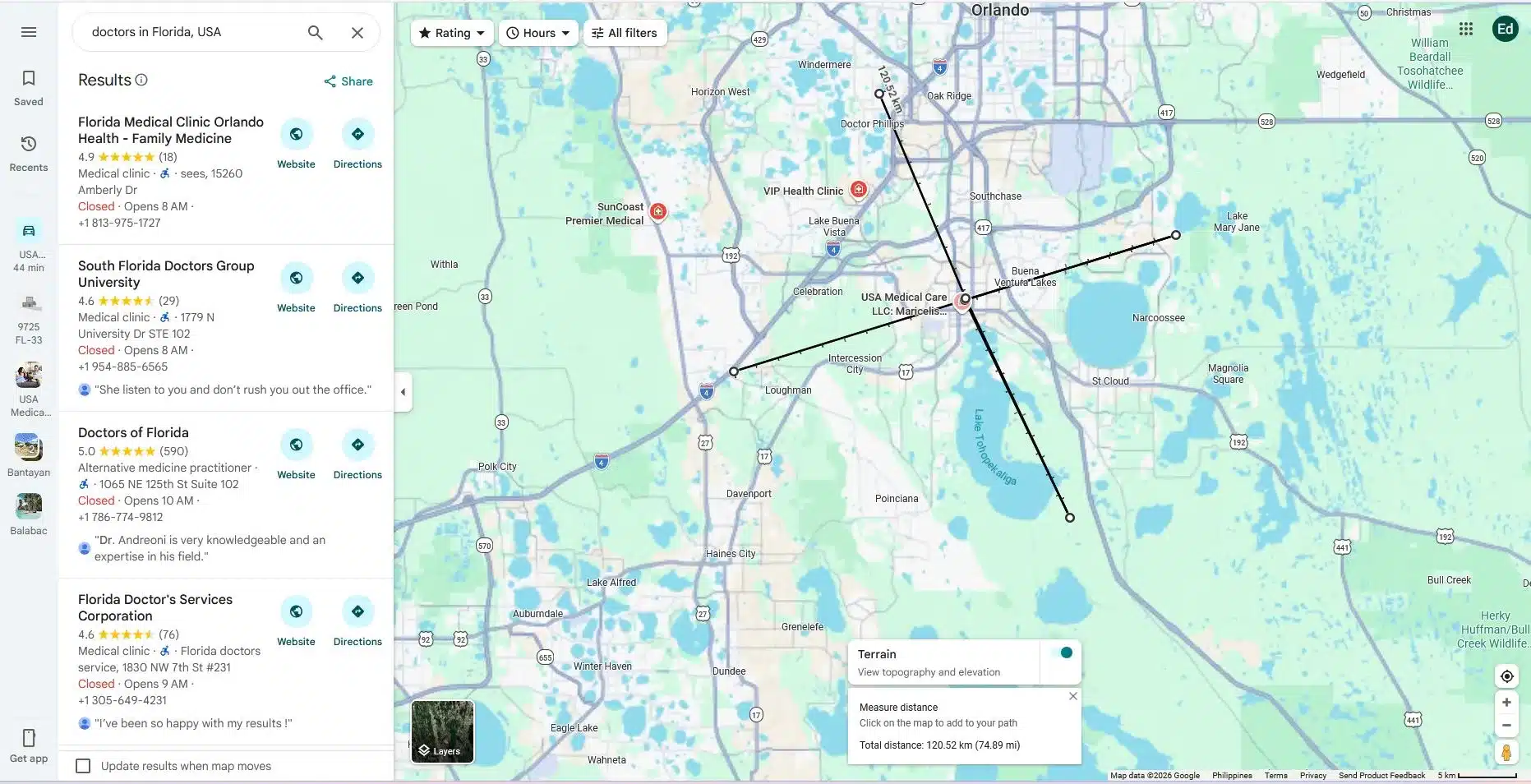
Many people want to know how to measure distance directly in their browser. Google Maps has a built-in feature for this. You simply right-click your starting point and select “Measure distance.” From there, you click any other point on the map to see the total mileage.
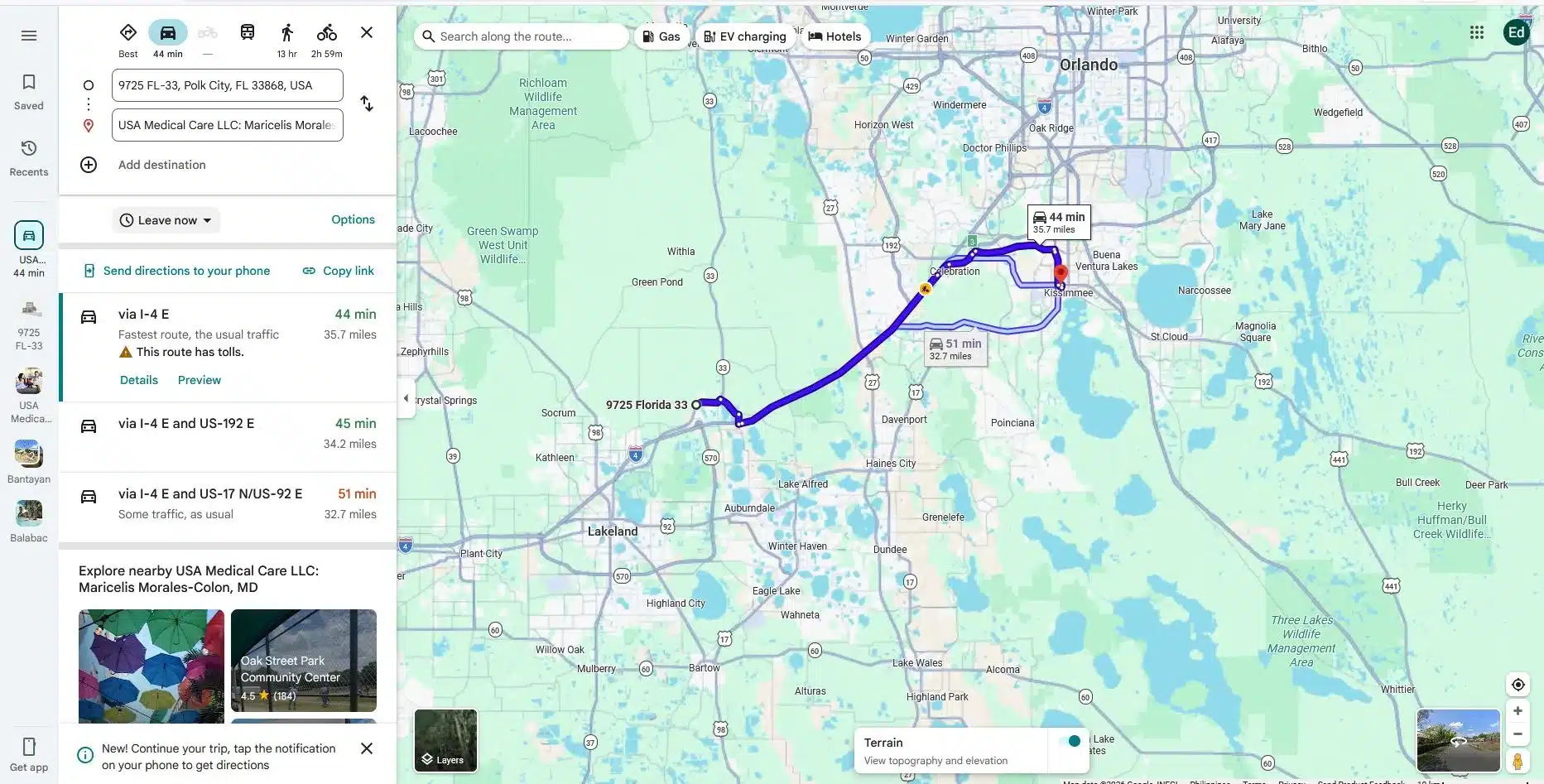
While this tool is good for a quick check, it has limits. It only measures a straight line between two points. It does not draw a permanent circle or show you a list of every company inside that area.
If you need to see a full 20-kilometer circle around your office, Google Maps requires you to manually click around the perimeter. This is slow and makes it easy to miss prospects.
To find companies efficiently, you need more than a line on a map. Professional tools like Targetron allow you to set a center point and a specific distance. You enter your address, choose your radius, and the tool identifies every business within that boundary.
The main difference is the data output. A free map shows you a location, but a professional database provides the contact details of the companies inside the circle. You get email addresses, phone numbers, and industry categories.
Instead of clicking on individual pins to see who they are, you get a clean list of local leads ready for your sales team. This approach turns a visual map into a functional lead list.
Step 1: Setting Up Your Account
Sign-up or login with your Targetron account. Once inside your dashboard, select Business Directory and proceed to Step 2. To maximize all the tools available, make sure to fund your accounts for a smooth transactions.

Step 2: Select Categories and Location
We will be searching for Doctors in the State of Florida, U.S., particularly in the City of Orlando, and click Search. It will give us the results of around 1,984 businesses
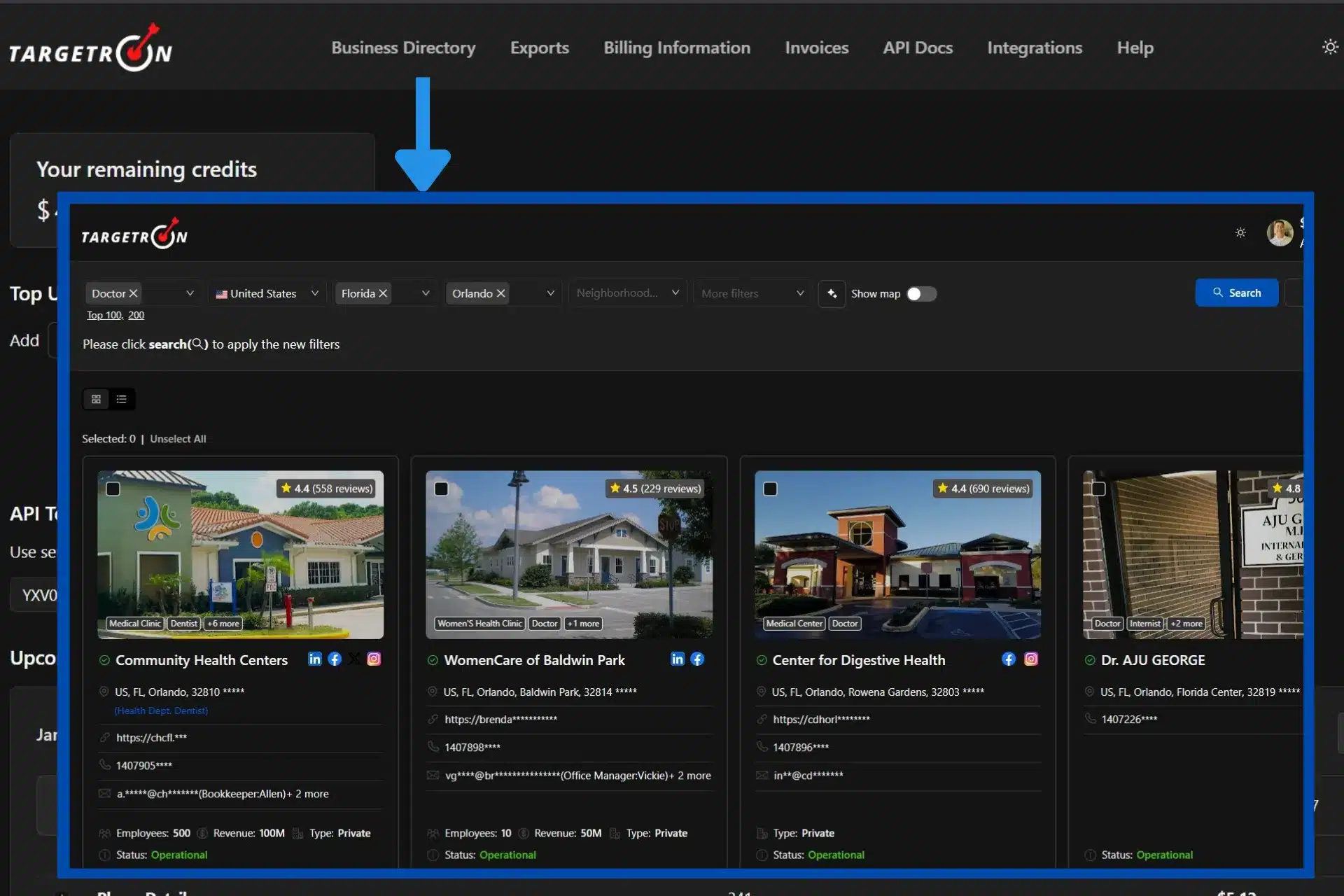
in the city. In order to do the business radius map search, we will be using the Show Map option and toggling it on.
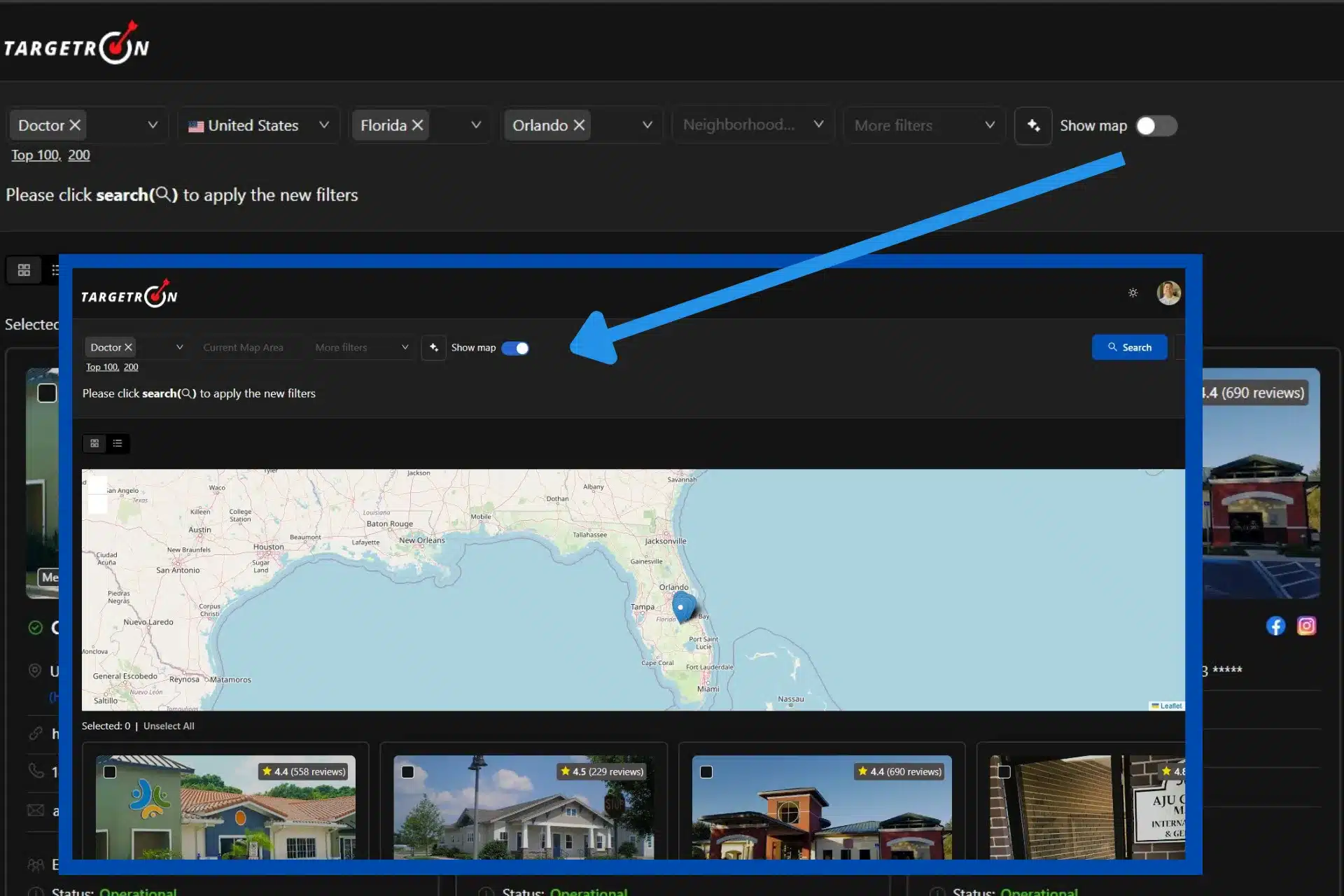
Step 3: Selecting the Map Option
Once inside the Map option, you have to be familiar with the interface and control buttons. On the left side, there’s a Zoom In & Zoom Out option. You can also use your mouse wheel for zooming in and out. In the right size of the map, there are five buttons. Each buttons will be describe below. The five buttons are Draw a Polygon, Draw a Rectangle, Draw a Circle, Layer Edit, and Delete button.
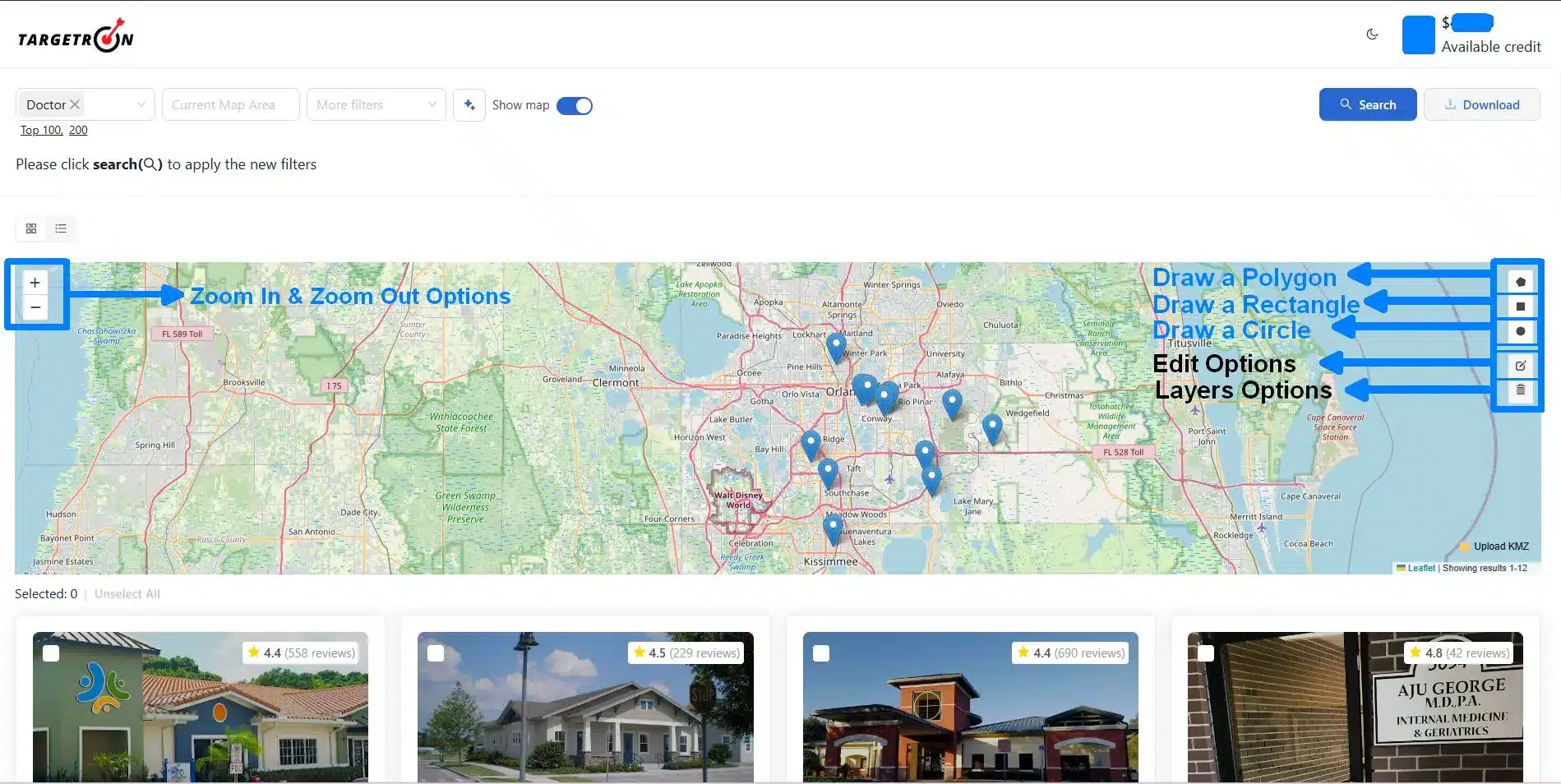
1. Draw a Polygon: You can create a closed, two-dimensional geometric figure by connecting a series of straight-line segments or sides end-to-end. For a detailed tutorial on how to use this option, you can follow the instruction on how to use Targetron in finding companies near specific coordinates.
2. Draw a Rectangle: This means you can construct a four-sided polygon (quadrilateral) with two pairs of parallel, opposite sides of equal length.
3. Draw a Circle: This is the option we will be using when determining the business radius map. We can visualize the distance from its center to any point on its circumference.
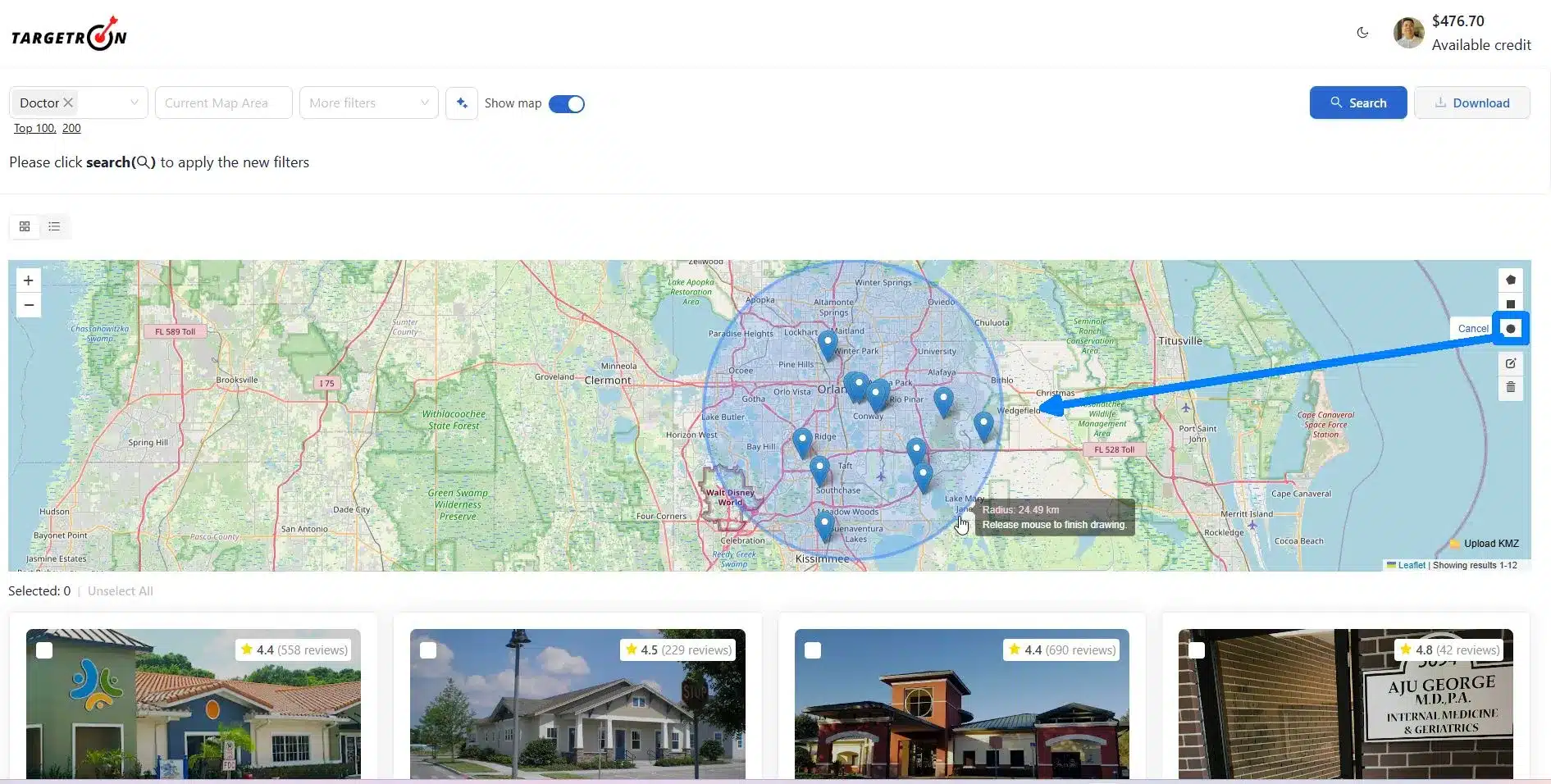
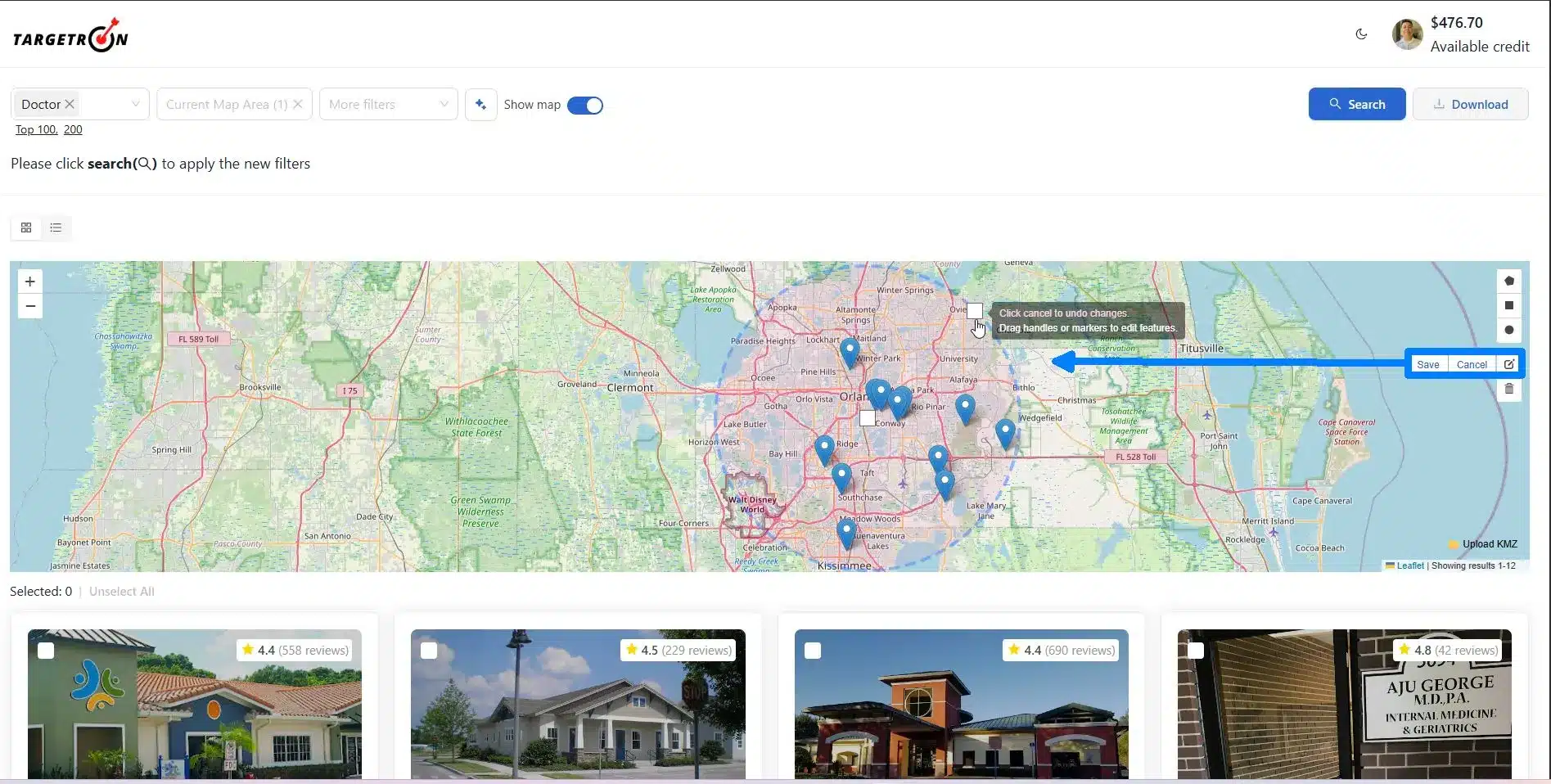
4. Layer Editing Options: After choosing the “Draw a Circle” option, we can edit our drawing using this tool.
The two white squares you see inside the map represent movements. You can use the inner square by holding your left mouse button, and you can drag the covered area of the circle. To use the outside square, hold your left mouse button and drag to increase the circumference. Click Save, and you’re done with the layer editing.
5. Delete Layers: If you made a mistake, you can delete the layers and create another. You can also select additional layers if your business has multiple areas of operations by following the same process, and combine the results into one search and download the data.
Step 4: Adding Advanced Filters
After selecting the business radius, you can add more filters as additional options. Based on our search, there is a total of 1,952 results that is ready to be downloaded. It will go down in numbers once we apply more filters.
Advanced Filters options include selecting the Business Status, whether the business is Operational, Temporarily Closed, or Permanently Closed. You can also select your Preferred Contacts in this options. Check our complete tutorial on how to use the Advanced Filters options to have a better understanding of how the Targetron B2B leads database works.
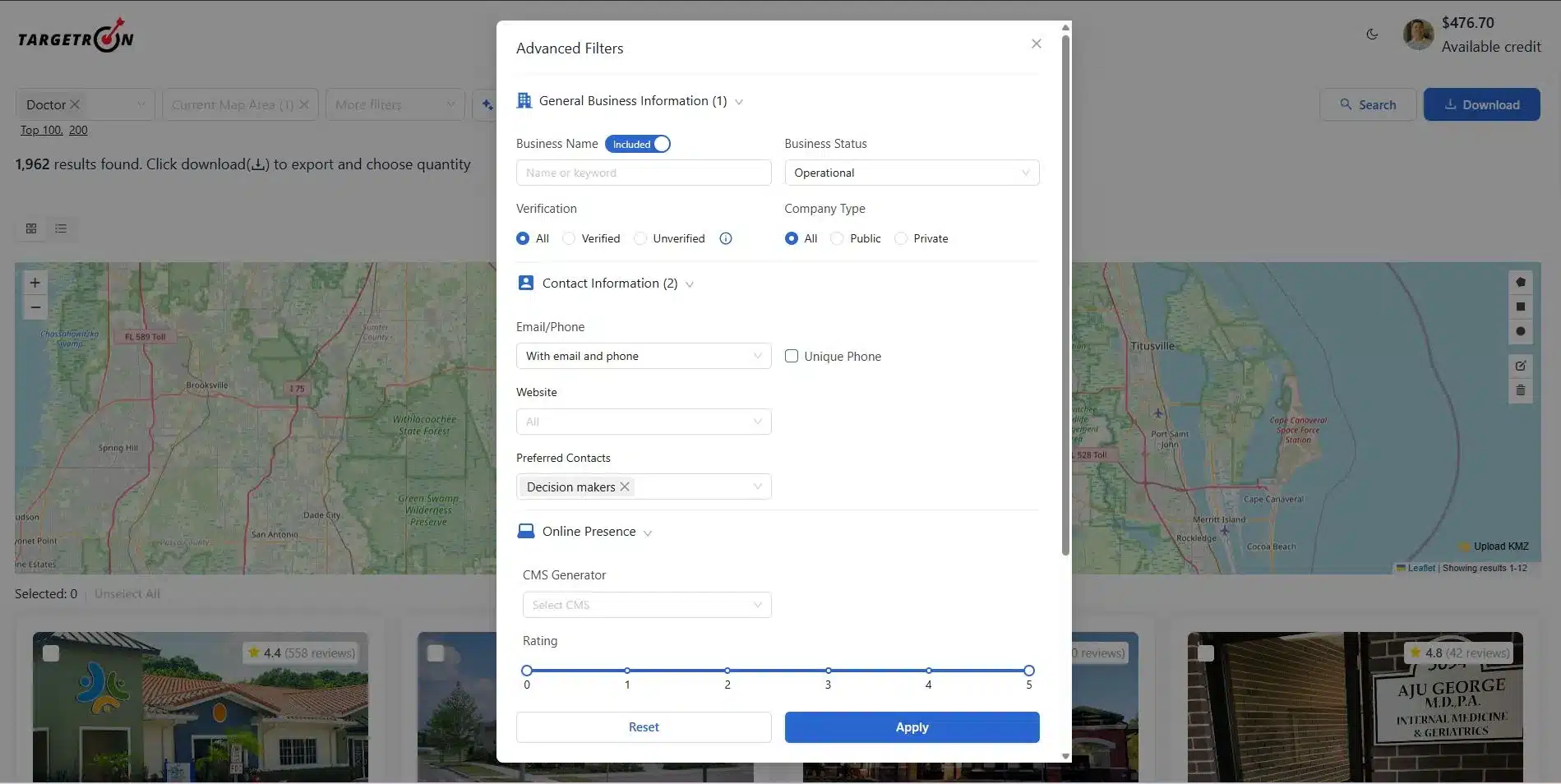
Step 5: Reviewing All Parameters and Downloading the Data
Wait for a few minutes while our servers calculate and compile all the data to be downloaded. Based on the results and after adding advanced filters, there are at least 902 doctors in Orlando, Florida within a 25-kilometer radius.
Now we are ready to download the data and confirm our checkout of 902 rows of business information about Doctors in Florida. Just click the Checkout Button and review the downloaded data from Targetron. You can then add it to your CRM for your sales and marketing team to do their job in your sales outreach within your business’s radius area of operations.
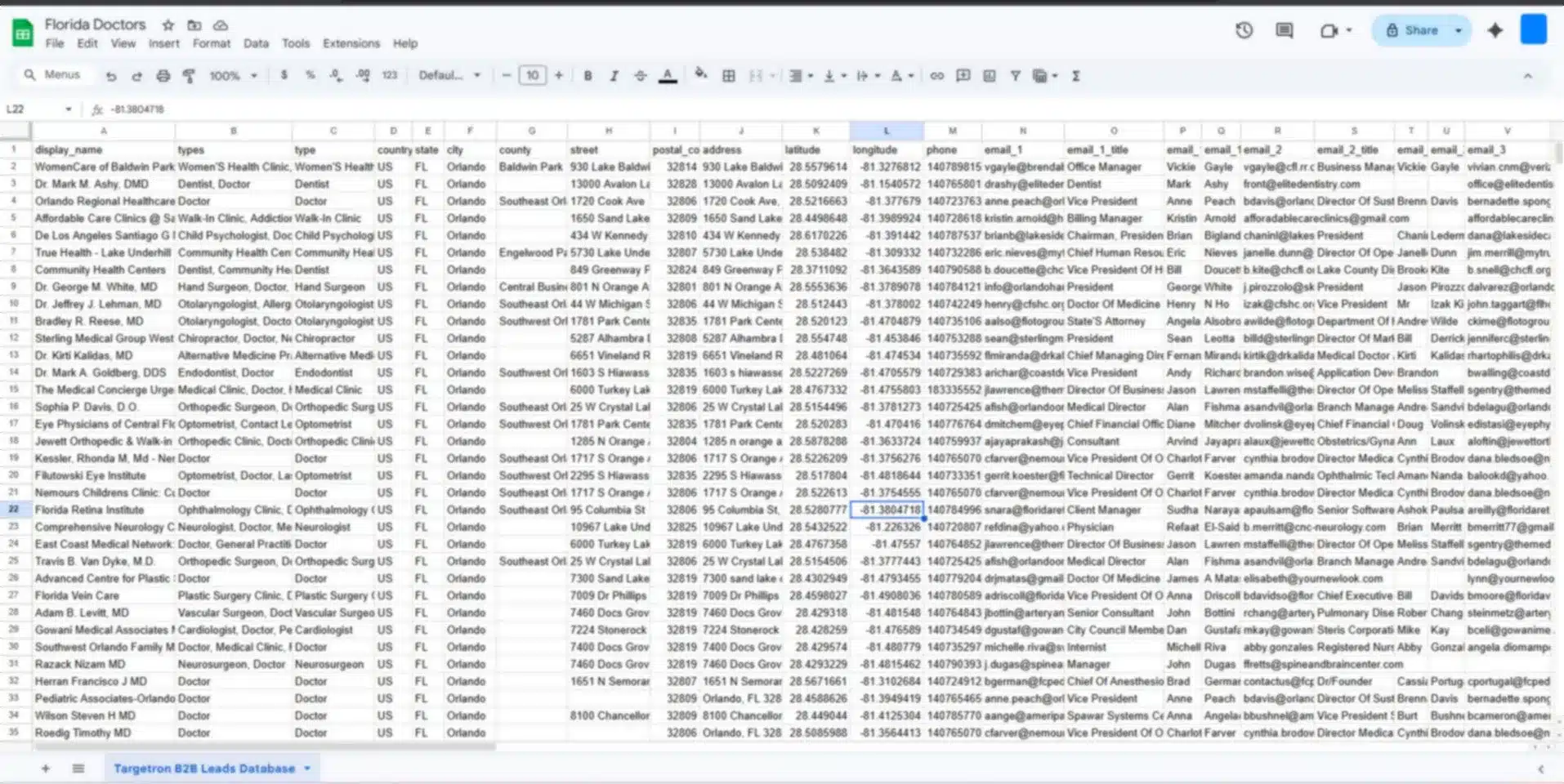
Visualizing your market as a geographic circle allows you to organize your daily work around distance. This approach helps different departments focus on the areas where they are most likely to succeed.
Visualizing your market as a geographic circle allows you to organize your daily work around distance. This approach helps different departments focus on the areas where they are most likely to succeed.
Sales Territory Planning
Sales managers often struggle with reps who cross paths or drive too far for small accounts. A radius map fixes this by allowing you to assign specific miles to each team member. For example, one rep might own everything within five miles of the city center, while another handles the ten-to twenty-kilometer ring.
This method keeps your team focused. It stops reps from driving across town for low-value leads when there are untapped prospects right next to their current appointment. When your team spends less time behind the wheel, they spend more time talking to customers.
Logistics and Delivery Zones
For companies offering same-day delivery or home services, distance is a direct cost. You can use a radius map to define your “service zone.” If you know your technicians can only reach clients within ten miles to remain profitable, you can set that as a hard limit on your map.
Mapping these zones helps your dispatch team make better decisions. They can see at a glance if a service call is inside the profitable circle or if it will require an extra travel fee. This clarity protects your margins and ensures your staff remains productive throughout the day.
Local Ad Targeting
Digital ads can waste a lot of money if they show up for people who live too far away to visit your store or use your services. You can use your radius map data to set geographic boundaries for your online campaigns.
Instead of targeting an entire city or ZIP code, you target the specific miles where your data shows the most potential. This helps you stop paying for clicks from people who are too far away to buy. It refines your budget so every dollar is spent on prospects who can actually reach you.
A map is just a picture until you use the data to grow. To find companies efficiently, you must move beyond looking at markers on a screen and start using that geographic data to drive your sales plan.
From now on, the best way to manage your territory is to focus on the density of businesses in your circle rather than just the total number of leads. High density means more opportunities in a smaller area. This ensures your sales team stays focused on the most accessible opportunities and avoids wasting hours in traffic.
By prioritizing proximity, you lower your costs and increase the time your team spends in front of qualified prospects. Start by defining your ideal radius, pulling the contact data, and assigning your team to the pockets of highest density. This simple change in your approach leads to a more organized and profitable local operation.
Most frequent questions and answers
It is a visual tool that draws a circle around a specific address to show every prospect or competitor within a set distance.
It helps you focus on lead density, which reduces travel time and cuts customer acquisition costs by up to 40%.
Standard maps only show locations, but professional tools like Targetron provide names, emails, and phone numbers for every business in the circle.
Google Maps is good for measuring straight lines, but it cannot draw permanent circles or export business lists like specialized data providers.
Focusing on proximity makes sure your team stays in a tight geographic area, which protects your profit margins by lowering fuel and labor costs.
For simple navigation or finding a single store, Google Maps is the standard. However, for sales and marketing, you need tools that combine mapping with business data. Software like Targetron or similar lead databases allow you to draw a circle and export the actual names and phone numbers of the businesses inside it.