B2B Lead Enrichment: What to Add After Finding a Business
Table of Contents
A business search can give you a company name, category, location, website, and phone number. That is enough to identify the business, but it may still leave an important question unanswered: is this record useful for the campaign you are building?
B2B lead enrichment fills the information gaps after discovery. Depending on the campaign, that can mean adding a relevant contact, job role, company details, or other fields that help you decide whether the business should move forward.
A local SEO agency may care about website presence, ratings, reviews, and contact details. A B2B sales team may care more about company fit, the right job role, and a usable contact path. The useful fields change with the campaign.
The next step is choosing the fields that matter for the campaign, adding the missing context, and moving the record into verification before outreach.
Quick Answer: What Should You Add During B2B Lead Enrichment
- Confirm the basic business details.
- Add the contact information you need.
- Find the relevant person or job role.
- Add company details that help check fit.
- Verify the important fields before outreach.
This step makes the record more useful for the next sales step without adding fields that do not help the campaign.
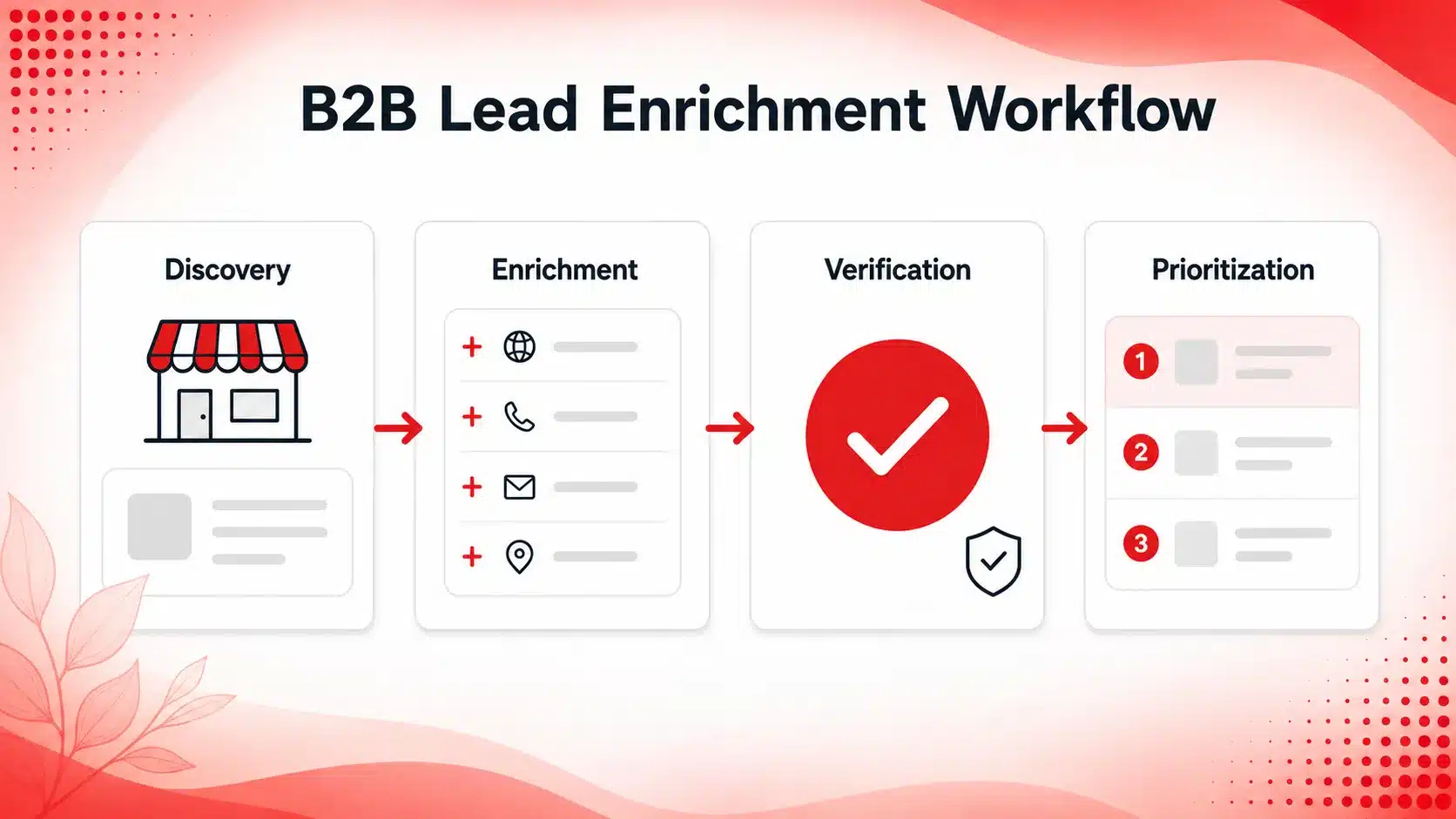
What Is B2B Lead Enrichment?
B2B lead enrichment means adding useful company and contact information to a business record you have already found.
A 2026 Cognism guide also describes lead enrichment as adding and maintaining company and contact data so sales teams can work with more complete records.
That can include a website, contact details, job role, company size, business category, location, or other information needed to judge whether the record fits your campaign.
Enrichment sits between discovery and verification.
Lead Discovery vs. Enrichment
Lead discovery answers:
Which businesses should I research?
Enrichment answers:
What information is missing from the records I found?
A business may already match your location and category filters, but the record can still be missing the person to contact, a usable contact path, or enough company information to judge fit.
For the earlier discovery step, see Targetron’s guide on finding B2B leads that match your ICP.
Company-Level vs. Contact-Level Enrichment
Company data enrichment adds details about the business, such as its category, location, website, size, or other company information relevant to the campaign.
Contact-level enrichment adds information about a person or contact path, such as a name, job title, email address, phone number, or professional profile where available. If your campaign depends on reaching a specific decision-maker, you can also find B2B contacts by job title before moving the record into verification.
Some campaigns need both. Others only need a few fields before the record can move to verification.
What Data Should You Add to a B2B Lead?
Add lead data that helps you decide whether the business fits the campaign and whether the record is ready to move forward. If the list still needs to be narrowed by company type or location, Targetron’s guide to finding local business leads covers the discovery step in more detail.
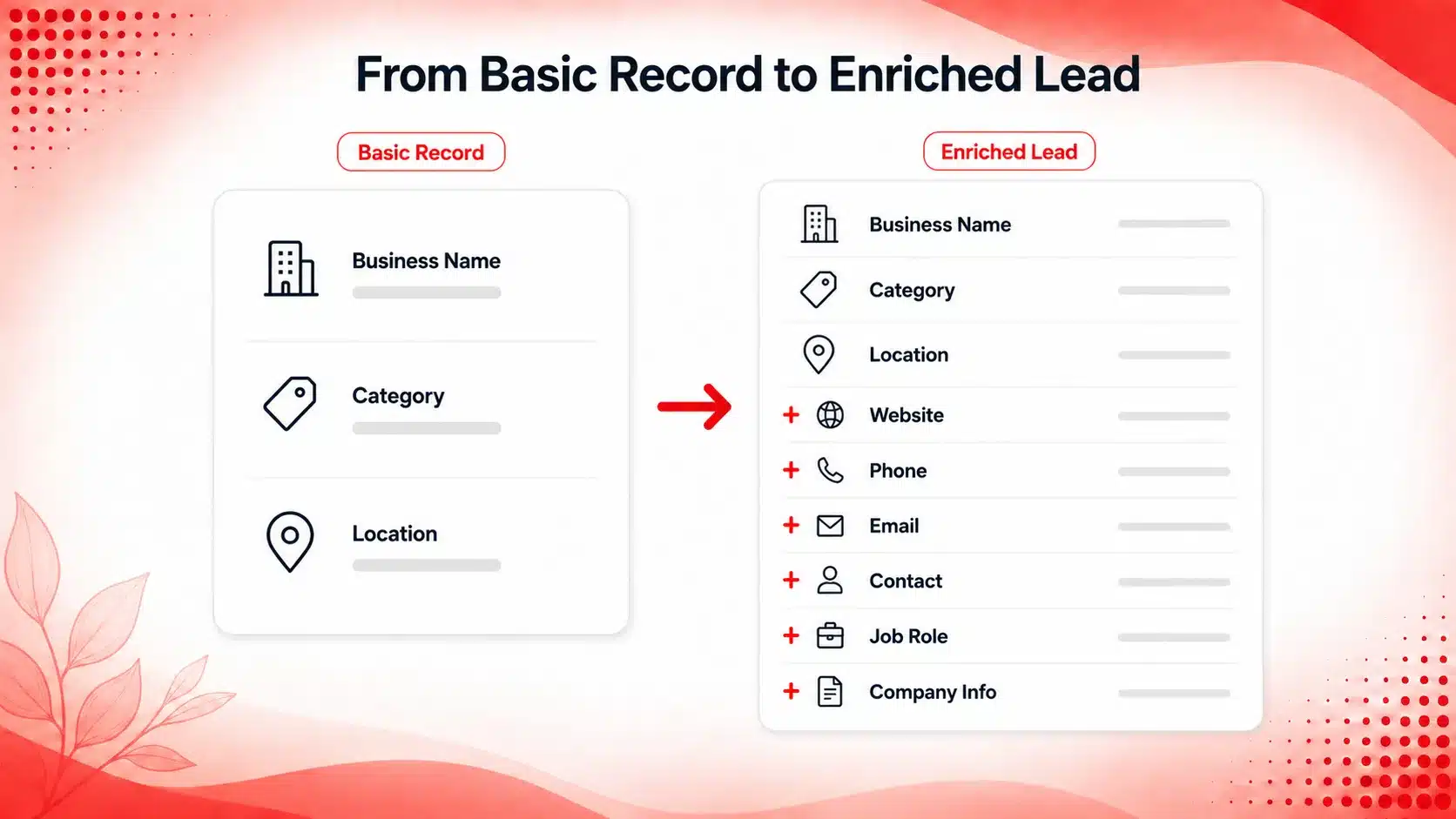
Business Details
Start with the basics:
- business name
- category
- location
- website
- business status
These fields help confirm that you are working with the right company or location.
Contact Information
Add the contact path your campaign needs, such as:
- phone number
- website contact page
- social profile
If the campaign targets a specific person, add the contact name and job role as well.
Company Information
Use firmographic data that helps check ICP fit, such as company size, category, location, website presence, or other available information relevant to the campaign.
Campaign-Specific Signals
Some fields matter only for certain offers. For campaigns built around a narrow market, category-based B2B prospecting can help you start with a more focused group of businesses before enrichment.
For example, a local SEO agency may care about ratings and reviews, while a web design agency may care more about website presence.
Add only the data that helps with the next decision.
Start with businesses that match your campaign criteria before adding more data.
Choose Lead Enrichment Fields Based on Your Campaign
Not every campaign needs the same enrichment fields. Start with the information that helps you decide whether a business fits the offer and who should be contacted.
Web Design Agency
A web design agency may focus on:
- website presence
- business category
- location
- contact details
- relevant job role
A web design agency looking for dentists in Phoenix may start with businesses that have no website or an outdated domain. After discovery, the record can be enriched with a phone number, business email, and the role most likely to handle website decisions. Once those fields are present, the contact details can move into verification.
Local SEO Agency
A local SEO agency may care more about:
- website
- rating
- review count
- category
- location
- contact information
These fields help narrow the list before spending more time on research.
B2B Sales Team
A B2B sales team may prioritize:
- company size
- business category
- location
- relevant job role
- usable contact information
The fields should follow the campaign criteria. More data does not automatically make a lead more useful.
A sales team targeting small accounting firms may begin with category, location, and company size. Enrichment can then add a relevant job role and usable contact path before the record is checked and scored for outreach.
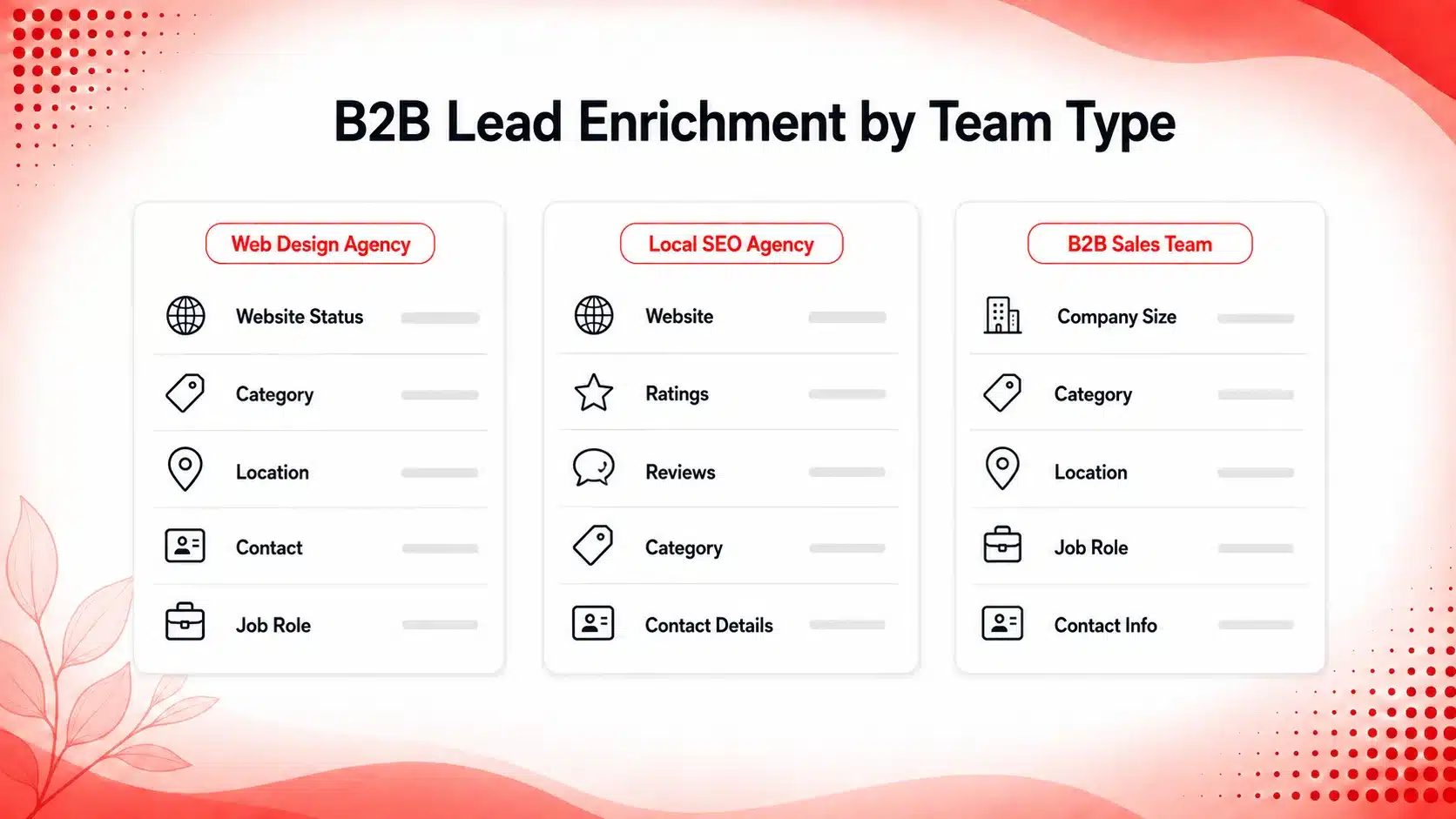
Different campaigns need different business and contact information. Use Targetron to find relevant businesses and add the details needed to prepare the records for the next step.
B2B Lead Enrichment vs. Lead Verification
Enrichment and verification are separate steps.
| Stage | Main Question | Example |
|---|---|---|
| Discovery | Which business should I research? | Find a dental clinic in Chicago. |
| Enrichment | What information should I add? | Add the website, contact details, and relevant job role. |
| Verification | Is the information current and usable? | Check the business status and important contact details. |
| Prioritization | Which lead should I contact first? | Compare the remaining records against the campaign criteria. |
When Enrichment Should Stop
Once the record has enough information to judge fit and identify a usable contact path, adding more fields may not help.
At that point, the next step is to verify B2B contact information before outreach so the business status and contact details can be checked before the record moves forward.
This keeps enrichment focused on filling useful gaps rather than collecting data that the campaign does not need.
Lead Enrichment Workflow Before Outreach
A simple lead data enrichment process keeps the record focused on what the campaign needs before it moves into outreach.
A Simple Targetron Workflow
- Define the businesses you want. Start with the category, location, company size, or other criteria that matter to the campaign.
- Find matching businesses. Build the first list from businesses that fit those search conditions.
- Review the basic record. Check the company name, website, location, and business details already available.
- Add the missing information. Add the contact, job role, or company details needed for the campaign.
- Remove poor-fit records. Drop businesses that no longer match the criteria after more information is added.
- Check the important details. Move the record into verification before outreach.
- Prioritize the remaining leads. Compare the checked records against your campaign criteria. Once the records are checked, a simple lead scoring system for small business can help decide which prospects should get attention first.
- Export the final list. Move the records into the next sales or outreach step. If you need help with the export stage, see Targetron’s guide on how to export leads from the B2B directory.
Final B2B Lead Enrichment Checklist
Before a record moves forward, check:
- Does the business match the category and location you need?
- Do you have the correct website or company details?
- Is there a usable contact path?
- Do you know the relevant person or job role, if needed?
- Do you have enough company information to judge fit?
- Have the important contact details been checked?
- Is the record ready for prioritization or export?
Once these checks are complete, the record has enough context to move into the next sales step without carrying unnecessary fields.
Use B2B lead enrichment to add the company and contact information your campaign needs before verification and outreach. With Targetron, you can narrow businesses by your campaign criteria and prepare the records for the next sales step.
FAQ
Most frequent questions and answers
B2B lead enrichment means adding useful company and contact information to a business record you have already found. The added fields help you judge fit, identify a contact path, and prepare the record for verification.
Add only the fields that help with the campaign. This can include business details, website, phone number, email, contact name, job role, company size, location, or other relevant company information.
Lead enrichment adds missing information to a record. Lead verification checks whether the important business and contact details are current and usable before outreach.
No. A record only needs enough information to support the next decision. If extra fields do not help you judge fit, identify the right contact, or prepare the lead for checking, they may not be necessary.
Stop when the record has enough information to judge campaign fit, identify a usable contact path, and move the important details into verification. Adding more fields after that point can create extra research work without improving the next sales decision.

Text On WhatsApp
Scan the QR code below on your mobile device or click the button to start a realtime conversation with a sales specialist.